Simple MQTT Guide
-
Hi All,
Posted in the WiPy section but the same applies for the LoPy.
Figured this code may help those relatively new to Pycom/Micropython/MQTT. It's a simple way to quickly get Mqtt publishing on your WiPy or LoPy board. I used the Hive Mq broker for demo purposes:
http://www.hivemq.com/demos/websocket-client/
-
Make sure the WiPy is connected over serial to Pymakr ( sometimes restarting Pymakr gets things going if it can't detect it).
-
Download the UMQTT Library that is available here: https://pypi.python.org/pypi/micropython-umqtt.simple and open simply.py
The library on the whole is pretty good, but there is a bug on line 57. Make sure to change:
self.settimeout(self.timeout)To
self.sock.settimeout(self.timeout)Go ahead and save the Library but rename it so umqtt instead of simple.py
-
Open Pymakr to start building your main script. Create a new project (Mqtttest or whatever)
                      from network import WLAN
                      from umqtt import MQTTClient
                      import machine, time

                     def settimeout(duration): pass

                   wlan = WLAN(mode=WLAN.STA)
                   wlan.antenna(WLAN.EXT_ANT)
                   wlan.connect("yourwifinetwork", auth=(WLAN.WPA2, "wifipassword"), timeout=5000)
                   while not wlan.isconnected(): machine.idle()
                   print("Connected to Wifi\n")
                   client = MQTTClient("joe", "broker.hivemq.com", port=1883)
                   client.settimeout = settimeout
                   client.connect()
                   while True:
                    print("Sending ON")
                    client.publish("/lights", "ON")
                    time.sleep(1)
                    print("Sending OFF")
                    client.publish("/lights", "OFF")
                    time.sleep(1)
After inputting your WIFI and broker details, go ahead and choose a publish topic of your choice, along with a message
-
Almost ready to give it a try! Next connect to your WiPy over WIFI and FTP into the /lib folder. I use Fillezilla for this. Upload our renamed library umqtt to the /lib folder on the board.
-
Make sure the WiPy is connected over serial to Pymakr ( again a restart may help this). Then hit the play button to upload your script to the board . You should see the Wifi connected printed in the console, and then the while loop commence.
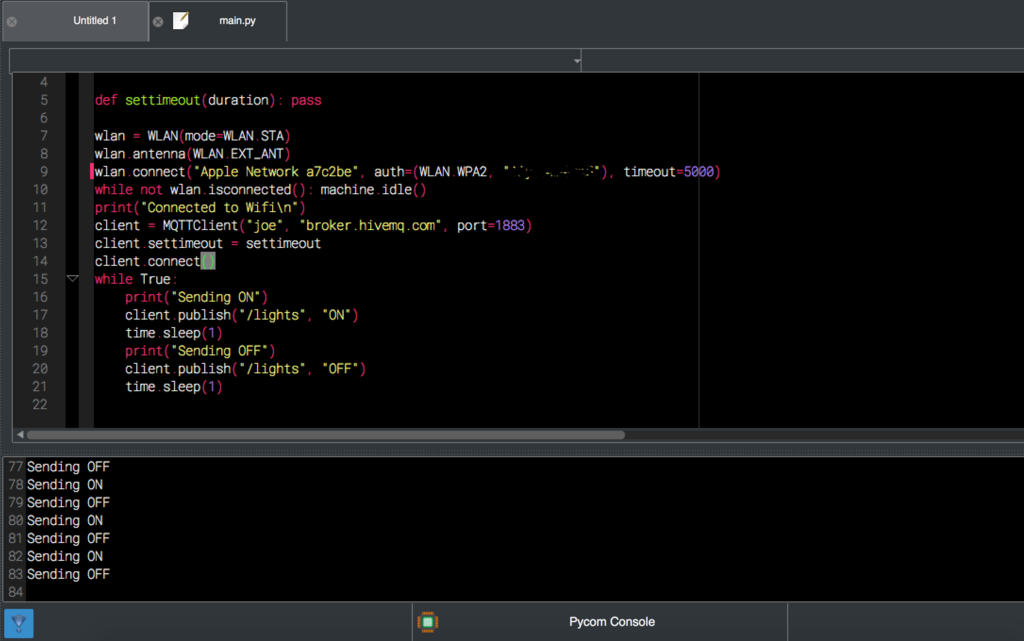
Go back to http://www.hivemq.com/demos/websocket-client/ and subscribe to your topic, and you should see the messages start coming in on the broker.
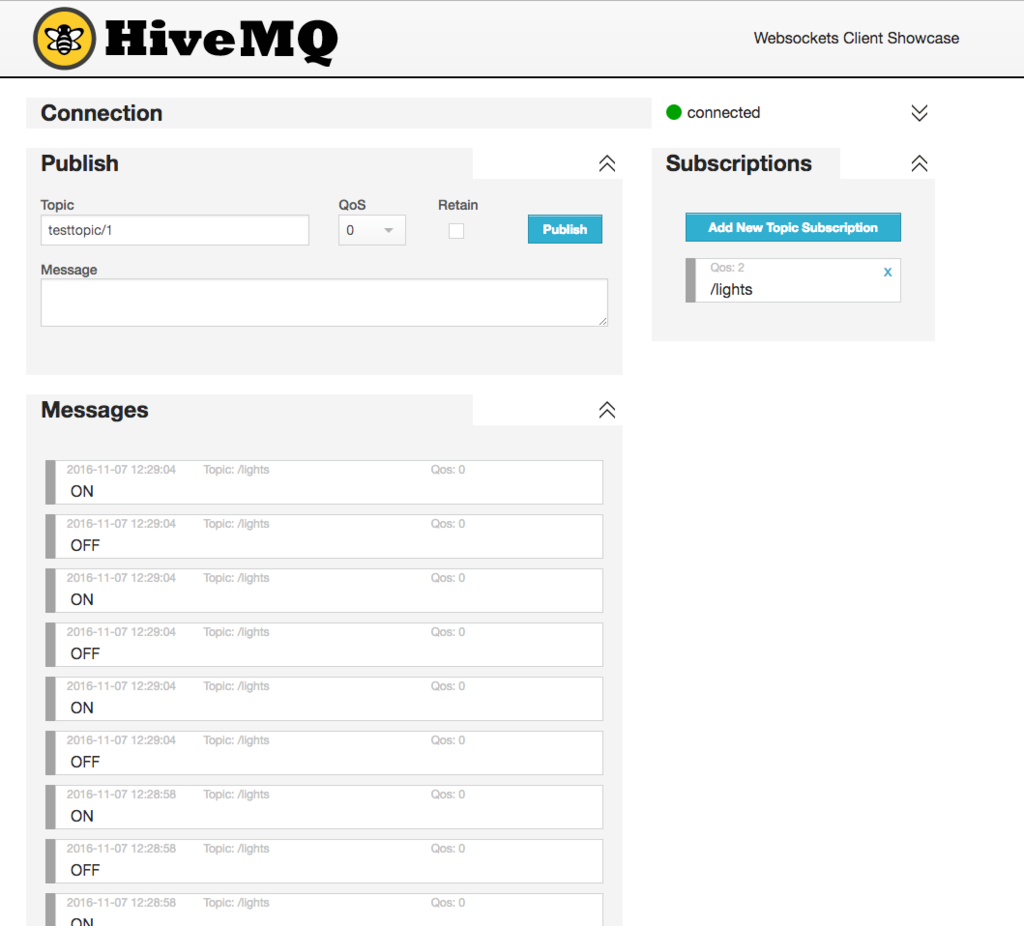
Bit of a dummies guide but hope this helps some people!
-
Hello! It looks like you're interested in this conversation, but you don't have an account yet.
Getting fed up of having to scroll through the same posts each visit? When you register for an account, you'll always come back to exactly where you were before, and choose to be notified of new replies (either via email, or push notification). You'll also be able to save bookmarks and upvote posts to show your appreciation to other community members.
With your input, this post could be even better 💗
Register Login