Failed to connect (Port is not open)
-
Currently try to run the coding for the pytrack but when connect the pytrack it show error.

Before this i have update the firmware with everything done and replace the "COM6" on the global setting. However, after few days i try to connect the pytrack it show the error. May i know how to fix it?
-
@mj a) Did you check in the device manager, which port is actually used?
b) Is another program running wich uses this port? -
Hi @robert-hh , i checked in device manager it only showing pytrack without the COM port number and i have no program running on the same port.
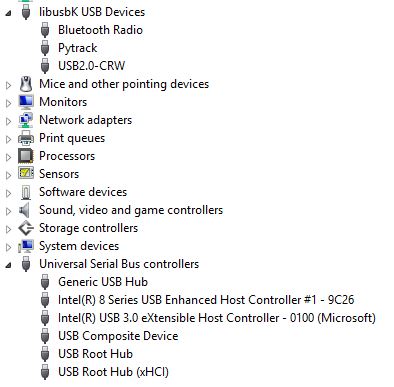
Any ideas on solving this problem? I have no problem to connect my lopy and expansion board but pytrack together with lopy can not work for it.
-
@mj You may need a driver. There was discussion here:
https://forum.pycom.io/topic/1291/solved-pytrack-usb-driver
and here:
https://forum.pycom.io/topic/1840/pytrack-guidelines -
@robert-hh i have tried to install the driver and done for the step but the problem is still there showing 0 serial port. How can i fix it?
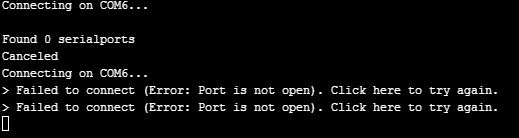
How can i fix it? Hopefully can solve this in a very short time, need it urgently.
-
@mj I understand that it worked before. Did you change anything in the set-up, even such a trivial thing like the USB cable or the USB port you used?
-
@robert-hh Thanks for replying. I have try for another usb cable and port instead but the problem is still the same.
-
-
@crumble Reconfiguring P0/P1 should not affect the cisibility as COM port. The UART/USB bridge should always be registered by Windows as such, even is the ESP32 is not connected to it. So I still guess it's a driver problem. Try to reinstall the USB driver from the vendor's web site: http://www.ftdichip.com/Drivers/VCP.htm
-
@crumble i have try to install the driver and follow the step given. But when i install the driver it showing the driver is already update.
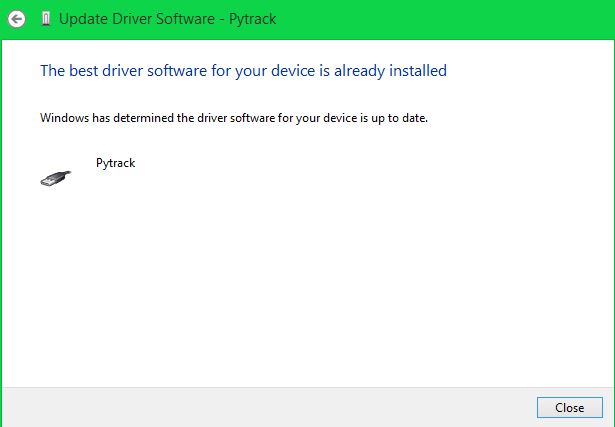
I try connect the pytrack in atom it stills showing the "Found 0 serial port"
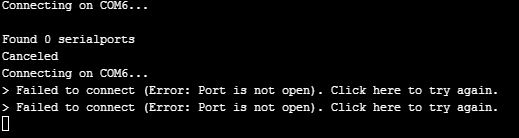
May i know how to get it fix ?
-
@mj Do not use the driver method, download the driver file and execute that manually.
-
Have you updated the firmware of the pytrack?
After that mine was not detected as a com device. You are using windows, right? Please check in the device manager, if your pytrack ist detected as a com or a dfu device. I can't remember how i fixed this. I guess I deinstalled the dfu driver, so that the pytrack was detected as a com device again.
Install todays pytrack firmware, before you do this ;)
-
@robert-hh I have downloaded the driver and follow the step inside the link but still showing the same problem.
-
@crumble I have installed the dfu driver in the pycom.documentation yesterday and update the Pytrack, I also ensure that the Pytrack is in DFU mode as well. The problem is still there.
I have tried my Pytrack on my friends laptop since she only using Lopy and expansion board only. My Pytrack works on her laptop as normal but when I tried it on my laptop it stated zero serial board. I have no problem for my expansion board too only Pytrack goes wrong. This make me feel confuse and I have no idea what happen to my Pytrack.Today's dfu driver is it the latest?
-
-
@mj My PyTrack is now nón 0.0.6 as well. While libusK is installed, Windows 7 detects it as a libusK device for some seconds. You have to be quick again.
- Open the device manager,
- Plugin the pytrack. It will be listed as a libusK device not as com
- right click on pytrack
- select deinstall driver, hook uninstall driver
- rescan devices
- pytrack will become a com device
-
-
@mj this worked on my machine. Have you cecked that files shall be removed when uninstalling the driver?
Version 0.0.6 is linked in the Announcement section of the forum. The docu still shows 0.0.4 as the latest. 0.0.6 fixed the wake-up from deepsleep reason.
I Stuck now on upgrading the firmware of the LoPy on the PyTrack. Last time, I Pluged it on a ExpansionBoard. This time I soldered a switch on the LoPy. As a resut it fails allways with connection problems :-/
-
@crumble Hi, i have uninstall the pytrack from the device manager and plugin in again it show under "other devices" as shown below.
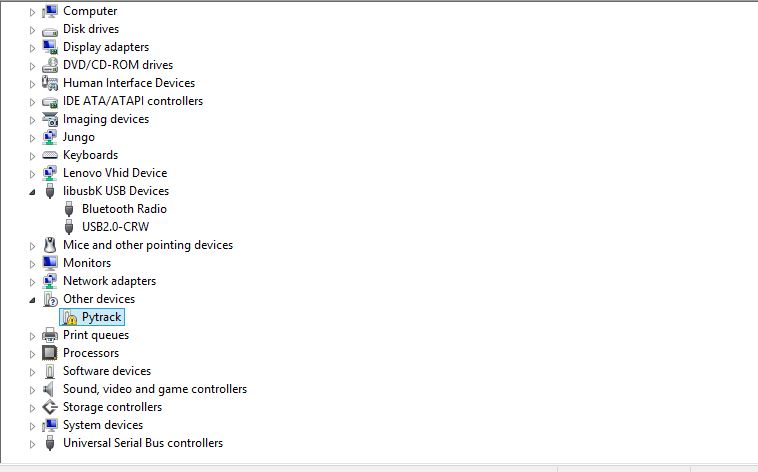
I followed the link in https://docs.pycom.io/chapter/pytrackpysense/installation/drivers.html although my windows is windows 8 not windows 7. But when i update the driver i encounter this showing that the third party does not contain the INF digital signature information.
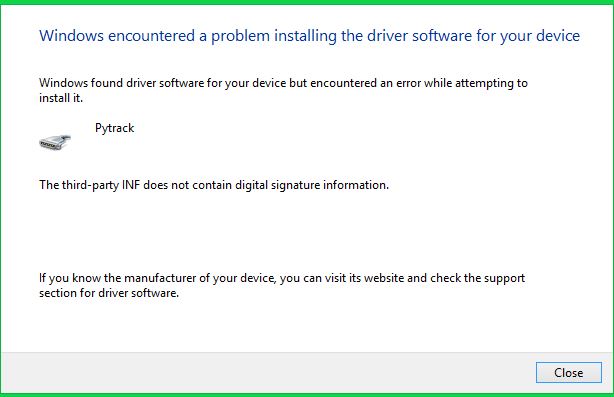
How can solve this problem?
-
Please try to install the driver with administrator rights.The driver is not signed by someone whicht the OS trust. If you have the rights, you can tell the system that you trust the driver.

Hello! It looks like you're interested in this conversation, but you don't have an account yet.
Getting fed up of having to scroll through the same posts each visit? When you register for an account, you'll always come back to exactly where you were before, and choose to be notified of new replies (either via email, or push notification). You'll also be able to save bookmarks and upvote posts to show your appreciation to other community members.
With your input, this post could be even better 💗
Register Login