Welcome to the Pycom forum Forum
    • \[\[global:header.categories\]\]
    • \[\[global:header.recent\]\]
    • \[\[global:header.tags\]\]
    • \[\[global:header.popular\]\]
    • Login

    Explore Pybytes | Official Documentation | Report a Firmware Bug/Issue | GitHub

    1602 LCD and I2C backpack with pycom

    Scheduled Pinned Locked Moved MicroPython
    1602i2clcd displays
    17 Posts 4 Posters 1.4k Views 4 Watching
    Loading More Posts
    • Oldest to Newest
    • Newest to Oldest
    • Most Votes
    Reply
    • Reply as topic
    Log in to reply
    This topic has been deleted. Only users with topic management privileges can see it.
    • T Offline
      tttadam
      last edited by

      I found a library. Work as intended.

      1 Reply Last reply Reply Quote 1
      • L Offline
        Lucas_Vieira
        last edited by

        Can you help me with this library? i'm beginner with pycom. i'm using a lopy4. how can i add this library in my code? Thank you very much for your help!!

        robert-hhR 1 Reply Last reply Reply Quote 0
        • robert-hhR Offline
          robert-hh @Lucas_Vieira
          last edited by robert-hh

          @Lucas_Vieira There are a variety of drivers here:https://github.com/dhylands/python_lcd.git
          The one for esp8266_i2c works. The only thing to adapt is the I2C constructor in the test program in line 14, where you have to write:
          i22=I2C()
          if you connect the I2C to the default pins P9 (sda) and P10 (scl). And the I2C address may have to be changed.
          And one hint: The LCD's typically run at 5V. Driving the, at 3.3 V typically results in the LCD not showing anything.

          L 1 Reply Last reply Reply Quote 0
          • L Offline
            Lucas_Vieira @robert-hh
            last edited by

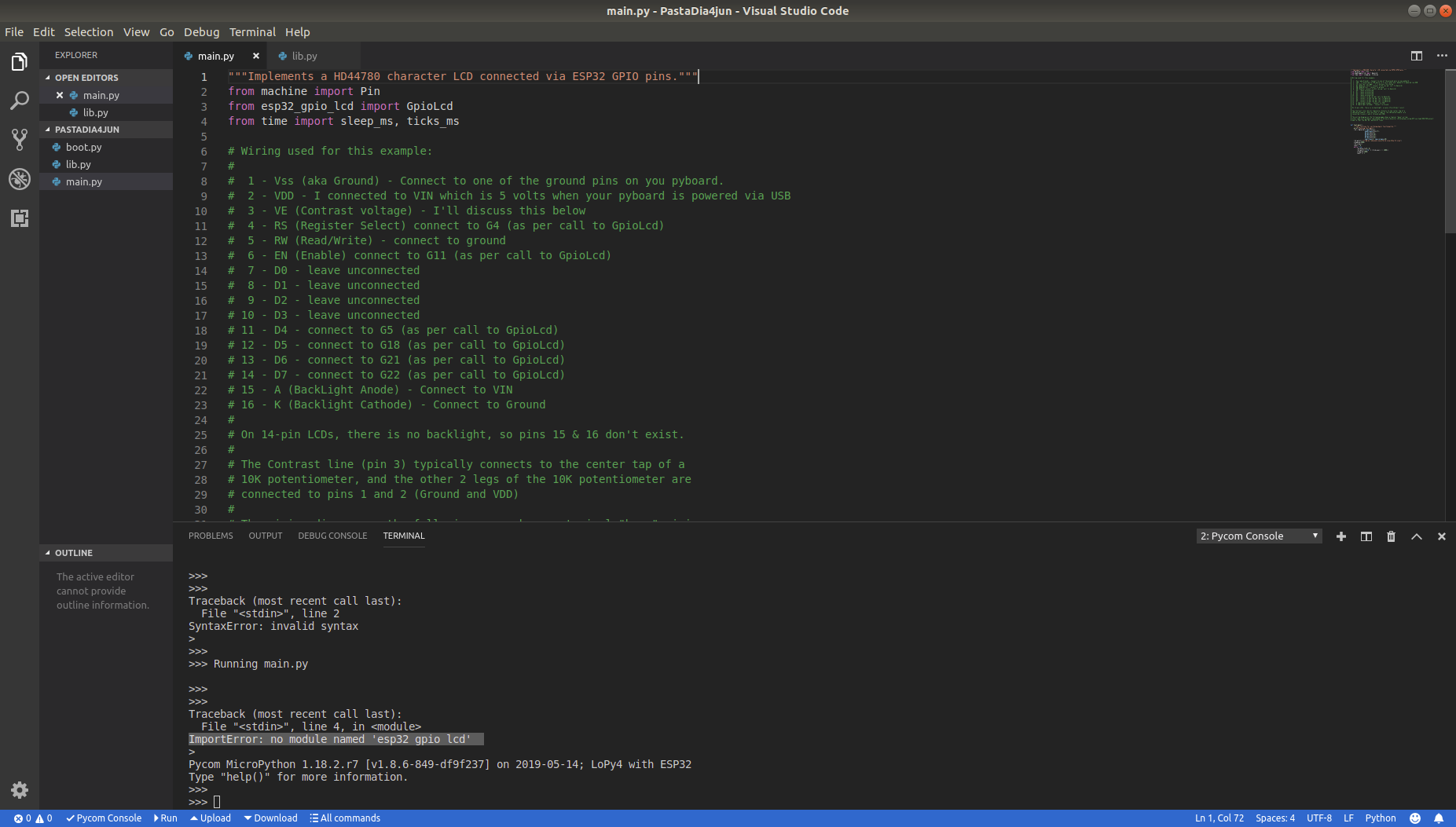
            @robert-hh How can i import a library? It's showing an import error

            robert-hhR 1 Reply Last reply Reply Quote 0
            • robert-hhR Offline
              robert-hh @Lucas_Vieira
              last edited by

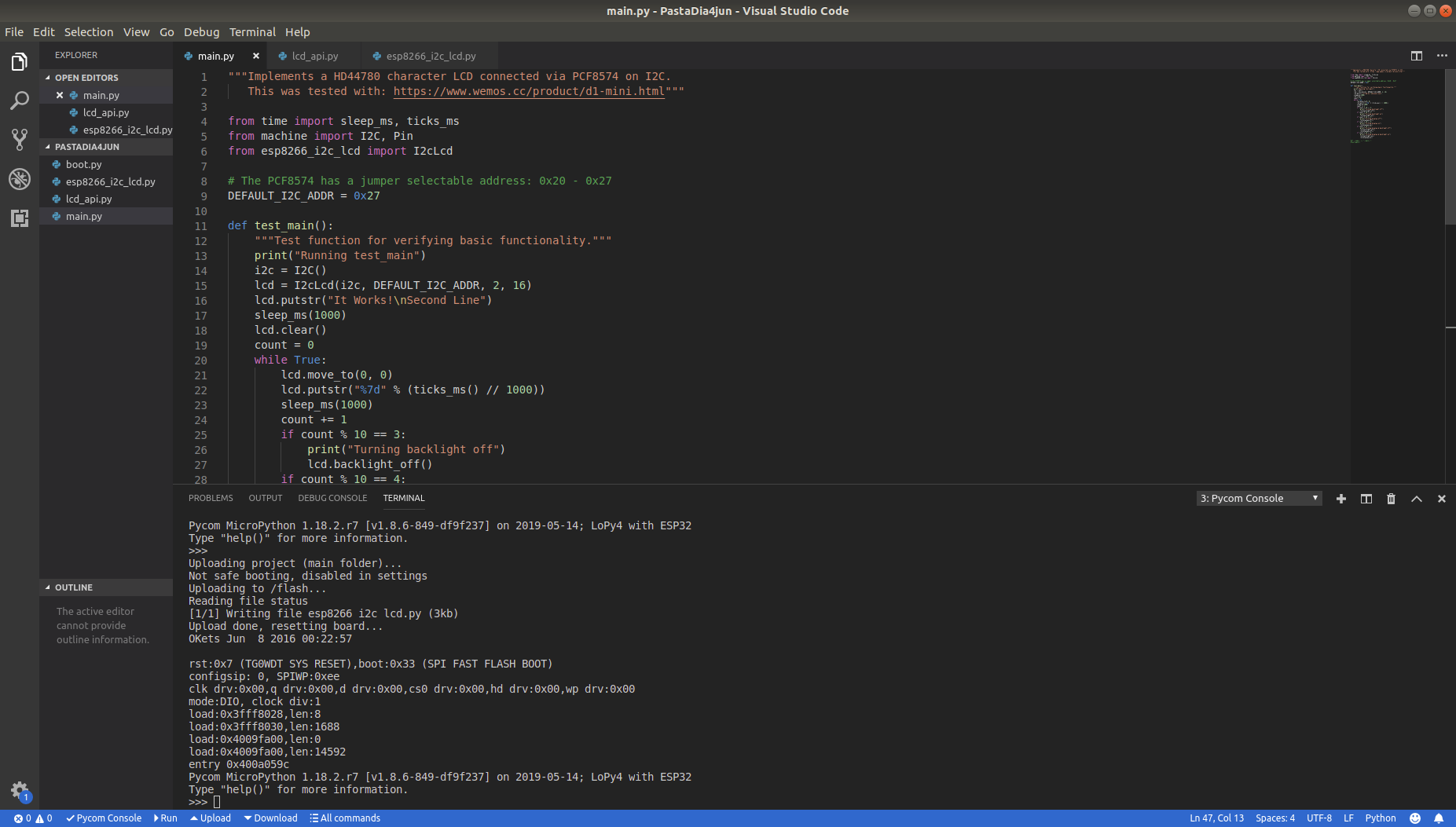
              @Lucas_Vieira I do not know which environment you are using, but I just copy the files to the device, e.g. mylib.py and write:
              import mylib
              Preferring the basic style, I do not use any of the IDEs for Atom or VSC.

              L 1 Reply Last reply Reply Quote 0
              • L Offline
                Lucas_Vieira @robert-hh
                last edited by

                @robert-hh import_error.png

                robert-hhR 1 Reply Last reply Reply Quote 0
                • robert-hhR Offline
                  robert-hh @Lucas_Vieira
                  last edited by robert-hh

                  @Lucas_Vieira You are trying the wrong module, since you have a display with i2c backpack. Please copy the files esp8266_i2c_lcd.py and lcd_api.py to you device. Then you can test it with the following code. which is more or less the content of the file esp8266_i2c_lcd_test.py. Do not get confused about the esp8266 prefix. For this application, both board behave similar. Connect the I2C with:

                  LoPy4      LCD
                  -------------------------
                  GND         GND
                  Vin         Vcc    (assuming you need 5V for the display)
                  P9          sda
                  P10         scl
                  
                  """Implements a HD44780 character LCD connected via PCF8574 on I2C.
                     This was tested with: https://www.wemos.cc/product/d1-mini.html"""
                  
                  from time import sleep_ms, ticks_ms
                  from machine import I2C, Pin
                  from esp8266_i2c_lcd import I2cLcd
                  
                  # The PCF8574 has a jumper selectable address: 0x20 - 0x27
                  DEFAULT_I2C_ADDR = 0x27
                  
                  def test_main():
                      """Test function for verifying basic functionality."""
                      print("Running test_main")
                      i2c = I2C()
                      lcd = I2cLcd(i2c, DEFAULT_I2C_ADDR, 2, 16)
                      lcd.putstr("It Works!\nSecond Line")
                      sleep_ms(3000)
                      lcd.clear()
                      count = 0
                      while True:
                          lcd.move_to(0, 0)
                          lcd.putstr("%7d" % (ticks_ms() // 1000))
                          sleep_ms(1000)
                          count += 1
                          if count % 10 == 3:
                              print("Turning backlight off")
                              lcd.backlight_off()
                          if count % 10 == 4:
                              print("Turning backlight on")
                              lcd.backlight_on()
                          if count % 10 == 5:
                              print("Turning display off")
                              lcd.display_off()
                          if count % 10 == 6:
                              print("Turning display on")
                              lcd.display_on()
                          if count % 10 == 7:
                              print("Turning display & backlight off")
                              lcd.backlight_off()
                              lcd.display_off()
                          if count % 10 == 8:
                              print("Turning display & backlight on")
                              lcd.backlight_on()
                              lcd.display_on()
                  
                  #if __name__ == "__main__":
                  test_main()
                  
                  L 1 Reply Last reply Reply Quote 0
                  • L Offline
                    Lucas_Vieira @robert-hh
                    last edited by

                    @robert-hh error_II.png
                    Thank you for helping me to resolve this error import, but nothing is working in LCD.
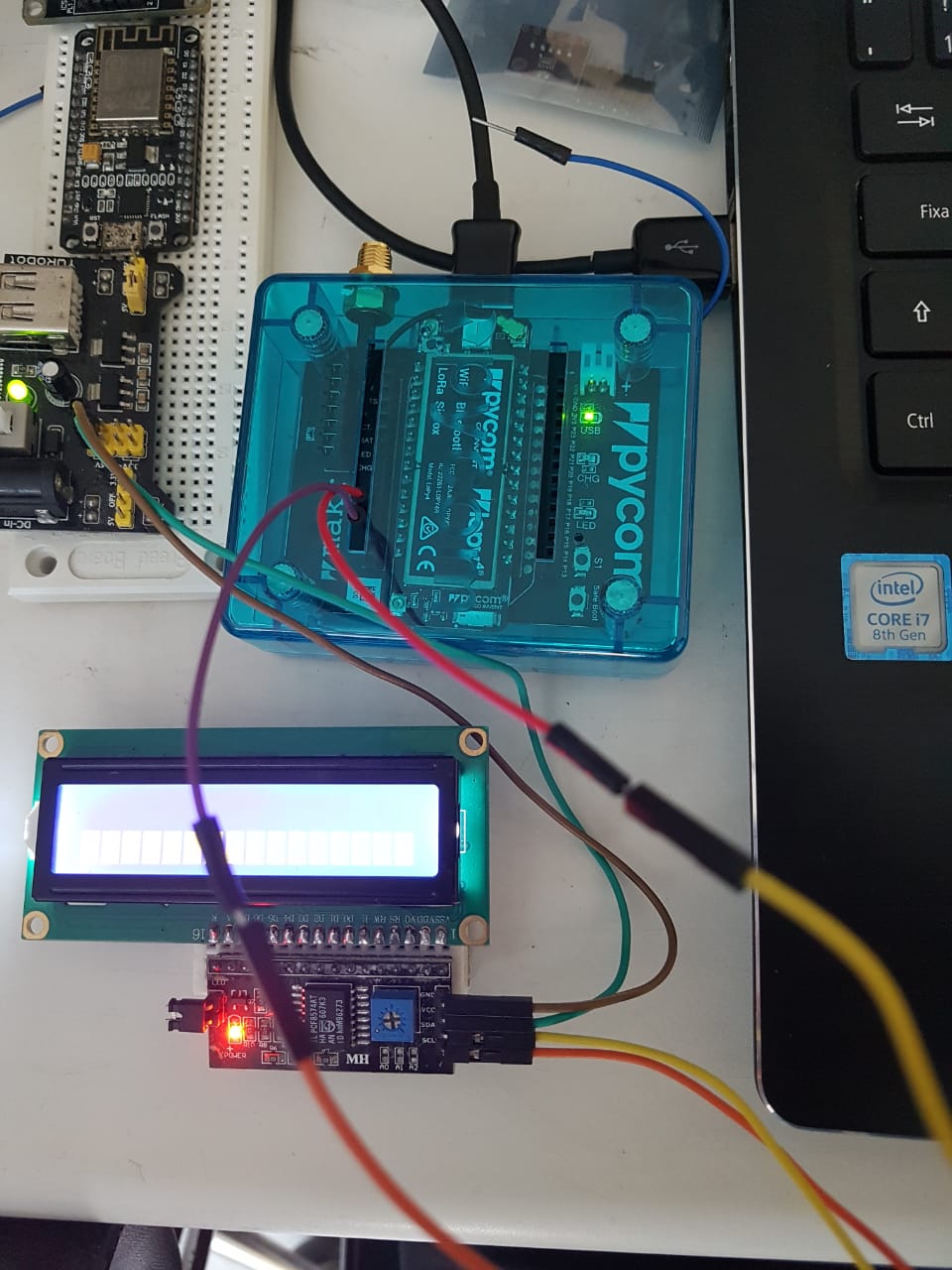
                    WhatsApp Image 2019-06-05 at 4.30.26 PM.jpeg
                    LCD is just on.

                    robert-hhR 2 Replies Last reply Reply Quote 0
                    • robert-hhR Offline
                      robert-hh @Lucas_Vieira
                      last edited by

                      @Lucas_Vieira Reboot via the reset button to ensure, that main.py is executed. Did you also upload lcd_api.py?

                      1 Reply Last reply Reply Quote 0
                      • robert-hhR Offline
                        robert-hh @Lucas_Vieira
                        last edited by

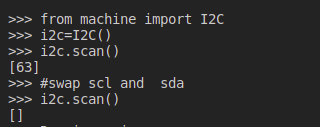
                        @Lucas_Vieira with the LCD connected, try the following commands on the REPL command line:

                        from machine import I2C
                        i2c=I2C()
                        i2c.scan()
                        

                        It should return
                        [39]
                        if it returns a different number, you have to change the I2C address in the script. It it returns an empty list, try to swap sda and scl.

                        L 1 Reply Last reply Reply Quote 0
                        • L Offline
                          Lucas_Vieira @robert-hh
                          last edited by

                          @robert-hh error_III.png

                          robert-hhR 1 Reply Last reply Reply Quote 0
                          • robert-hhR Offline
                            robert-hh @Lucas_Vieira
                            last edited by

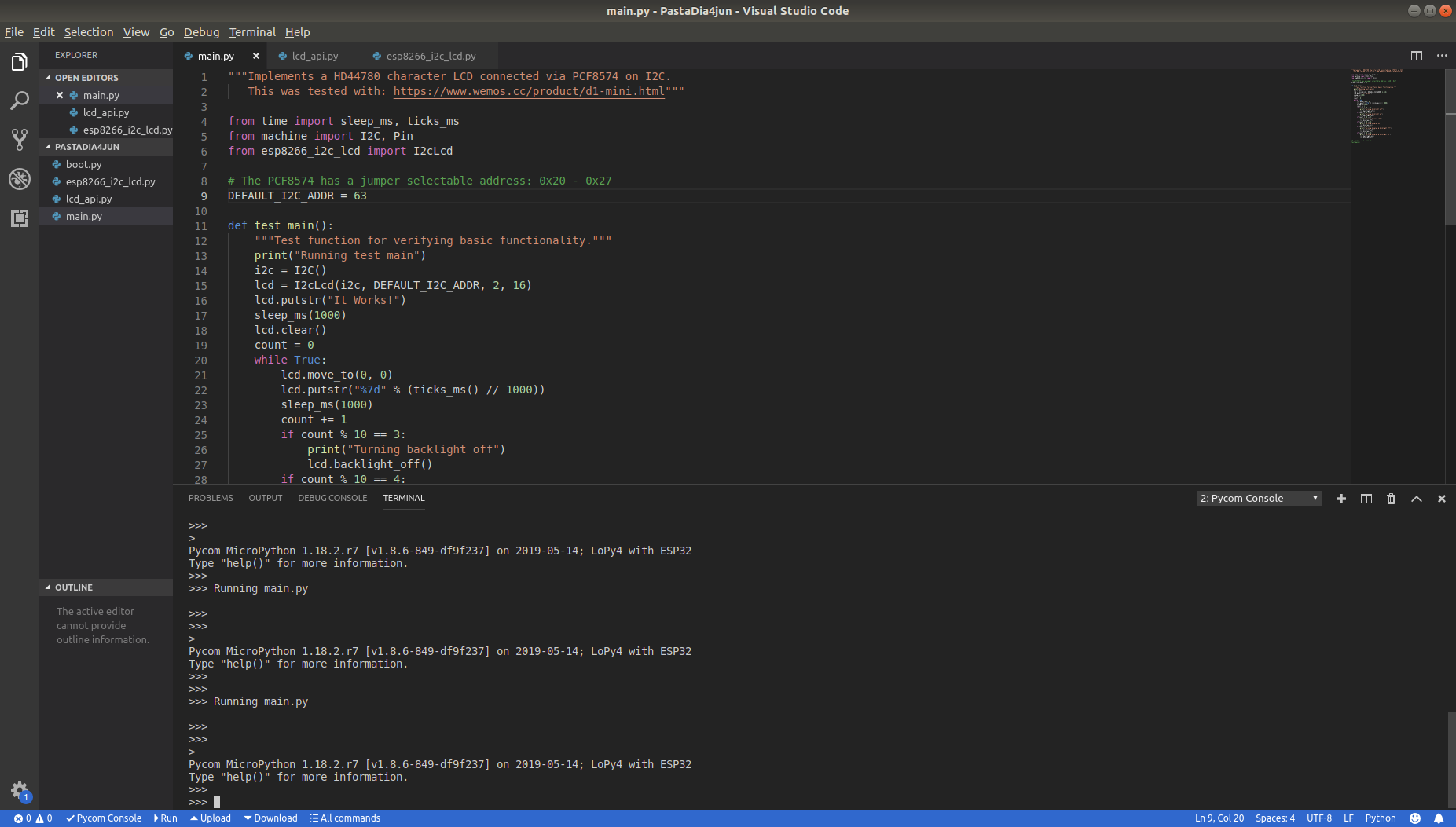
                            @Lucas_Vieira Stay with the initial set of SCL and SDA, and set

                            DEFAULT_I2C_ADDR = 63

                            It is a PCF8574A, not PCF8574.

                            L 1 Reply Last reply Reply Quote 0
                            • L Offline
                              Lucas_Vieira @robert-hh
                              last edited by

                              @robert-hh error_IV.png
                              No error, but nothing appears on the display. i'm making a mistake in hardware. even so, thank you man for helping me in this case, i'll try be better!

                              robert-hhR 2 Replies Last reply Reply Quote 0
                              • robert-hhR Offline
                                robert-hh @Lucas_Vieira
                                last edited by

                                @Lucas_Vieira Do you see the other print statements?

                                1 Reply Last reply Reply Quote 0
                                • robert-hhR Offline
                                  robert-hh @Lucas_Vieira
                                  last edited by

                                  @Lucas_Vieira I'm missing the print statements form the script. So your test script is not executed at all.

                                  1 Reply Last reply Reply Quote 0
                                  • V Offline
                                    VerlaHiltz
                                    last edited by

                                    This post is deleted!
                                    1 Reply Last reply Reply Quote 0

                                    Hello! It looks like you're interested in this conversation, but you don't have an account yet.

                                    Getting fed up of having to scroll through the same posts each visit? When you register for an account, you'll always come back to exactly where you were before, and choose to be notified of new replies (either via email, or push notification). You'll also be able to save bookmarks and upvote posts to show your appreciation to other community members.

                                    With your input, this post could be even better 💗

                                    Register Login
                                    • 1 / 1
                                    • First post
                                      Last post

                                    Pycom on Twitter

                                    Pycom