How to use webhook integration? Any examples for the documentation?
-
Hi! I followed the documentation provided for the webhook integration method. So far I managed to receive the test message. Does anyone know how can I get continuously this data?
req.body.deviceToken:testMessage_token
req.body.event:dev1
req.body.signal:255
req.body.payload:tMessage_payload (please note that this payload is a String, but the devices send byte arrays)
How can I use the following information ?
POST / HTTP/1.1
Host: *********************
Content-Type: application/json
Accept: application/json -
You mean continuously receive this test message?
Otherwise, any device sending data to Pybytes with
pybytes.send_signalcan be added to a webhook, then Pybytes will re publish any data to the webhook. -
@jirkakrepl said in How to use webhook integration? Any examples for the documentation?:
pybytes.send_signal
I have added the device to pybytes. The device is lopy4. I can see the data into pybytes.
I have configured also the webhook and I have added also the device to the webhook. I can send the test message from pybytes and my server it is getting it but I do not receive any data from my device republish by pybytes to my server.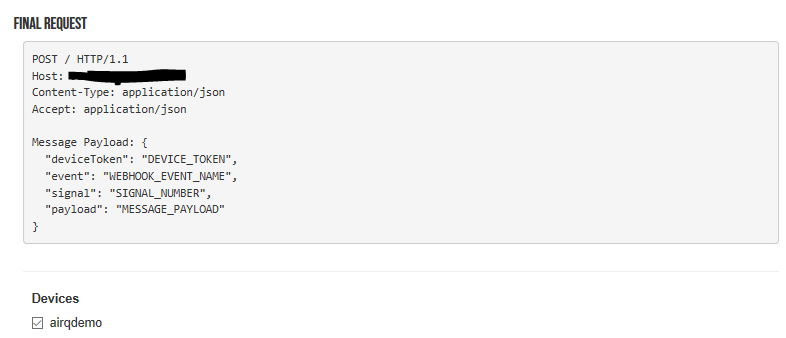
Do I need to add explicitly the signal which I want to send? I can't get it.
-
After further investigation I thought that the data sent by me is the problem. That it is to much.
The problem was a little bit more deeper.data='{"key":32,"key2":(231,234)}' #This was the workaround to send dictionary :D - dictionary are not supportted pybytes.send_signal(1,data)In my case the data string was built dynamically with the str.format(). Some how something messed up the JSON format of the message sent by pybytes to my server which was configured only to accept JSON format.
For the moment I just send a tuple of information. This is fine for me.
pybytes.send_signal(1,(23,(231,232)) ) -
I am having a similar problem. I am sending a string of data made up of 5 different telemetry values as one. Pybytes is seeing the the data and seems to have no problem with it, but my integration which is set as a webform will not transmit the string to my server.
I need the data to stay in a format that i was using with particle to remain compatible with the database I am loading.
When I tried to separate data into different signals, the server sends them one at time, instead of all at once and the program at the receiving end which as been running non stop for 2 years and has over 12 million data points in Postgres, does not expect the data to come in like this.
I need the integration function to allow strings to be passed.
-
@VST-Admin Im not sure if this is the final answer or not, but I have discovered that the integration does not like a \r in the data. my data extractions were adding a Carriage Return by mistake. I could send any data I wanted to through the integration EXCEPT the variable containing the string I needed. I then had it echo that string as an array of bytes and then I could see there was an additional \r at the end. I removed it and the line started working through the integration immediately.
I really wish something like this was documented, so I wouldn't literally lose days of work.
Hello! It looks like you're interested in this conversation, but you don't have an account yet.
Getting fed up of having to scroll through the same posts each visit? When you register for an account, you'll always come back to exactly where you were before, and choose to be notified of new replies (either via email, or push notification). You'll also be able to save bookmarks and upvote posts to show your appreciation to other community members.
With your input, this post could be even better 💗
Register Login