Visual Studio Code and Pymakr
-
Hello All,
Question 1: what are the latest versions of VSC and Pymakr that work together?
At this time I'm using VSC 1.43 and Pymakr 1.1.6Question 2: I cannot connect to the GPY module on (Pytrack2)
When I do a hardware reset I just start the connection and then I can do nothing!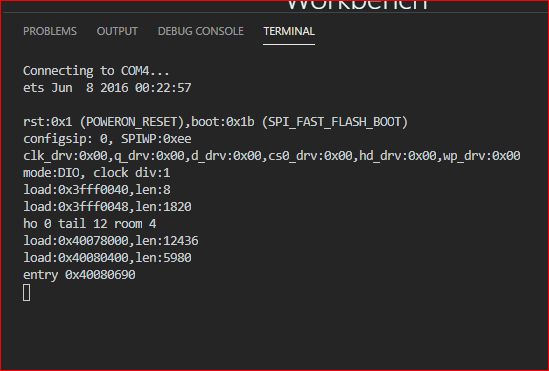
Thanks in advance for help
Best regards
Jiemde -
Question 1) We're working on getting Pymakr up to date with the latest version of VSCode
Question 2) You can use the firmware updater tool to reflash the device with the latest firmware. I believe that could solve the problem: https://docs.pycom.io/updatefirmware/device/
Another solution in some cases is to press CTRL+C in the REPL to stop any running code
-
@DEFRAINE-JM VSC 1.58.2 and Pymakr 1.1.12 work well together.
-
Hello,@d-alvrzx Thanks for your help it's work well ;)
Jiemde -
@Gijs Having the same problem with VScode and Pymakr 1.1.13. Trying to find a source and instruction to download 1.1.12, any help here is highly appreciated. And letting me in on the 1.1.13 bug fix with VS code would be a nice bonus :)
-
@Don-iot Just go to installed extensions, click on the "manage" pymakr, go to " install another version" and select the version you want!
-
@DEFRAINE-JM Many thanks. I did find a stable combination after all, although not the latest version of the plugin or VSCODE, but I am happy that it works.

Hello! It looks like you're interested in this conversation, but you don't have an account yet.
Getting fed up of having to scroll through the same posts each visit? When you register for an account, you'll always come back to exactly where you were before, and choose to be notified of new replies (either via email, or push notification). You'll also be able to save bookmarks and upvote posts to show your appreciation to other community members.
With your input, this post could be even better 💗
Register Login