Pymakr Atom Plugin released
-
@rdixey The Syntax hilighting is a good idea, I think that has to be build into the terminal specifically. Added to the wishlist.
You can choose general themes for atom in the settings. The pymakr plugin will take the colors and fonts from the theme you select for atom. -
I uninstalled and reinstalled both Atom and the pymakr plugin, yet the problem remains unfortunately.
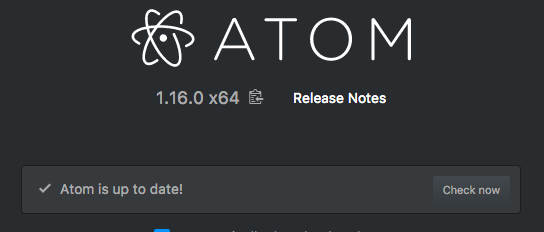
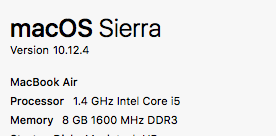
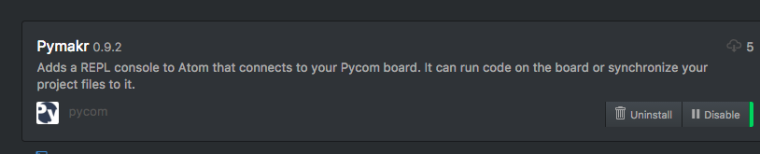
Pymaker has installed, but when I select one of the functions from Pycom Sync, nothing happens
-
@RobTuDelft To update on my own post, it did manage to connect today. After that I tried some commands and clicked 'close' to close the panel in Atom. This seems to be the source of the problem, the telnet connection will stay active on the Lopy, but not in Atom. When you want to reopen again you will get the password timed out error.
-
@RobTuDelft Normally if a connection is still active to the device, you'll get a connection refused. if you get a 'password timed out' means that it reaches the device but something goes wrong during authentication. I've had this error a lot when the router at our office was not cooperating well and it just timed out. I'll do some testing on telnet today to see if I can reproduce it.
Which firmware version do you have running on your lopy? -
@Ralph v1.6.12.b1. Thanks.
-
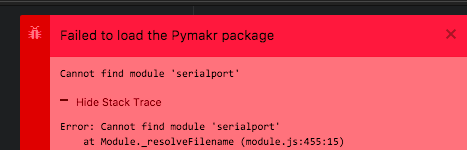
Here are the errors:
Failed to load the Pymakr package
Cannot find module 'serialport'
Hide Stack Trace
Error: Cannot find module 'serialport'
at Module._resolveFilename (module.js:455:15)
at Module._resolveFilename (/Applications/Atom.app/Contents/Resources/electron.asar/common/reset-search-paths.js:35:12)
at Function.Module._resolveFilename (/Applications/Atom.app/Contents/Resources/app.asar/src/module-cache.js:383:52)
at Function.Module._load (module.js:403:25)
at Module.require (module.js:483:17)
at require (/Applications/Atom.app/Contents/Resources/app.asar/src/native-compile-cache.js:50:27)
at Object.<anonymous> (/Users/robincole/.atom/packages/Pymakr/lib/connections/pyserial.js:4:16)
at Module._compile (/Applications/Atom.app/Contents/Resources/app.asar/src/native-compile-cache.js:109:30)
at Object.value [as .js] (/Applications/Atom.app/Contents/Resources/app.asar/src/compile-cache.js:216:21)
at Module.load (module.js:473:32)
at tryModuleLoad (module.js:432:12)
at Function.Module._load (module.js:424:3)
at Module.require (module.js:483:17)
at require (/Applications/Atom.app/Contents/Resources/app.asar/src/native-compile-cache.js:50:27)
at Object.<anonymous> (/Users/robincole/.atom/packages/Pymakr/lib/board/pyboard.js:3:34)
at Module._compile (/Applications/Atom.app/Contents/Resources/app.asar/src/native-compile-cache.js:109:30)
at Object.value [as .js] (/Applications/Atom.app/Contents/Resources/app.asar/src/compile-cache.js:216:21)
at Module.load (module.js:473:32)
at tryModuleLoad (module.js:432:12)
at Function.Module._load (module.js:424:3)
at Module.require (module.js:483:17)
at require (/Applications/Atom.app/Contents/Resources/app.asar/src/native-compile-cache.js:50:27)
at Object.<anonymous> (/Users/robincole/.atom/packages/Pymakr/lib/main.js:7:21)
at Module._compile (/Applications/Atom.app/Contents/Resources/app.asar/src/native-compile-cache.js:109:30)
at Object.value [as .js] (/Applications/Atom.app/Contents/Resources/app.asar/src/compile-cache.js:216:21)
at Module.load (module.js:473:32)
at tryModuleLoad (module.js:432:12)
at Function.Module._load (module.js:424:3)
at Module.require (module.js:483:17)
at require (/Applications/Atom.app/Contents/Resources/app.asar/src/native-compile-cache.js:50:27)
The error was thrown from the Pymakr package. This issue has already been reported.
View Issue -
@robmarkcole This is the error you get when anything goes wrong during installation of the dependencies, either of the serialport library or somewhere else during installation. If you remove the node_modules folder, the serialport library is the first one it will encounter and throw this error.
I noticed that everybody who got this error is on Atom 1.16, while I'm still on Atom 1.15 (on El Capitan). Possibly there is a compatibility issue there, which I'll check out.
-
@robmarkcole This issue has been solved in this github issue. The problem is that for some users, atom is using python 3.x while the compiler for serialport needs python 2.x (you can check it using
apm --version).I've added an explanation on the bottom of the readme file in the develop branch on github. The short story is, until we've automated it, the issue is solved by running the folling command and then re-installing Pymakr.
echo "python=/usr/bin/python2.7" >> ~/.atom/.apmrc -
@Ralph Thanks Ralph, working now!
-
@Ralph There is an error in your getting started doc, WLAN has not been imported. Is there a better way to provide this kind of feedback, e.g. Github? Cheers
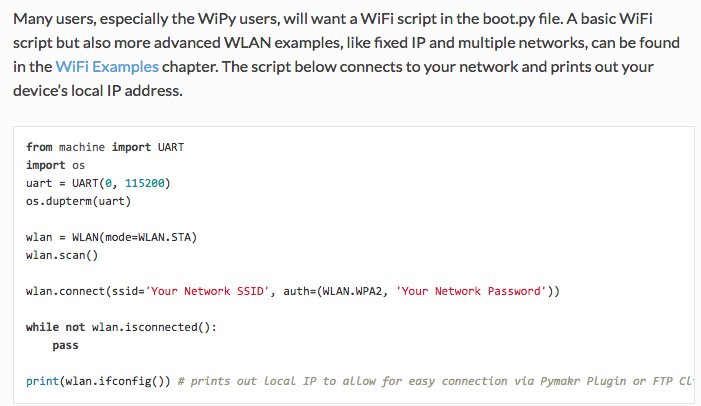
https://docs.pycom.io/pycom_esp32/pycom_esp32/getstarted.html#creating-a-project
-
@robmarkcole thanks! We'll get this fixed :)
-
+1 for this error (on Linux Mint 18 64-bit). I've tried all the solutions listed but they did not work.
-
Been getting a strange error after Atom loses connection to my board (e.g. when I sleep my mac):
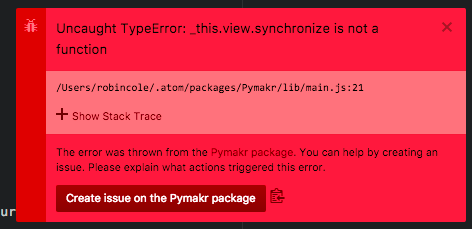
TypeError: _this.view.synchronize is not a function
at atom-workspace.pymakrSynchronize (/Users/robincole/.atom/packages/Pymakr/lib/main.js:21:45)
at CommandRegistry.module.exports.CommandRegistry.handleCommandEvent (/Applications/Atom.app/Contents/Resources/app.asar/src/command-registry.js:259:29)
at CommandRegistry.handleCommandEvent (/Applications/Atom.app/Contents/Resources/app.asar/src/command-registry.js:3:59)
at CommandRegistry.module.exports.CommandRegistry.dispatch (/Applications/Atom.app/Contents/Resources/app.asar/src/command-registry.js:160:19)
at AtomEnvironment.module.exports.AtomEnvironment.dispatchApplicationMenuCommand (/Applications/Atom.app/Contents/Resources/app.asar/src/atom-environment.js:1179:28)
at EventEmitter.outerCallback (/Applications/Atom.app/Contents/Resources/app.asar/src/application-delegate.js:312:25)
at emitThree (events.js:116:13)
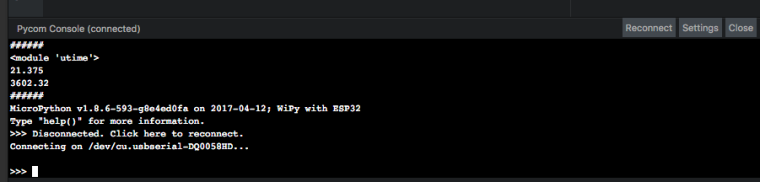
at EventEmitter.emit (events.js:194:7)Upon reconnection I not see the option to sync my code:
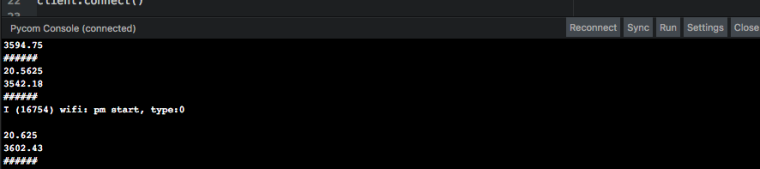
However upon restarting Atom everything is normal again.
-
V0.9.3 has been released with some minor fixes:
- Improved sync stability and speed over serial
- Solved disappearing line in terminal (github issue #3)
- Other small bugfixes
- Logger class for easier debugging
-
@robmarkcole Thanks for the report, it was simply a wrong method name in the handling of the short-key ctrl-alt-s to do a sync. It has been fixed in the development branch on github and will be included in the next release. Unfortunately I released 0.9.3 today just before reading about your issue, so it'll be in 0.9.4 in a few days.
The missing sync and run button are a known issue, which I'm still investigating
-
@Ralph This solution didn't actually work for me even having python 2.7.
Tried the npm install of serialport in node_modules but the versioning was wrong.
At the end had to copy the folder from another computer and has been working ok since then -
@mmbermudeza Good to hear you got it working. We're considering pre-compiling the library and shipping it with the plugin, so we will prevent these kinds of problems. We'll have to do some testing though to see if it works for all operating systems.
-
I have one improvement for the plugin:
After a normal install the Plugin is always active and tries to connect to a Board with the last active settings.
This is fine in case Atom is only used as PyCon IDE.
But i use it as well as a normal editor and then the plugin window is in my way and thus reducing the amount of available screen space.
Is it possible to have a setting/checkbox in the preferences of the plugin to prevent the auto-start/auto-connection?
For me it would be fine to activate the plugin via the menu or even in the preferences when i need it.
Anyway, thanks a lot for the plugin!
I feel with you about the serialport problems on the different platforms. Native node.js libraries are not easy at all.
Kind regards,
Marc -
Hi @MaSePreetz, Thanks for your feedback. At the moment there are already 2 ways to do this:
- In the Pymakr settings screen or you packages overview, you can Disable the entire plugin
- Click the 'close' button of the terminal and leave it closed. When restarting atom it'll remember this state and will not connect. The 'open' button will stay on the bottom of the screen so you can open it at any time.
Is this what you were looking for?
-
Hi @Ralph, thanks for the swift response.
You are right, i forgot about the disable button.
But the second method does not work for me when the plugin is enabled.
Atom always opens the plugin window with auto-connect when i open Atom (Atom 1.16.0 on Windows 7 64Bit),
regardless of the previous state of the plugin...


Hello! It looks like you're interested in this conversation, but you don't have an account yet.
Getting fed up of having to scroll through the same posts each visit? When you register for an account, you'll always come back to exactly where you were before, and choose to be notified of new replies (either via email, or push notification). You'll also be able to save bookmarks and upvote posts to show your appreciation to other community members.
With your input, this post could be even better 💗
Register Login