Question about upgrade **SOLVED**
-
@kop524 Any suitable piece of wire will do, which fit into the holes of the expansion board and do not touch anything else when plugged in. If you have a wire used to wrap cables when you buy them, usually black or white, just remove the isolation from the ends and use that.
-
@kop524
you can try also
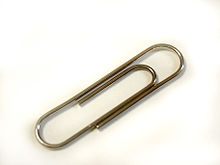
You can use also cable from utp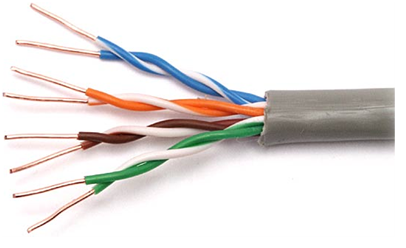
but better buy something - without this simple "tools" it is rather hard to go forward
-
@livius will it be ok to use yellow-green wire from electrical socket?
-
@kop524 You can use any wire, as long as it fits into the connector on the expansion board, meaning it's diameter must not be beyond 0.6 mm or 25 mil. But you can cut it down until it fits.
-
@robert-hh ok will try to find something :)
btw. if I'm not using battery the BAT jumper on exp. board doesn't have to be connected yes?? Asking cause I just seen that somehow one of the jumpers was not on board so I had to move jumper from BAT to missing TX. -
@kop524 Unless you want to connect a battery, the bat jumper is not needed.
-
@robert-hh Ok I found some copper cable that fits but I can't get it to work and I don't see any change i its behavior eg.change of lights or anythong else :( Also inupgrade tool I get: https://scr.hu/nV1oXM every time I try to do this :(
Screens of cable and connections:
https://drive.google.com/open?id=0BzcbipawEImjQmVfTkd3Y3h1QTEwWHEtb0ZyQjNpdEdEOHBBhttps://drive.google.com/open?id=0BzcbipawEImjMlliNGt3V2ROVVcyUFlnanVPX2JyTzdFNjdN
https://drive.google.com/open?id=0BzcbipawEImjU1VhRUhVbVh4WkM5dC1WS09mV2hqTk1rSWpZ
Ok now after I changed cables led instead being off it's actually turned on with blue light on with no blinking so I don't know if it's good or not :( but well tool gives me same error with it :(
Attention!!
I finally got it to work after changing ports from USB3.0 to USB2.0 on my pc and on second try it worked now I have latest firmware :)Topic closed.
-
@kop524 You might want to check the COM port you are using. You can see in Windows device manager which COM port the Wipy is connected to.
-
@kop524 The cable seems to be at the right place. After plugging it, you have to connect your device to USB, and for sure press the reset button.
If you connected previously by USB, you should know the port to use.
You seem to use Windows. The COM port to use should be one with higher numbers, like COM5 and up. Look up in the device manager for the proper port. As long as the port is not visible, any connection will fail. You need the CP2102 VCP device driver, which is normally found by Windows itself. -
@robert-hh Thanks for all help check my last post :)


Hello! It looks like you're interested in this conversation, but you don't have an account yet.
Getting fed up of having to scroll through the same posts each visit? When you register for an account, you'll always come back to exactly where you were before, and choose to be notified of new replies (either via email, or push notification). You'll also be able to save bookmarks and upvote posts to show your appreciation to other community members.
With your input, this post could be even better 💗
Register Login