Pytrack GPS API
-
@stefan85e Hello,
You have to do something like this inside your code, and you'll get the number of satellites used for fix:
...
gps_data = l76.coordinates1()
n_sat = gps_data[5]
...
Or you can use the @andrethemac library which will get you all the data ;)
-
@andrethemac
(2018, 4, 17, 11, 29, 12, 564887, None)(None(53.33632, 12.53262)
(None, None) Got when I add this:gps_data = l76.coordinates1()
n_sat = gps_data[5]Did also try to use this lib:
https://github.com/andrethemac/L76GLNSV4 -
@neuromystix said in Pytrack GPS API:
num_satellites
Does this work:
return(lat_d, lon_d, gps_time, gps_altitude, valid, num_satellites)
I want num_satellites...
-
@stefan85e If you are using my code (and just my code, not the one from @andrethemac), when you call gps_data = l76.coordinates1() it will return a list gps_data with latitude at first position (gps_data[0]), longitude at second (gps_data[1]), and so on till the sixth position where you get the number of satellites (gps_data[5]). So, number_of_satellites = gps_data[5].
-
@stefan85e An example on how to get the number of satelites with my library
from pytrack import Pytrack from L76GNSV4 import L76GNSS py = Pytrack() L76 = L76GNSS(pytrack=py) print("test L76") # returns the info about sattelites in view at this moment # even without the gps being fixed print(L76.gps_message('GSV')) # returns the number of sattelites in view at this moment # even without the gps being fixed print(L76.gps_message('GGA')['NumberOfSV']) # returns the coordinates # with debug true you see the messages parsed by the # library until you get a the gps is fixed print(L76.coordinates(debug=True)) #L76.getUTCDateTime(debug=True) #L76._read_message(debug=True) -
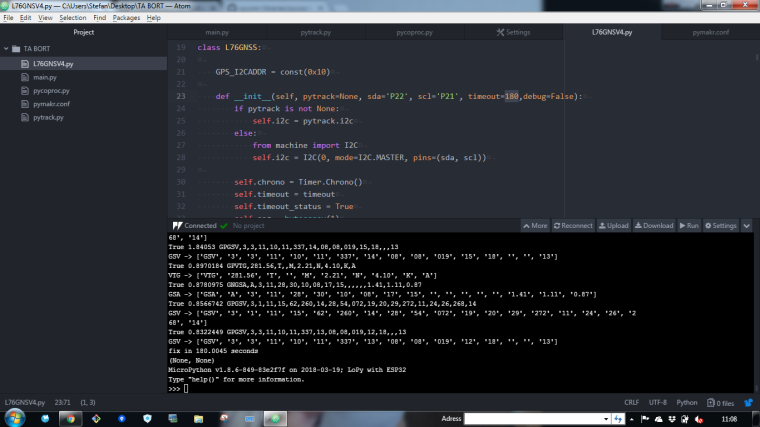
Got this
I see that you have a 180 timeout in the code:
-> L76GNSV4 - So how do I know how many sattelites i have then :) just so I look at right nr :)
´´´´
def init(self, pytrack=None, sda='P22', scl='P21', timeout=180,debug=False):
´´´´ -
@stefan85e The timeout is to prevent the library to wait for ever. 180 seconds (3 minutes) is (for me) most of the time enough to get a fixed location. (that is after a cold start)
the GGA sentences contains the number of messages seen by the GPS, In the dict that GGA returns, this is the "NumberOfSV' fied.
with this you get this number -> L76.gps_message('GGA')['NumberOfSV']
In your screenshot the line that prints the number of satellites has scrolled out of view
but if you make this line the last you get the number:
print(L76.gps_message('GGA')['NumberOfSV'])
or remove the 'debug=True) from the coordinates line (the debug spews out a lot of information)
I'm still working on the library to make it faster
best regards -
@andrethemac published a new version of the Library to github
https://github.com/andrethemac/L76GLNSV4If you find some errors or have a request, please ask.
best regards -
The program stop after 180 sec and if I do this:
#print(L76.coordinates(debug=True)) it will not do anything :)
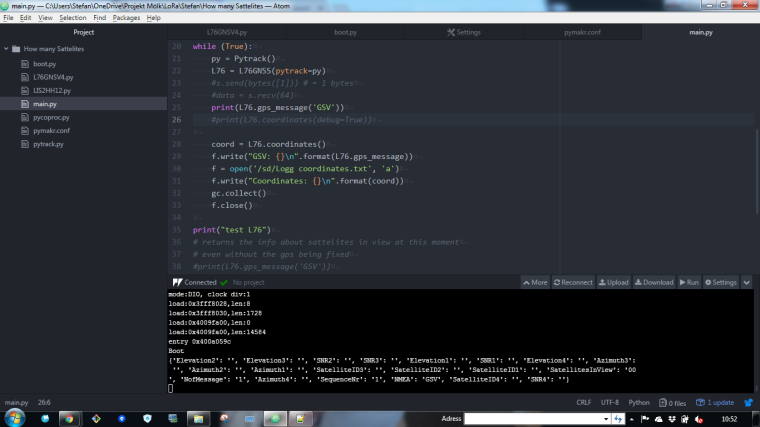
-
This post is deleted! -
(I dont get any nr due to I done get a signal from the GPS, I have to go outside to get it)
When I do this the program keeps running:
#print(L76.gps_message('GSV'))
print(L76.gps_message('GGA'))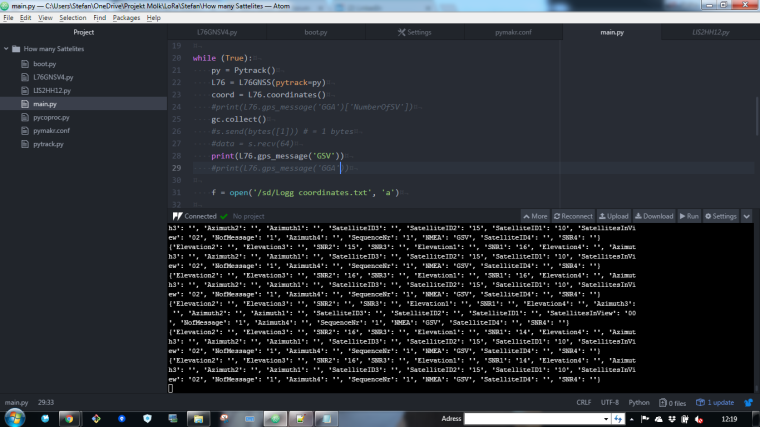
And when I doing this then this happens:
print(L76.gps_message('GSV'))
print(L76.gps_message('GGA'))
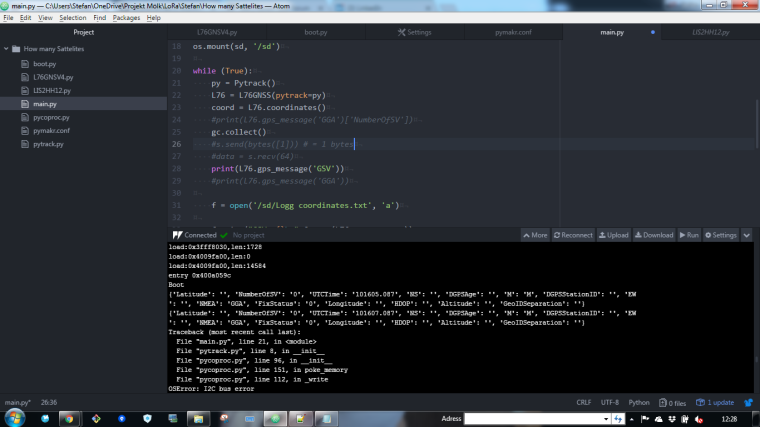
-
@stefan85e Hi Stefan
sorry for the delay. you better put the the two firsts lines following the while(true): before. you don't need to init the library every run . I'll guess it's generating the error's.
the commands stop when the timeout runs out (default aflter 180 seconds). you can change that if needed.
The timeout occurs if the gps itself can't get a fix because it can't see (enough) sattelites.
best regards -
some tweaks to my library https://github.com/andrethemac/L76GLNSV4
methods returning multiple values now return them as a dict; -
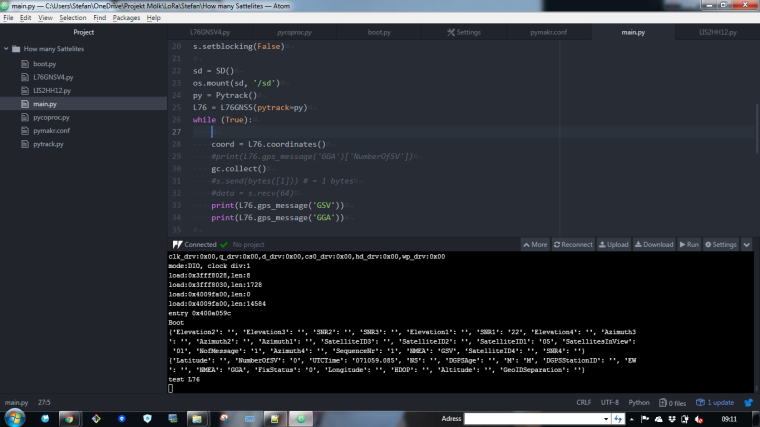
@andrethemac Like this?
-
@stefan85e yes.
maybe of interest. I have 2 pytrack board and testing them side by side I found out that 1 takes way longer to get a fix, almost double as long.
So you need to tweak the timeout parameter to get the best results for your module.
best regards -
@andrethemac Okay thanks... what time are you using!?
-
@stefan85e I'm up to 5 minutes now (timeout=300)
when your outside you'll get a fix a lot faster -
This post is deleted! -
@andrethemac Hi, Is there any way to have the accuracy value of each GPS fix? when my pytrack is stationary the accuracy of each point is very different
-
@johncaipa said in Pytrack GPS API:
@andrethemac Hi, Is there any way to have the accuracy value of each GPS fix? when my pytrack is stationary the accuracy of each point is very different
Do you mean HDOP?

Hello! It looks like you're interested in this conversation, but you don't have an account yet.
Getting fed up of having to scroll through the same posts each visit? When you register for an account, you'll always come back to exactly where you were before, and choose to be notified of new replies (either via email, or push notification). You'll also be able to save bookmarks and upvote posts to show your appreciation to other community members.
With your input, this post could be even better 💗
Register Login