Failed to connect (Port is not open)

-
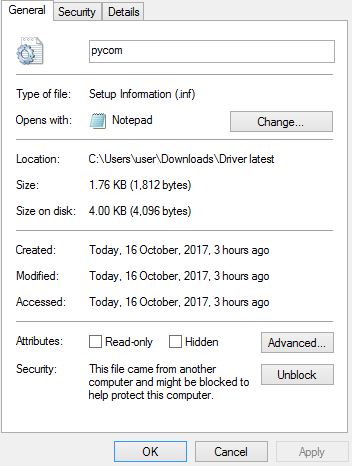
@crumble the driver from https://docs.pycom.io/chapter/pytrackpysense/installation/drivers.html is only the notepad after i downloaded it. It is not a zip file. How can i get the driver folder?
-
@mj rename pycom.inf.txt to pycom.inf . Right click and choose install.
-
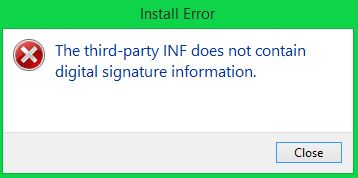
@crumble The file is already an inf file. And i right click to install it still showing that INF does not contain the digital signature information.
-
@mj you still need admin rights. If you user has local admin rights, you shall be able to install it. If you computer is in a domain, you have to ask your admins. They may have restricted your local admin rights. If not try to install it as administrator. If this does not help, google "windows security settings install unsigned driver" and follow the steps for your operating system.
-
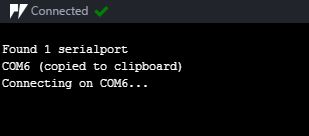
@crumble It really works for your method. Finally, it works and connected in atom. Thank you very much since i have pending this problem for weeks.
-
@crumble Hi, i have a doubt since i have connected my pytrack but under REPL console, it do not show the sign of ">>>" is it ok for it?
-
@mj it depends. The >>> the prompt. The LoPy does not know if someone is connected to the UART. It sends the prompt as soon as it is ready for input. Then it is waiting for input. If your PC connects after the LoPy has send the prompt, you will see nothing unless you send the lopy something too evalute. A \n for example.
The blinking cursor is handled by your terminal and not by the LoPy. It will not send you any data while it is waiting for input and no background task is running. So it can look like their are not connected. Especially if you have not configured your IDE to send a ctrl-c when it connects.
-
@crumble Thank you for your explanation.
I have another question, i have downloaded the libraries from github.com and currently i am running for the pytrack with lopy for the latitude and longitude data. May i know is it correct to download the .py files (L76GNSS.py, LIS2HH12.py, pytrack.py) and navigate the file to a new folder eg: pytrack lib and in the Atom with pymakr plugin i click on File and Add new folder and select the pytrack lib folder.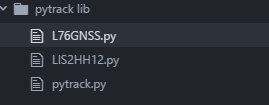
may i know when i upload the libraries to the pytrack board by "sync folder" or "sync file" it showing the error since the "main folder" is too big. What is the correct way to upload the libraries ?
Hello! It looks like you're interested in this conversation, but you don't have an account yet.
Getting fed up of having to scroll through the same posts each visit? When you register for an account, you'll always come back to exactly where you were before, and choose to be notified of new replies (either via email, or push notification). You'll also be able to save bookmarks and upvote posts to show your appreciation to other community members.
With your input, this post could be even better 💗
Register Login