Can not connect through FTP in FileZilla
-
Hi there, i try to connect my lopy + Pytrack through FileZilla. I have downloaded for the FileZilla for Client from here : https://filezilla-project.org/ and using my university wifi to connect but showing "Could not connect to server" . Therefore i try to use my own mobile phone data to connect but still in vain. I have setting up as this :
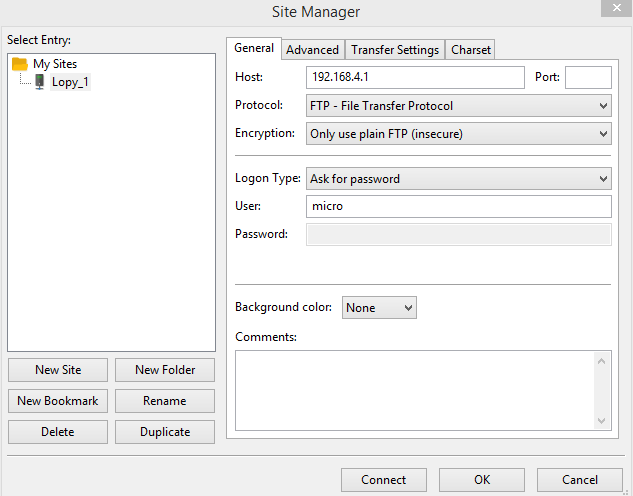
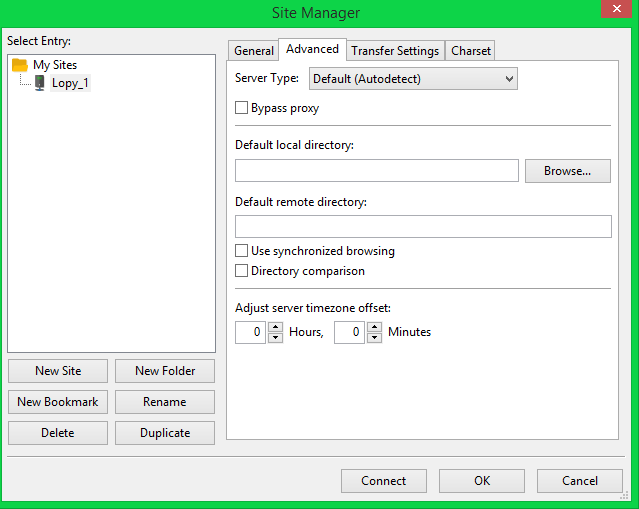
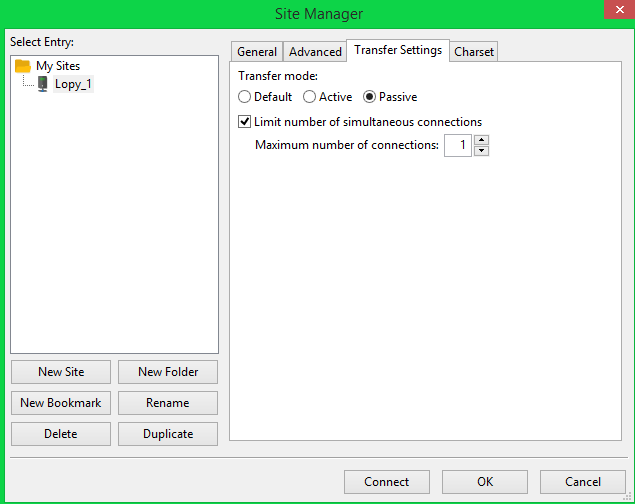
But i getting this :
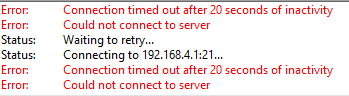
May i know how can i fix this problem?
Thanks in advance.
-
@mj Your university Wifi is most likely not in the IP range 192.168.4.x. You have to connect your computer to the Access Point (Plug in the WiFi cable), created by your lopy. Lokk in the Wifi networks for an AP with the name lopy-xxxxx, and connect to it using the password www.pycom.io. The Filezilla should work.
The instructions for that are somewhat hidden: https://docs.pycom.io/chapter/toolsandfeatures/repl/telnet.html -
@robert-hh This is the network when i plugin in USB cable together with my pytrack+lopy :
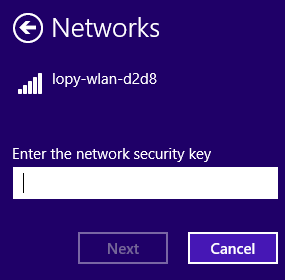
I have key in the security key with password: python but unsuccessful
-
@robert-hh Yes, it work . By the way, i can access it and showing this :
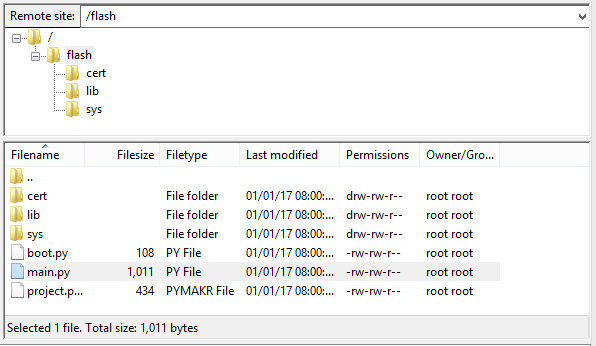
May i know how can i remove the unwanted file or remove all the files from pytrack+lopy and upload the file that i wish again?
If the step already successfully transfer, do we have to click on "upload" button in Atom (with pymakr ide plugin) in order run the coding?
-
@mj You can simply do all file operations in the filezilla file view, like transfer files in an out of the device, delete, rename, create subdir's, move around, etc.. Please do not remove the subdirectories cert, lib and sys, as they are needed.
When you use Filezilla, you do not need Atom/pymakr and it's files on the LoPy.
Actually I do not use it, because it's to instable, and as a personal preference I prefer to have a clear view on the things that happen. As FTP client, I prefer the FireFTP plugin of Firefox, but that's mostly because of my preference for Firefox as a browser. -
@robert-hh How if i wish to know is it my coding correct to output the result so i need the atom which it can result the output in REPL console. Is it after i transfer the file and i can just run the in Atom to see my result?
-
@mj You can use any terminal emulator program, like putty or Teraterm to work witrh the REPL prompt. Putty is mostly used, since it supports both serial and telnet (through WiFi) connections.
Most people, who do not use atom/pymakr, have simple a terminal window and a ftp (Filezilla) window open.
With FileZilla, you find an entry in the context menu of a file to view/edit it. That will download the file into the editor of your choice. When storing, you will be asked whether you want to upload it again. Even mor convenient, you can configure FireFTP, such that a double click on a file on LoPy will download it and open it in the editor of your choice, and saving in that editor uploads it back to LoPy. That seems a little bit less elegant than Atom/Pymakr, but uses robust tools based on stable protocols. And automatic reconnecting the ftp link after you have restarted your Lopy is in any case subject to hiccups. -
Hi friends,
You can not connect through FTP in FileZilla, then this answer for you.
You can use FTP account to create your website'sFTP accounts. FTP allows you to manage your website's files in cpanel.
To create an FTP account, you need to perform a simple task.
-
Login to your domain cpanel account. Find out File section and in that FTP accounts. Click over there to create FTP account with Linux.
-
After entering you first need to set FTP login name and choose the particular domain name for FTP account if you have another domain or subdomain. Generate strong password with the help of Password Generator and set password. While setting password strength of password can be measure through the “strength”.
-
You can choose different-different directories for different-different domains or subdomains. You can create separate FTP account for any of the directory in cPanel. You can choose FTP account quota with specific figure or simple choose it unlimited. Lastly click on Create FTP account. And your FTP account created successfully.
-
To access this newly created FTP account in filezilla. Simply click on the configure FTP client and you will get the username and the password you inserted at the time of creating FTP account. Open filezilla and enter credentials and access your FTP account in filezilla.
Follow this steps and click the following link to get more information.
Thank You.
-

Hello! It looks like you're interested in this conversation, but you don't have an account yet.
Getting fed up of having to scroll through the same posts each visit? When you register for an account, you'll always come back to exactly where you were before, and choose to be notified of new replies (either via email, or push notification). You'll also be able to save bookmarks and upvote posts to show your appreciation to other community members.
With your input, this post could be even better 💗
Register Login