Unable to install Pymakr 1.2.10 in Atom 1.25.0
-
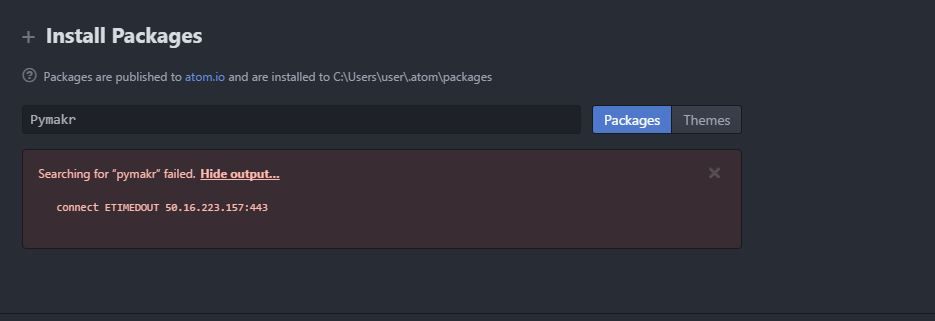
Hi there, i still having problem on install the Pymakr plugin version 1.2.10 with the Atom version 1.25.0.
Windows 8.1
Atom 1.25.0
Pymakr 1.2.10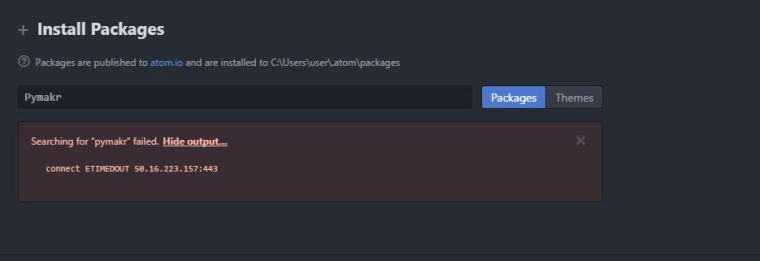
-
@mj It looks like atom is not able to connect to the internet correctly. Please double check your internet setting and any proxy settings you might be using in atom.
-
@mj said in Unable to install Pymakr 1.2.10 in Atom 1.25.0:
Hi there, i still having problem on install the Pymakr plugin version 1.2.10 with the Atom version 1.25.0.
Windows 8.1
Atom 1.25.0
Pymakr 1.2.10Seriously, if you are using Windows @MJ try Visual Studio Code (https://code.visualstudio.com/) much more reliable than Atom for developing with Pycom products, especially noting some of the other posts about Atom lately.
-
Hi,
Tried installing pymakr plugin on Atom 1.25.0 but plugin shows as incompatible package:
"
Some installed packages could not be loaded because they contain native modules that were compiled for an earlier version of Atom.
""
serialport@4.0.6 – The module '/Users/gedp/.atom/packages/pymakr/node_modules/serialport/build/Release/serialport.node' was compiled against a different Node.js version using NODE_MODULE_VERSION 53. This version of Node.js requires NODE_MODULE_VERSION 54. Please try re-compiling or re-installing the module (for instance, usingnpm rebuildornpm install).
" -
@gedp
if you previously had pymakr installed can you try deleting the/Users/gedp/.atom/packages/pymakr/directory and re-installing pymakr -
@seb
Thanks. Did the trick. Remove directory, reinstall and rebuild the packageThx,
Geert

Hello! It looks like you're interested in this conversation, but you don't have an account yet.
Getting fed up of having to scroll through the same posts each visit? When you register for an account, you'll always come back to exactly where you were before, and choose to be notified of new replies (either via email, or push notification). You'll also be able to save bookmarks and upvote posts to show your appreciation to other community members.
With your input, this post could be even better 💗
Register Login