Welcome to the Pycom forum Forum
    • \[\[global:header.categories\]\]
    • \[\[global:header.recent\]\]
    • \[\[global:header.tags\]\]
    • \[\[global:header.popular\]\]
    • Login

    Explore Pybytes | Official Documentation | Report a Firmware Bug/Issue | GitHub

    Interfacing between Neo-6m gps sensor with Fipy

    Scheduled Pinned Locked Moved MicroPython
    fipyraspberry pineo gps
    15 Posts 2 Posters 2.0k Views 2 Watching
    Loading More Posts
    • Oldest to Newest
    • Newest to Oldest
    • Most Votes
    Reply
    • Reply as topic
    Log in to reply
    This topic has been deleted. Only users with topic management privileges can see it.
    • A Offline
      Archana Kadam
      last edited by

      Hello Team,
      We are trying to interface the neo-6m gps sensor with fipy board using default and undefault UART connections. How to interface neo-6m gps with Fipy using serial.

      Thank You

      A 1 Reply Last reply Reply Quote 0
      • A Offline
        Archana Kadam @Archana Kadam
        last edited by

        Hello Team,
        Can u share the interfacing between Neo-6m gps sensor with Fipy using serial communication.

        Thank You

        1 Reply Last reply Reply Quote 0
        • A Offline
          Archana Kadam
          last edited by

          Hello Team
          We are using two UART sensor, we have connected UART 0 and UART 1 i,e UART 0 (pins G1 and G2) and UART 1 (pins G11 and G24)
          How we can get the readings of both the UART connections in a single code and how we can set the boudrate of Fipy UART Connection.

          Please reply as soon as possible
          Thank you

          robert-hhR 1 Reply Last reply Reply Quote 1
          • robert-hhR Offline
            robert-hh @Archana Kadam
            last edited by

            @archana-kadam See https://docs.pycom.io/chapter/firmwareapi/pycom/machine/UART.html

            A 1 Reply Last reply Reply Quote 0
            • A Offline
              Archana Kadam @robert-hh
              last edited by

              @robert-hh
              Hello,

              We have already checked with the linked you have suggested, but in that they have only explained about the uart 1 example. Can you provide us the example of how to read both the uart 0 and uart 1 in the same code.

              Also how to change the default baud rate of uart1 and uart 0.

              Thank You

              robert-hhR 1 Reply Last reply Reply Quote 1
              • robert-hhR Offline
                robert-hh @Archana Kadam
                last edited by

                @archana-kadam UART0 is connected to the REPL. If you want to disconnect REPL from UART0, you have to use the statement os.dupterm(None). After that, you can use it like UART1 and configure it as needed.
                For REPL, you may then use Telnet.

                A 2 Replies Last reply Reply Quote 0
                • A Offline
                  Archana Kadam @robert-hh
                  last edited by

                  @robert-hh
                  can you send the full code to disconnect REPL from uart0 and use it to read any uart sensor. And also after disconnecting on what baudrate it will work.

                  1 Reply Last reply Reply Quote 0
                  • A Offline
                    Archana Kadam @robert-hh
                    last edited by

                    @robert-hh
                    Hello,

                    Am using below code to read on both the uarts of fipy, on uart0 i have connected GPS sensor and on uart1 i have connected raspberry pi, am reading the GPS data from uart0 and writing the same data on the uart1 i,e on raspberry pi. But the below code is not working as i wanted. Kindly help with this.

                    import time
                    from machine import UART
                    import machine
                    import os

                    msg = ''
                    uart1 = machine.UART(0, baudrate=115200)
                    os.dupterm(None)
                    uart1 = UART(1, baudrate=9600, pins=('P1','P0'))

                    uart = UART(1, baudrate=9600)

                    while True:
                    msg = uart1.readall()
                    time.sleep(3)
                    print(msg)
                    uart.write(str(msg))
                    print(msg)

                    Thank You

                    robert-hhR 1 Reply Last reply Reply Quote 1
                    • robert-hhR Offline
                      robert-hh @Archana Kadam
                      last edited by robert-hh

                      @archana-kadam I'll verify this night, but in your code the order of statements seem wrong. I suggest it is:

                      import time
                      from machine import UART
                      import machine
                      import os
                      
                      msg = ''
                      os.dupterm(None)
                      uart0 = UART(0, baudrate=115200)
                      uart1 = UART(1, baudrate=9600)
                      
                      while True:
                          time.sleep(3)
                          msg = uart1.readall()
                          print(msg)
                          uart0.write(str(msg))
                      

                      If it is just to print the data form the GPS sensor, you can simply keep REPL and use print.
                      P.S.: For code to look nicely, enclose it in lines with three backquotes (```).
                      P.P.S.: I upvoted three of your comments, such that you can pretty print code and respond faster.

                      A 2 Replies Last reply Reply Quote 0
                      • A Offline
                        Archana Kadam @robert-hh
                        last edited by

                        @robert-hh
                        We have checked with the code which you had provided, but the need is we are have connected gps sensor at uart1 which works at baudrate of 9600, and raspberry pi we have connected to uart0.But the problem is uart0's baudrate is 115200 so only we are not receiving the gps data as it is at uart0.

                        Basically we need both the uart to be setup at 9600. How to to it??

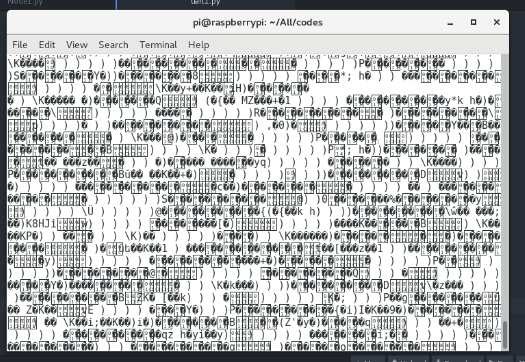
                        Screen shot of the data output from fipy as well as raspberry is attached.0_1531205306916_Raspberry pi output.PNG This image is about raspberry pi output connected to the Uart 0.
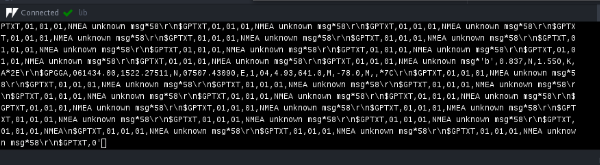
                        0_1531205408691_Gps output.PNG This image is about Gps output connected to the Uart 1

                        Thank You

                        A robert-hhR 2 Replies Last reply Reply Quote 0
                        • A Offline
                          Archana Kadam @robert-hh
                          last edited by

                          @robert-hh
                          Kindly reply for the above question
                          Thank you

                          robert-hhR 1 Reply Last reply Reply Quote 0
                          • robert-hhR Offline
                            robert-hh @Archana Kadam
                            last edited by

                            @archana-kadam I'm a user like you and not a PyCom member. My time slots for tests are evenings and weekends. I will surely look into your question, maybe this evening.

                            A 1 Reply Last reply Reply Quote 0
                            • A Offline
                              Archana Kadam @robert-hh
                              last edited by

                              @robert-hh
                              Ok thank you

                              1 Reply Last reply Reply Quote 0
                              • A Offline
                                Archana Kadam @Archana Kadam
                                last edited by

                                Hello Team,
                                Kindly any one can reply to the above question

                                Thank you

                                1 Reply Last reply Reply Quote 0
                                • robert-hhR Offline
                                  robert-hh @Archana Kadam
                                  last edited by

                                  @archana-kadam I looke dagain at you request. What I cannot understand is, why you do not simple set the respberry Pi to 115200 baud.
                                  Besides that, you can free UART0 from the REPL and reconfigure it to any speed you like, e.g. for 9600 baud:

                                  import uos
                                  from machine import UART
                                  uos.dupterm(None)
                                  
                                  uart0 = UART(0, 9600)
                                  

                                  Be aware, that after the "uos.dupterm(None)", the REPL and print etc. is on telnet only.

                                  1 Reply Last reply Reply Quote 0

                                  Hello! It looks like you're interested in this conversation, but you don't have an account yet.

                                  Getting fed up of having to scroll through the same posts each visit? When you register for an account, you'll always come back to exactly where you were before, and choose to be notified of new replies (either via email, or push notification). You'll also be able to save bookmarks and upvote posts to show your appreciation to other community members.

                                  With your input, this post could be even better 💗

                                  Register Login
                                  • 1 / 1
                                  • First post
                                    Last post

                                  Pycom on Twitter

                                  Pycom