nano-gateway bringup
-
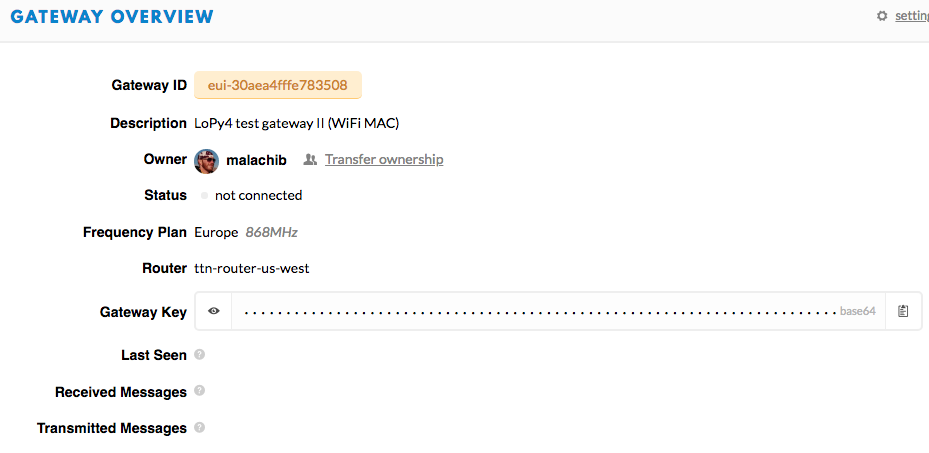
I've spent about 2 hours on this now, cannot get gateway to show 'connected' on TTN.
nanogw.start() produces:
[ 13423.390] Starting LoRaWAN nano gateway with id: b'30AEA4FFFE783508'
[ 13424.872] WiFi connected to: fact.home
[ 13424.876] Syncing time with pool.ntp.org ...
[ 13425.484] RTC NTP sync complete
[ 13425.493] Opening UDP socket to us-west.thethings.network (13.66.229.235) port 1700...
[ 13425.509] Setting up the LoRa radio at 868.1 Mhz using SF7BW125
[ 13425.520] LoRaWAN nano gateway online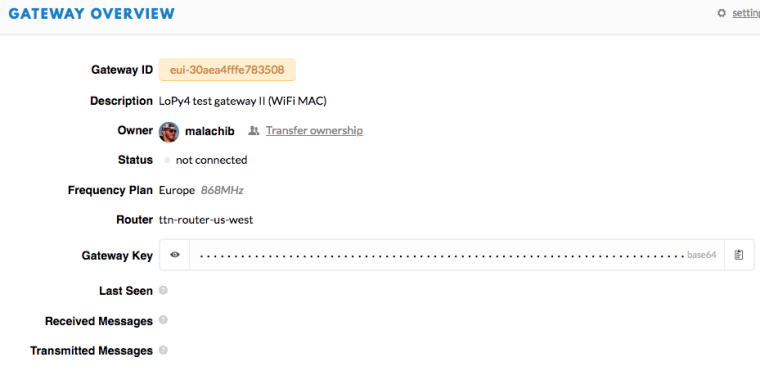
(/assets/uploads/files/1533180731775-screen-shot-2018-08-01-at-8.30.06-pm-resized.png)
Probably I'm missing something simple...
-
-
@robert-hh I'm in USA but the Lopy folks sent me the wrong gear, so I actually do have 868 parts here in the US (shh, don't tell the FCC)
-
@malachib said in nano-gateway bringup:
@robert-hh I'm in USA but the Lopy folks sent me the wrong gear, so I actually do have 868 parts here in the US (shh, don't tell the FCC)
Antenna may be an issue, but device itself is the same for EU868 and US915, just reconfigure it.
-
@bmarkus Alright I'll do that. I got an odd error when I set it up for US bands, so I just assumed. I'll post the error if it persists
EDIT: Here's the error
(manual bringup)
lora = LoRa(mode=LoRa.LORAWAN, frequency=903900000)
Traceback (most recent call last):
  File "<stdin>", line 1, in <module>
ValueError: frequency 903900000 out of range
(nano gateway bringup)
[    22.361] Opening UDP socket to us-west.thethings.network (13.66.229.235) port 1700...
[    22.379] Setting up the LoRa radio at 903.9001 Mhz using SF7BW125
Traceback (most recent call last):
  File "<stdin>", line 1, in <module>
  File "lib/startmal.py", line 19, in <module>
  File "/flash/lib/nanogateway.py", line 167, in start
ValueError: frequency 903900000 out of range
I see some folks saying to add
region=LoRa.US915but my LoRa class doesn't have US915 in itEDIT2: Upgraded to 1.18.0.r1 and selected US regions. Now everything is configured to 915MHz but initial problem still persists
-
@malachib Besides antenna (did you plug in the right antenna port for US915? see https://docs.pycom.io/chapter/datasheets/downloads/lopy4-pinout.pdf), your router may suppress UDP packets. When the nanogateway is running, you should see lines like:
[143209.052] Pull ack [143224.058] Push ack -
@robert-hh I've plugged in the antenna across from the reset button, near the
"ppart pf pycomI never see those 'push' or 'pull' messages that you describe
I'm running an Apple Airport Express. I'm under the impression UDP packets work OK (VoIP and video games work well) but have not done a conclusive test actually. I presumed the gateway only initiates contact to server, not vice versa, but am getting some indication I may have to setup port forwarding. perhaps?
EDIT:
I've added port forwarding, but no change. DNS resolution does work from the board, and mDNS works on other equipment on the network so WLAN UDP appears online. I tried
tcpdumpbut I don't quite know how to make it promiscuous enough to capture traffic between LoPy4 and the router.... -
Hi @malachib,
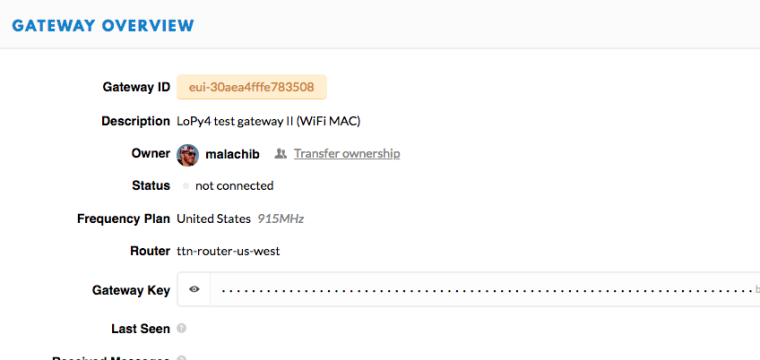
If I understand correctly, you're running the US config now. Have you changed it in the TTN console as well? (in your initial post, it shows EU)
-
@dan According to my tests, that does not affect the server connectivity. Only donwlink messages would be configured for the wrong frequency plan. But obviously it should be set to the proper region.
-
@dan that is correct
[ 40.615] Starting LoRaWAN nano gateway with id: b'30AEA4FFFE783508' [ 40.640] WiFi connected to: fact.home [ 40.647] Syncing time with pool.ntp.org ... [ 50.104] RTC NTP sync complete [ 50.324] Opening UDP socket to us-west.thethings.network (13.66.229.235) port 1700... [ 50.340] Setting up the LoRa radio at 903.9001 Mhz using SF7BW125 [ 50.351] LoRaWAN nano gateway online [ 50.357] You may now press ENTER to enter the REPL >>> >>> -
@malachib If I look into the documentation of TTN and the default json script
https://github.com/TheThingsNetwork/gateway-conf/blob/master/US-global_conf.json,
I see the following server address: router.us.thethings.network
Maybe you try that one in config.py of the nanogateway. -
@robert-hh I'll try that. I got the us-west address directly from the gateway configuration screen FYI
-
@robert-hh that did it!
router.us.thethings.network was the key! Nowhere do I see that URL on TTN gateway config, so you really saved my bacon there. Thank you!



Hello! It looks like you're interested in this conversation, but you don't have an account yet.
Getting fed up of having to scroll through the same posts each visit? When you register for an account, you'll always come back to exactly where you were before, and choose to be notified of new replies (either via email, or push notification). You'll also be able to save bookmarks and upvote posts to show your appreciation to other community members.
With your input, this post could be even better 💗
Register Login