How to restore to default interface?
-
Hi
I'm running pymakr 1.0.0b8 on Linux; I have by mistake clicked on 'Reset layout to factory defaults' in the preference pane, and now, I get a light grey interface with a completely different layout, and I don't even have the sync and run buttons.
How can I restore the original layout? I tried deleting .eric6 and .pymakr directories in my homedir, uninstalling and reinstalling pymakr, but I always get the same ugly window.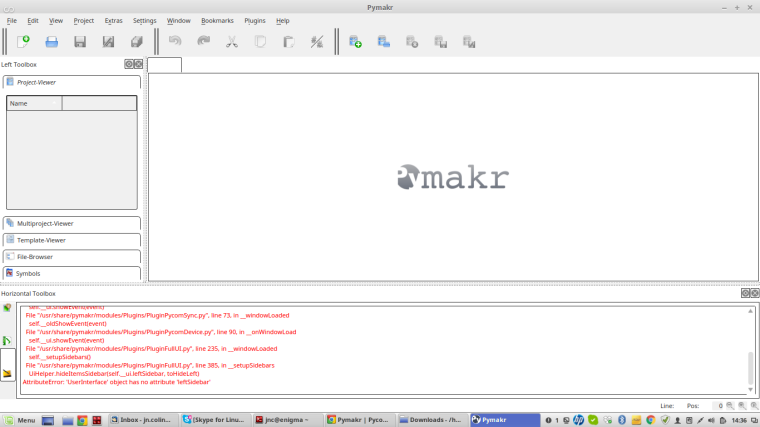 Thanks for your help
 -
Hi again,
I thought I'd share the solution I found to my own problem :)running the following command did the trick
rm -rf .eric6/ .pymakr/ .config/Trolltech.conf .config/Pycom/pymakr* -
Hi @jnc, Good that you found the solution right away :) I'll add this to the task list to fix the functionality of this button.
-
@jnc Thanks - I had a similar problem.
I hadn't seen the ~/.config/Pycom directory.
There doesn't seem to be a ~/config/Trolltech.conf on MacOS, but getting rid of the pymakr* files cured the problem.
Thanks again for sharing.
Brian
Hello! It looks like you're interested in this conversation, but you don't have an account yet.
Getting fed up of having to scroll through the same posts each visit? When you register for an account, you'll always come back to exactly where you were before, and choose to be notified of new replies (either via email, or push notification). You'll also be able to save bookmarks and upvote posts to show your appreciation to other community members.
With your input, this post could be even better 💗
Register Login