Expansion board 3.1 stuck in bootloader mode
-
Hi everyone,
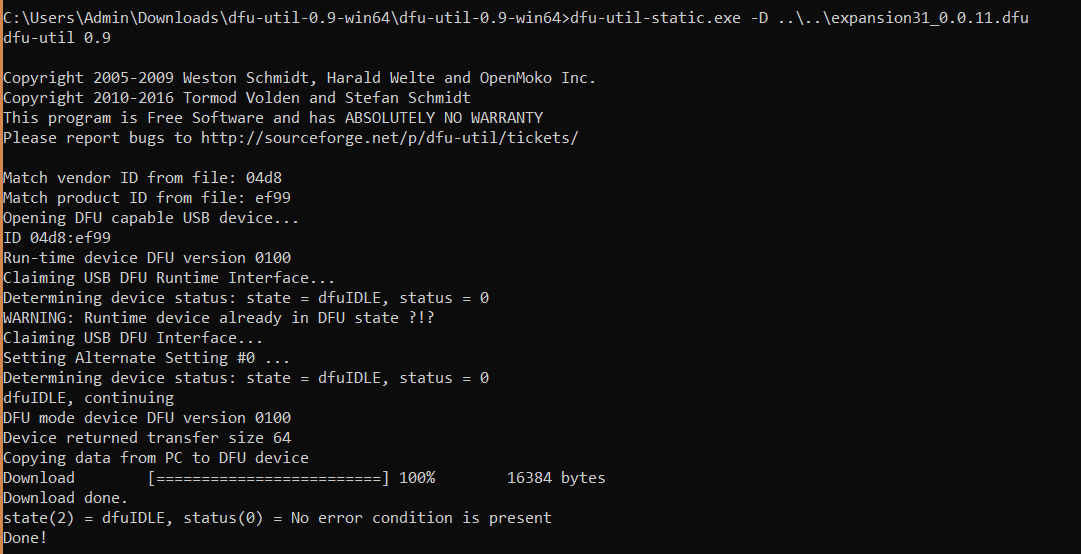
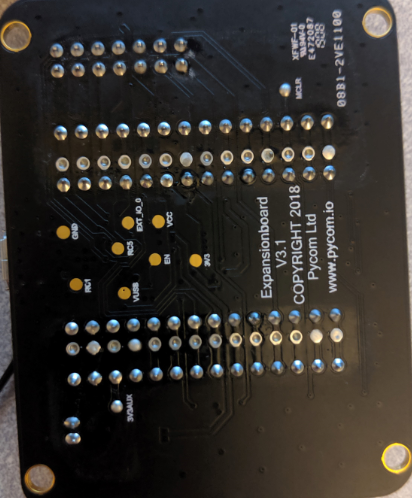
I am working with some LoPy4s and expansion board 3.1 to build out some stand alone air quality sensors. Anyway, I purchased 5 of each. When going through the documentation, it was clear that they want you to update the firmware on the expansion board as well as the LoPy before proceeding. I went through the process of updating the first expansion board and put it into bootloader mode by holding down "S1", then using Linux bash tool I updated the firmware as instructed. I got the "Done!" and everything. However, after updating, it was stuck in the bootloader mode with the tag ef99 (boot mode) and not ef98 (application mode).
I am not able to use the REPL or even connect to the board. I have gone through the process on both windows and Ubuntu 18.04.02.
I used the information on this page to do so. https://docs.pycom.io/pytrackpysense/installation/firmware.html
After getting the first one in bootmode, I decided to move onto another board, which after going through the same process is currently stuck in bootmode. With my last 3 boards, I just skipped updating the expansion board firmware and have just been developing on them and they work great! Now I just need to get my other two boards out of the bootloader mode.
-
You dont seem to be the only one with this problem. Here is a related thread:
https://forum.pycom.io/topic/4684/exit-from-dfu-mode/15But it's interesting to see that the problem is systematic ... I hopy pycom comes forward with a solution.
Hello! It looks like you're interested in this conversation, but you don't have an account yet.
Getting fed up of having to scroll through the same posts each visit? When you register for an account, you'll always come back to exactly where you were before, and choose to be notified of new replies (either via email, or push notification). You'll also be able to save bookmarks and upvote posts to show your appreciation to other community members.
With your input, this post could be even better 💗
Register Login