Using Vin as output pin?
-
My sensor requires an input voltage of 5V. I connected the Vin pin from the expansion board/lopy4 with the Vin pin from my sensor. It seems to work fine for several weeks. Is there a risk of damaging the device?
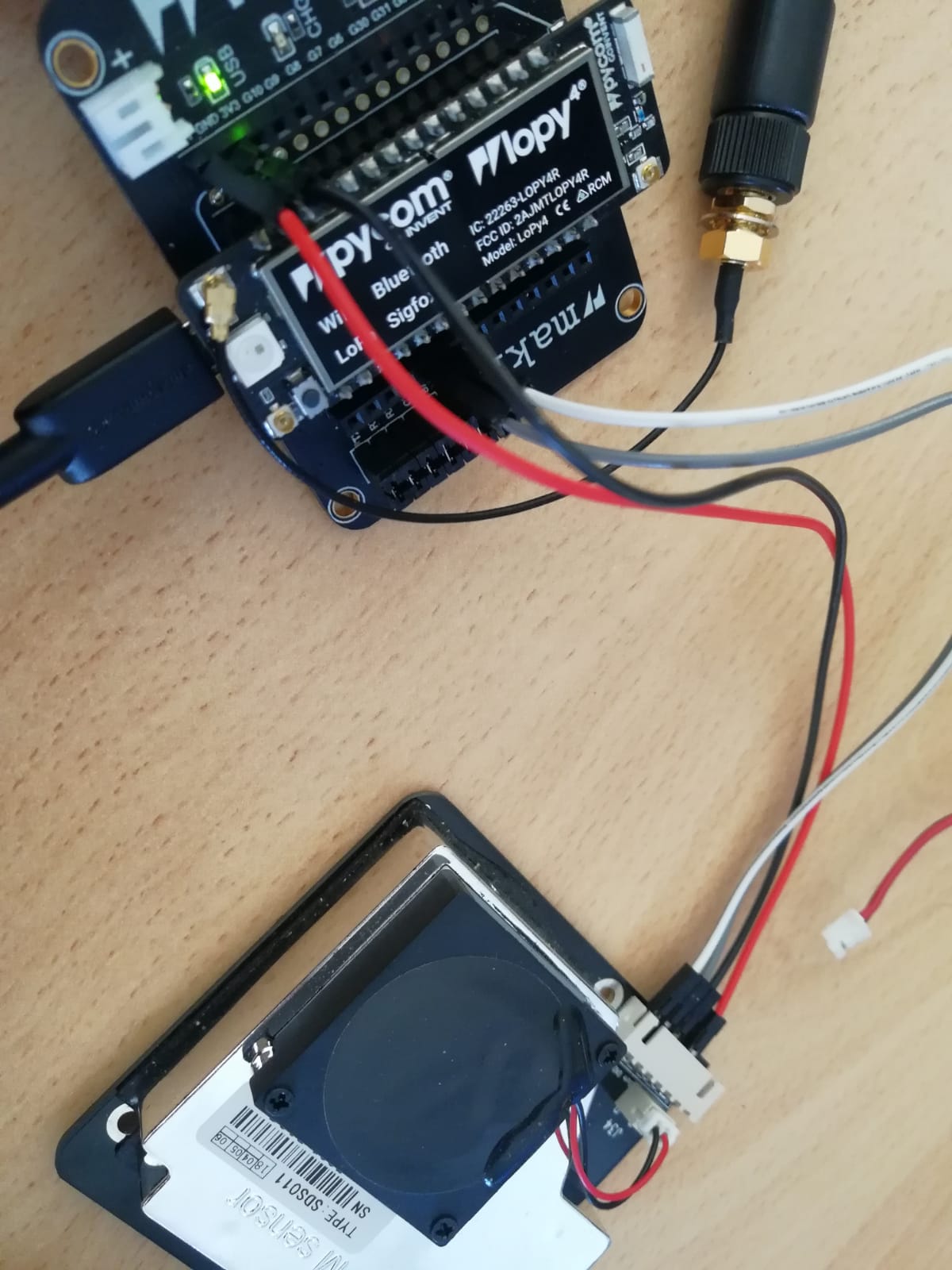
thanks in advance!
-
@apo1997 Vin is powered from Vusb. It is no risk to use that for external sensors, as long as the total power does not exceed the USB spec.
-
@robert-hh thank you for the fast reply! i do have another question/problem.
after using my sensor i put my sensor on sleepmode.
then i call machine.deepsleep(time_ms) to put my expboard/lopy in deepsleep mode too.
but there seems to be a small interruption in the voltage supply after calling the deepsleep function.
My external sensors restarts and its back on active mode.
how can i solve the problem? -
@apo1997 I do not know how you supply you configuration. If by USB, it may be caused by drawing too little power from it. Then the power is dropped. You may try a dumb USB power supply.
-
@robert-hh i tried a dumb USB power supply as recommended and i tried running it with a LiPo battery as well, same result/problem.
i wrote a small code for demonstration
import time import machine import SDS011 sds = SDS011.SDS011() #initialize sensor sds.setState(SDS011.STATE_SLEEP) #put sensor on sleepmode print("do something") i=0 while(i<10): print(i) i += 1 time.sleep(1) print("call deepsleep") machine.deepsleep(10000) #after function is called sensor restarts, very small interruption of power supply -
@apo1997 said in Using Vin as output pin?:
SDS011.SDS011()
The SDS011 is tricky because the wakeup can be basically any command.
I think you're just getting some rubbish on the UART pins when the ESP32 goes into deep sleep and thus waking the SDS011.
Try disabling the UART before deep sleep or maybe even also setting the UART TX pin to LOW with pin.hold(True)
-
Disabling the UART is not enough, my code does this allready and it clears the Buffer after setting the sensor on sleepmode because i knew that the wakeup can be basically any command.
But i tried to set the tranceiver pin to LOW and it worked! thank you!

Hello! It looks like you're interested in this conversation, but you don't have an account yet.
Getting fed up of having to scroll through the same posts each visit? When you register for an account, you'll always come back to exactly where you were before, and choose to be notified of new replies (either via email, or push notification). You'll also be able to save bookmarks and upvote posts to show your appreciation to other community members.
With your input, this post could be even better 💗
Register Login