How to save or write files to Lopy flash
-
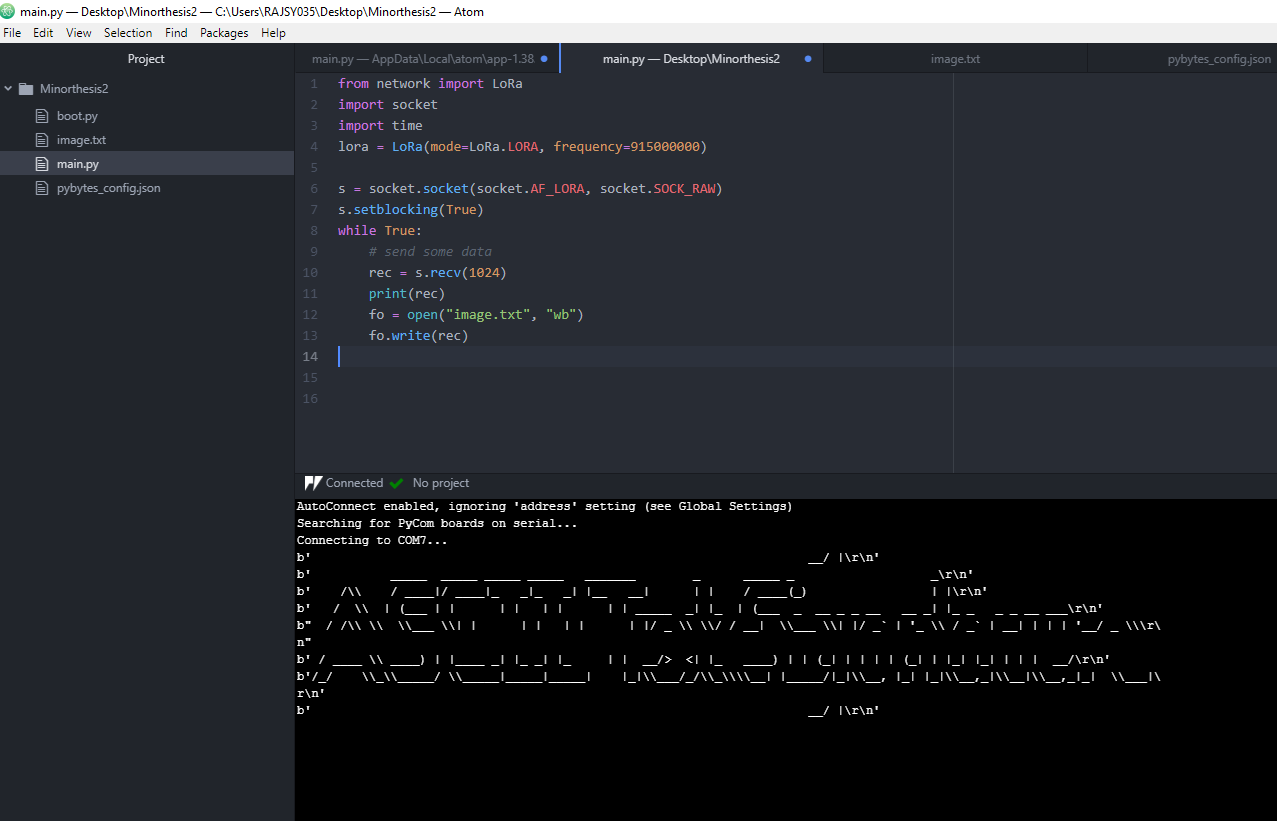
I am sending an ASCII file from one Lopy4 to another Lopy4 through LoRa and I could send the ASCII characters in packets from one to another where the receiver Lopy receives the packets (I confirmed this as I can print the received packets). Meanwhile I am also trying to save/write the received ASCII packets in the flash memory under "image.txt" of the receiving Lopy4. I used code below but when I download the "image.txt" and view it, it still appears as an empty file.
from network import LoRa
import socket
import time
lora = LoRa(mode=LoRa.LORA, frequency=915000000)

s = socket.socket(socket.AF_LORA, socket.SOCK_RAW)
s.setblocking(True)
while True:
    # send some data
    rec = s.recv(1024)
    print(rec)
    fo = open("image.txt", "wb")
    fo.write(rec)
I may be doing wrong. If any one can help me on how to write/save the received packets to "image.txt" file that I created.
Your kind help will be appreciated
Thank you
-
@phusy012 Please find example code below.
Create a file named nvs.py
import uos

class Nvs:
    def __init__(self, delimiter, file_size):
        self.max_file_size = file_size
        self.delimiter = delimiter
        self.file_path = '/flash/store.nvram'
        self.file_handle = None

    def empty(self):
        isEmpty = False
        try:
            if uos.stat(self.file_path)[6] == 0:
                isEmpty = True
        except Exception as e:
            isEmpty = True
        return isEmpty

    def full(self):
        isFull = True
        try:
            if uos.stat(self.file_path)[6] < self.max_file_size:
                isFull = False
        except Exception as e:
            isFull = False
        return isFull

    def open(self):
        if self.file_handle is None:
            self.file_handle = open(self.file_path, "a+")

    def close(self):
        if self.file_handle:
            self.file_handle.close()
            self.file_handle = None

    def store(self, data):
        if self.full():
            return False

        if self.file_handle is None:
            self.open()

        try:
            self.file_handle.write(data)
            self.file_handle.write(self.delimiter)
            self.file_handle.flush()
        except Exception as e:
            print("NVRAM: Exception storing data: " + str(e))
            return False
        return True

    def read_all(self):
        buf = ''

        if self.file_handle is None:
            self.open()

        try:
            self.file_handle.seek(0,0)
            buf = self.file_handle.read()
        except Exception as e:
            print("NVRAM: Exception reading file: " + str(e))

        return buf
Create a file named main.py
from nvs import Nvs nvs_obj = Nvs(',', 512) nvs_obj.store('test write 1') nvs_obj.store('writing the second line to nvs') nvs_obj.store('this is the third line') buf = nvs_obj.read_all() print('Data read from file: {}'.format(buf)) -
@oligauc Thank you so much. I shall try and seek your help if I get stuck. Thank you once again.
-
You have to close the file. If you don't close or flush the stream, the payload may remain in the buffer and will not be written on your device. Because there is no working flush, you have to close the file.
-
Other example, using 'with' there is no need do close the file (it is done in the end of the 'with' block :
try: with open('/flash/log.txt', 'a') as f: f.write('test') os.sync() except OSError as e: print('Error {} writing to file'.format(e)) -
@oligauc said in How to save or write files to Lopy flash:
from nvs import Nvs
nvs_obj = Nvs(',', 512)
nvs_obj.store('test write 1')
nvs_obj.store('writing the second line to nvs')
nvs_obj.store('this is the third line')buf = nvs_obj.read_all()
print('Data read from file: {}'.format(buf))Doesn't this code just create a regular file and write/read to it?
-
@gcapilot No, it does not. It write to a special area of the flash, but not the file system in flash, which is located in the so called nvs partition at offset 0x9000, size 0x7000.
-
@robert-hh But isn't '/flash/store.nvram' a common file in '/flash' file system ?
My "MicroPython Samples". My "MicroPython Firmwares" with many options (double precision, ulab, etc).
-
@rcolistete If using the nvs class by @oligauc below: that one indeed writes to the flash file system. If you use the nvs_xxxx methods from the pycom module, data is stored in the separate nvs partition and not in the file system partition.


Hello! It looks like you're interested in this conversation, but you don't have an account yet.
Getting fed up of having to scroll through the same posts each visit? When you register for an account, you'll always come back to exactly where you were before, and choose to be notified of new replies (either via email, or push notification). You'll also be able to save bookmarks and upvote posts to show your appreciation to other community members.
With your input, this post could be even better 💗
Register Login