TTN EU router And PyBytes
-
Hi, I'm trying to get my LoPy4 sending data to the pybytes platform.
FYI I've a RAK LoraWan gateway that's part of TTN and configured to route to TTN EU.
After doing a full erase with the CLI tool, I've updated the Lopy4 to last firmware 1.20.2.rc6, and then used the GUI firmware updater to flash it with pybytes activation token and setting up my freq plan to EU868, with success. I choose OTAA on Pybytes. On my TTN gateway, I can see the Lopy 4 "Join request" and the "Join Accept" reply. On the Lopy4 side I can see the same successful connection logs:Firmware: 1.20.2.rc6 Pybytes: 1.3.1 Attempting to connect with network lora_otaa Attempting to connect via LoRa Trying to join LoRa.OTAA for 120 seconds... Setting up LoRa socket... This is PybytesProtocol.start_Lora() Connected using LoRa This is PybytesProtocol.__check_lora_messages() Pybytes connected successfully (using the built-in pybytes library) This is pack_info_message() __pack_message: b'110404a00506'And after that in the TTN gw I can see messages coming every 5min as my Lopy4 configured.
So it seem that everything is ok on the Lopy4 and LoraWan TTN side.But as I understand, when we create a new Device with Lora network connectivity with "Lora server": "TTN server - OTAA", the PyBytes backend should automatically create a "LoRaWan Application on TTN side" to be able to route messages from TTN app/device to PyBytes, is that correct ?
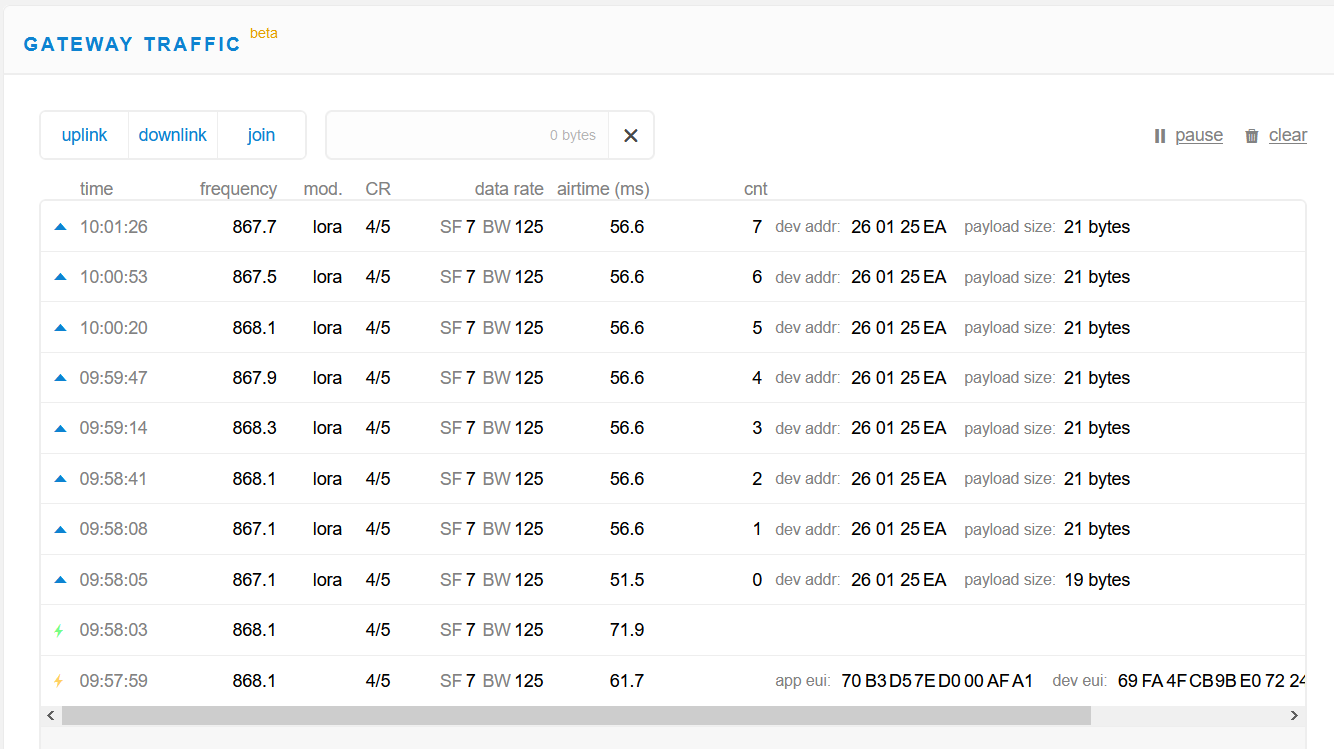
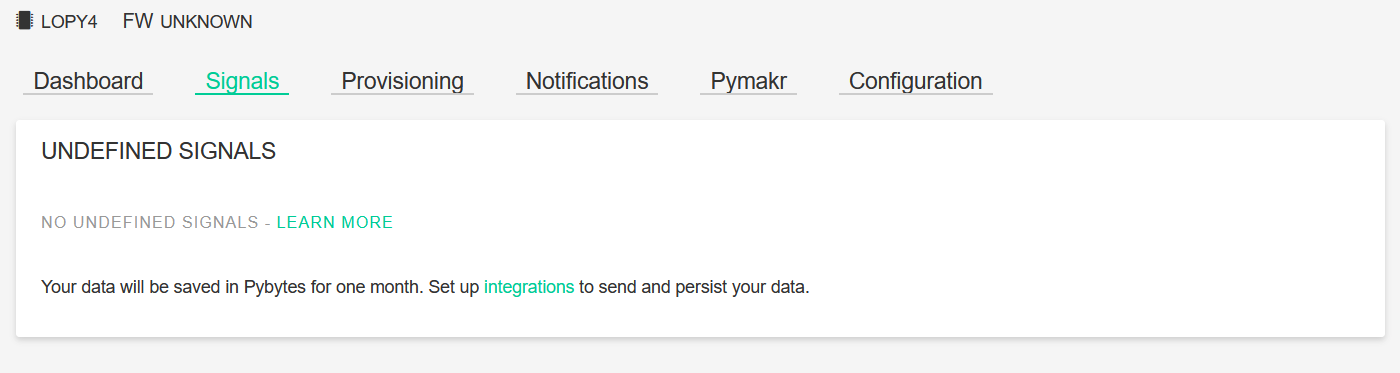
I can see my Lopy4 init ok and messages in TTN gateway traffic but nothing coming in PyBytes signal, and the device appear "never connected".
So my final question, is this backend automation service actually working with TTN EU router ?
Or maybe I miss something else ?Thank you for your help.
Regards. -
@komatek I have double-checked from our side and it seems that everything is working fine. how you are sending messages? (using pybytes.send_signal?)
-
@ahmadelmasri thank you for your answer, I'm actually doing some test and yes i'm sending static data in messages :
import pycom
pycom.nvs_set('pybytes_debug', 6)
# Import what is necessary to create a thread
import _thread
from time import sleep

# Increment index used to scan each point from vector sensors_data
def inc(index, vector):
    if index < len(vector)-1:
        return index+1
    else:
        return 0

# Define your thread's behaviour, here it's a loop sending sensors data every 5 seconds
def send_env_data():
    idx = 0
    sensors_data = [0, -0.2, -0.5, -0.7, -0.8, -0.9, -0.9, -0.9, -0.8, -0.6, -0.4, -0.2, 0, 0.3, 0.5, 0.7, 0.8, 0.9, 0.9, 0.9, 0.8, 0.6, 0.4, 0.1]

    while True:
        # send one element from array `sensors_data` as signal 1
        pybytes.send_signal(1, sensors_data[idx])
        idx = inc(idx, sensors_data)
        sleep(300)

# Start your thread
_thread.start_new_thread(send_env_data, ())
I think that the message sent is visible from the console log in my first message:
__pack_message: b'110404a00506'Anyway I sent messages and I don't see nothing on the pybyte backend.
I don't understand why…. -
From Atom console:
Type "help()" for more information.
>>> This is pack_pybytes_message_variable(5, 1, bytearray(b'\x00\x00\x00\x00\x00'))
__pack_message: b'1e05010000000000'
MQTT Protocol
This is pack_pybytes_message_variable(5, 1, bytearray(b'\xcd\xccL\xbe\x01'))
__pack_message: b'1e0501cdcc4cbe01'
MQTT Protocol
This is pack_pybytes_message_variable(5, 1, bytearray(b'\x00\x00\x00\xbf\x01'))
__pack_message: b'1e0501000000bf01'
MQTT Protocol
This is pack_pybytes_message_variable(5, 1, bytearray(b'333\xbf\x01'))
__pack_message: b'1e0501333333bf01'
MQTT Protocol
This is pack_pybytes_message_variable(5, 1, bytearray(b'\xcd\xccL\xbf\x01'))
__pack_message: b'1e0501cdcc4cbf01'
MQTT Protocol
From TTN:
From Pybytes:
-
@komatek I think in this case we need to take a deeper look. this is my email (ahmad@pycom.io) please contact me so we can schedule a meeting and check the status.
-
Hi @ahmadelmasri.
I've sent you an email last wednesday, thx. -
@komatek The issue is solved now, please confirm that you are able to get the messages in Pybytes.
-
@ahmadelmasri Thanks for your support on this.
Yes everything is working now, I just got a duplication of the "Signal 1" in my dashboard.
But messages are coming via LoRaWAN and device is online, Thank you again !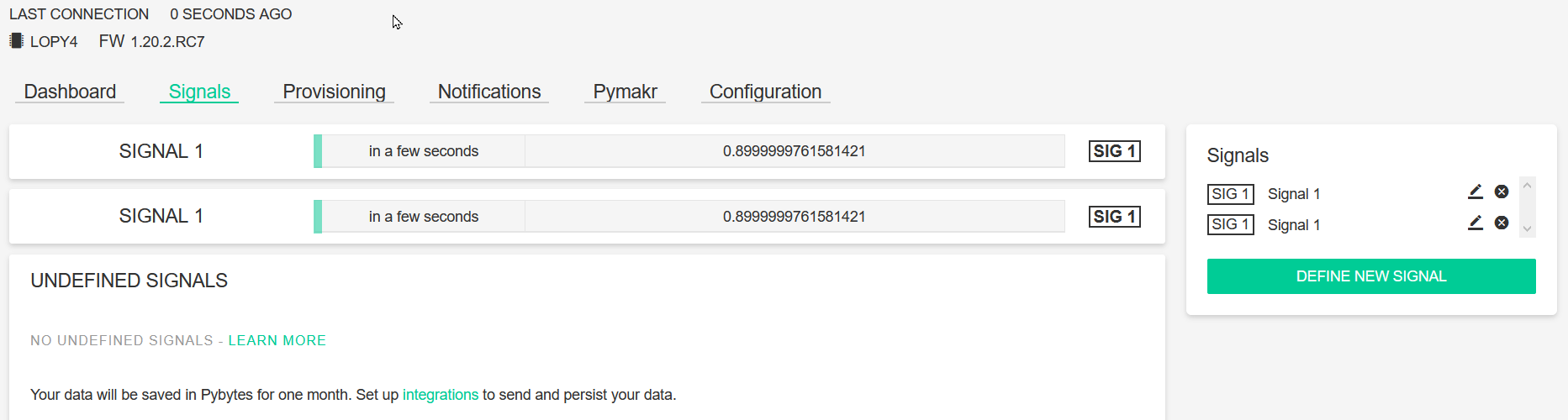

Hello! It looks like you're interested in this conversation, but you don't have an account yet.
Getting fed up of having to scroll through the same posts each visit? When you register for an account, you'll always come back to exactly where you were before, and choose to be notified of new replies (either via email, or push notification). You'll also be able to save bookmarks and upvote posts to show your appreciation to other community members.
With your input, this post could be even better 💗
Register Login