Set spreading factor
-
@robert-hh Thanks Robert. But i need set it before join :(
this is only possible after join, right?while not lora.has_joined(): print('No OTAA join yet...sf_11_2.258') print(machine.temperature()) pycom.rgbled(0x110000) time.sleep(0.1) pycom.rgbled(0x000000) time.sleep(2.4) # create a LoRa socket pycom.rgbled(0x00FF00) # Green s = socket.socket(socket.AF_LORA, socket.SOCK_RAW) print('Vamos') # set the LoRaWAN data rate s.setsockopt(socket.SOL_LORA, socket.SO_DR, 0) -
@robert-hh said in Set spreading factor:
@lloureiro You can set it via the socket data rate:
s.setsockopt(socket.SOL_LORA, socket.SO_DR, data_rate)
data_rate = 5 -> SF7BW125
data_rate = 0 _> SF12BW125Remember :
- to not enable ADR, so the initial 'data_rate' will be maintained in LoRaWan;
- data rate codes depend on the LoRaWan region (US915, EU868, etc).
-
@lloureiro Reading the spec and forum notes, the data rates for join should be handled automatic. It starts with the highest data rate (lowest sf), and if that fails, the data rate is lowered until eventually a join happens.
Join always succeeds here, so it is hard test it. -
@robert-hh you could probably just set a different address in your join so it won’t be accepted?
-
@jcaron obviously yes.
-
@jcaron The told tale: "If anything else fails, read the instructions" applies here too. I had not respected the optional argument 'dr' argument of the join method. That allows setting the inital data rate for join. If set to 5 (EU868), the device will always use that and repeat the join request every 10 seconds. If set for instance to 1, the device will start with SF11 and repeat that every 100 seconds, but adds a join request at SF7 in between. But the SF11 request will not change.
I do not know if that is the intended behavior, but at least the initial question is answered.Part of the log data below.
08:35:05 868.14/5 SF11BW125 823.3 app eui:70B3D57ED000A30C dev eui:70B3D5499B070000 payload size:23 bytes 08:34:57 868.14/5 SF7BW125 61.7 app eui:70B3D57ED000A30C dev eui:70B3D5499B070000 payload size:23 bytes 08:33:35 868.14/5 SF11BW125 823.3 app eui:70B3D57ED000A30C dev eui:70B3D5499B070000 payload size:23 bytes 08:33:27 868.14/5 SF7BW125 61.7 app eui:70B3D57ED000A30C dev eui:70B3D5499B070000 payload size:23 bytes 08:32:06 868.14/5 SF11BW125 823.3 app eui:70B3D57ED000A30C dev eui:70B3D5499B070000 payload size:23 bytes 08:30:41 868.14/5 SF12BW125 1482.8 app eui:70B3D57ED000A30C dev eui:70B3D5499B070000 payload size:23 bytes 08:29:37 868.14/5 SF7BW125 61.7 app eui:70B3D57ED000A30C dev eui:70B3D5499B070000 payload size:23 bytes 08:29:27 868.14/5 SF7BW125 61.7 app eui:70B3D57ED000A30C dev eui:70B3D5499B070000 payload size:23 bytes 08:29:17 868.14/5 SF7BW125 61.7 app eui:70B3D57ED000A30C dev eui:70B3D5499B070000 payload size:23 bytes 08:29:07 868.14/5 SF7BW125 61.7 app eui:70B3D57ED000A30C dev eui:70B3D5499B070000 payload size:23 bytes 08:28:57 868.14/5 SF7BW125 61.7 app eui:70B3D57ED000A30C dev eui:70B3D5499B070000 payload size:23 bytes 08:28:47 868.14/5 SF7BW125 61.7 app eui:70B3D57ED000A30C dev eui:70B3D5499B070000 payload size:23 bytes 08:28:37 868.14/5 SF7BW125 61.7 app eui:70B3D57ED000A30C dev eui:70B3D5499B070000 payload size:23 bytes 08:28:27 868.14/5 SF7BW125 61.7 app eui:70B3D57ED000A30C dev eui:70B3D5499B070000 payload size:23 bytes 08:28:17 868.14/5 SF7BW125 61.7 app eui:70B3D57ED000A30C dev eui:70B3D5499B070000 payload size:23 bytes 08:28:07 868.14/5 SF7BW125 61.7 app eui:70B3D57ED000A30C dev eui:70B3D5499B070000 payload size:23 bytes 08:27:57 868.14/5 SF7BW125 61.7 app eui:70B3D57ED000A30C dev eui:70B3D5499B070000 payload size:23 bytes 08:27:47 868.14/5 SF7BW125 61.7 app eui:70B3D57ED000A30C dev eui:70B3D5499B070000 payload size:23 bytes 08:27:37 868.14/5 SF7BW125 61.7 app eui:70B3D57ED000A30C dev eui:70B3D5499B070000 payload size:23 bytes 08:26:04 868.14/5 SF7BW125 61.7 app eui:70B3D57ED000A30C dev eui:70B3D5499B070000 payload size:23 bytes 08:25:54 868.14/5 SF7BW125 61.7 app eui:70B3D57ED000A30C dev eui:70B3D5499B070000 payload size:23 bytes 08:25:44 868.14/5 SF7BW125 61.7 app eui:70B3D57ED000A30C dev eui:70B3D5499B070000 payload size:23 bytes 08:25:34 868.14/5 SF7BW125 61.7 app eui:70B3D57ED000A30C dev eui:70B3D5499B070000 payload size:23 bytes 08:25:24 868.14/5 SF7BW125 61.7 app eui:70B3D57ED000A30C dev eui:70B3D5499B070000 payload size:23 bytes 08:25:14 868.14/5 SF7BW125 61.7 app eui:70B3D57ED000A30C dev eui:70B3D5499B070000 payload size:23 bytes 08:25:04 868.14/5 SF7BW125 61.7 app eui:70B3D57ED000A30C dev eui:70B3D5499B070000 payload size:23 bytes 08:24:54 868.14/5 SF7BW125 61.7 app eui:70B3D57ED000A30C dev eui:70B3D5499B070000 payload size:23 bytes 08:24:44 868.14/5 SF7BW125 61.7 app eui:70B3D57ED000A30C dev eui:70B3D5499B070000 payload size:23 bytes 08:24:34 868.14/5 SF7BW125 61.7 app eui:70B3D57ED000A30C dev eui:70B3D5499B070000 payload size:23 bytes 08:22:03 868.14/5 SF7BW125 61.7 app eui:70B3D57ED000A30C dev eui:70B3D5499B070000 payload size:23 bytes 08:21:53 868.14/5 SF7BW125 61.7 app eui:70B3D57ED000A30C dev eui:70B3D5499B070000 payload size:23 bytes 08:21:43 868.14/5 SF7BW125 61.7 app eui:70B3D57ED000A30C dev eui:70B3D5499B070000 payload size:23 bytes 08:21:33 868.14/5 SF7BW125 61.7 app eui:70B3D57ED000A30C dev eui:70B3D5499B070000 payload size:23 bytes 08:21:23 868.14/5 SF7BW125 61.7 app eui:70B3D57ED000A30C dev eui:70B3D5499B070000 payload size:23 bytes 08:21:13 868.14/5 SF7BW125 61.7 app eui:70B3D57ED000A30C dev eui:70B3D5499B070000 payload size:23 bytes 08:21:03 868.14/5 SF7BW125 61.7 app eui:70B3D57ED000A30C dev eui:70B3D5499B070000 payload size:23 bytes 08:20:53 868.14/5 SF7BW125 61.7 app eui:70B3D57ED000A30C dev eui:70B3D5499B070000 payload size:23 bytes 08:20:43 868.14/5 SF7BW125 61.7 app eui:70B3D57ED000A30C dev eui:70B3D5499B070000 payload size:23 bytes 08:20:33 868.14/5 SF7BW125 61.7 app eui:70B3D57ED000A30C dev eui:70B3D5499B070000 payload size:23 bytes 08:20:23 868.14/5 SF7BW125 61.7 app eui:70B3D57ED000A30C dev eui:70B3D5499B070000 payload size:23 bytes 08:20:13 868.14/5 SF7BW125 61.7 app eui:70B3D57ED000A30C dev eui:70B3D5499B070000 payload size:23 bytes 08:20:03 868.14/5 SF7BW125 61.7 app eui:70B3D57ED000A30C dev eui:70B3D5499B070000 payload size:23 bytes 08:19:53 868.14/5 SF7BW125 61.7 app eui:70B3D57ED000A30C dev eui:70B3D5499B070000 payload size:23 bytes 08:19:43 868.14/5 SF7BW125 61.7 app eui:70B3D57ED000A30C dev eui:70B3D5499B070000 payload size:23 bytes 08:17:26 868.14/5 SF12BW125 1482.8 app eui:70B3D57ED000A30C dev eui:70B3D5499B070000 payload size:23 bytes -
@robert-hh Thank you so much Robert.
I still have another question. How can i control the frequency of join request when do lora.join()?
Because it seems to much join messages sent :(I only did:
lora.join(activation=LoRa.OTAA, auth=(app_eui, app_key), timeout=0)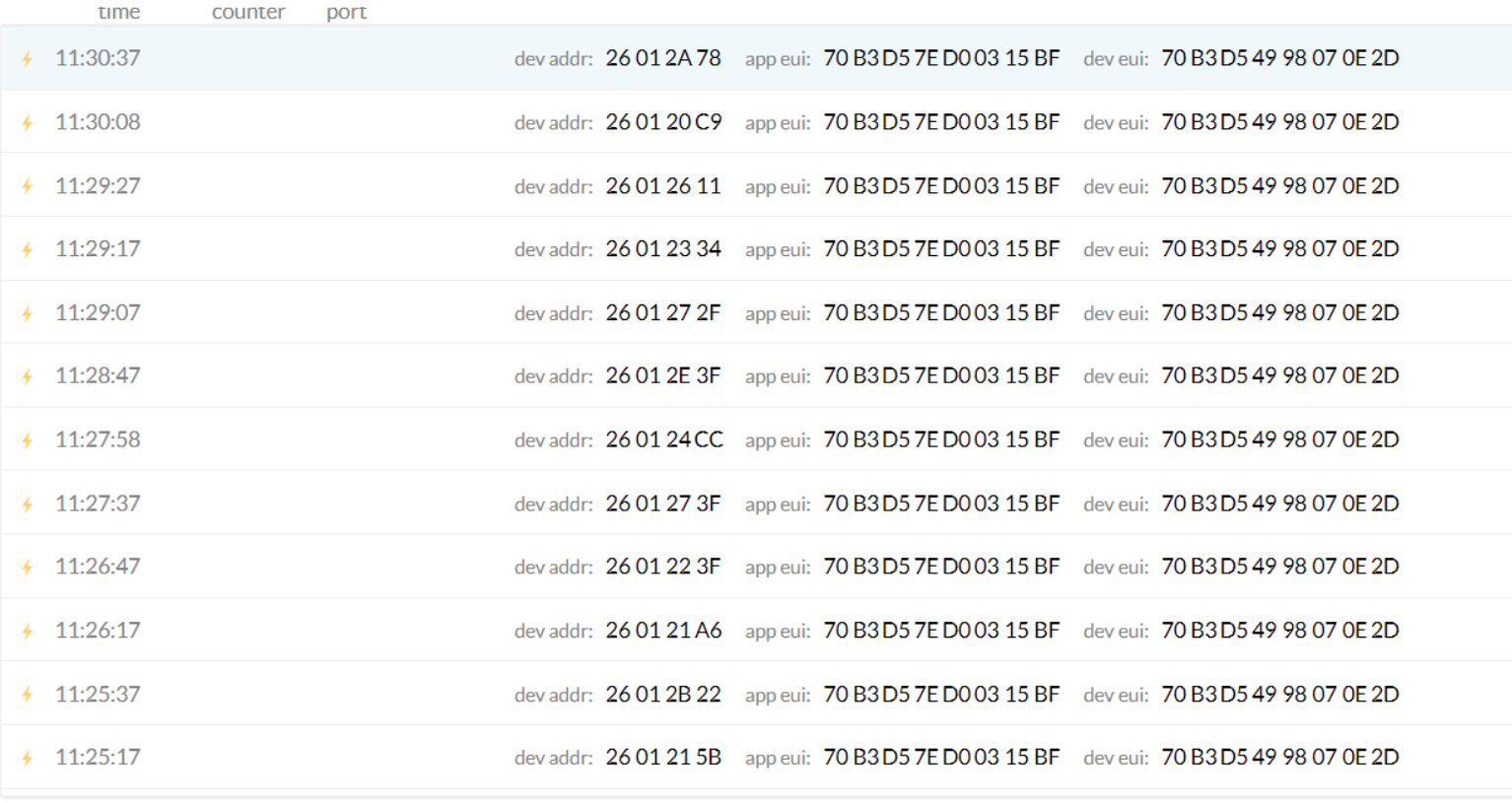
-
@lloureiro All the device in the list have different addresses. Do you use so many different devices for testing?
Please be aware that you have to register a device at TTN before a join request can succeed. -
@robert-hh No, it changed when received response from TTN.
-
@lloureiro So you register with the MAC address of the device. If the server assigns a device address which is used the next time, then the first join should have succeeded. But why do you repeat the join then? Usually a join is needed not very often.
-
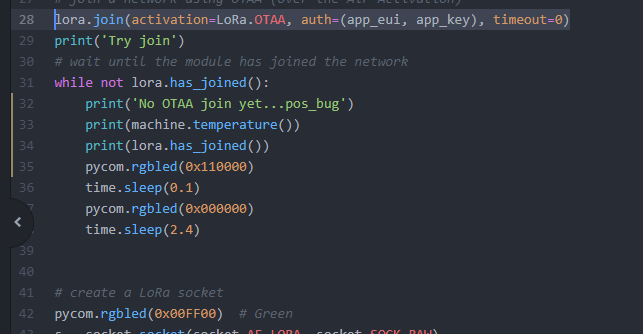
@robert-hh Its is done automatically :( lora.has_joined() always returns false. There is a way to see logs messages in FiPy?
-
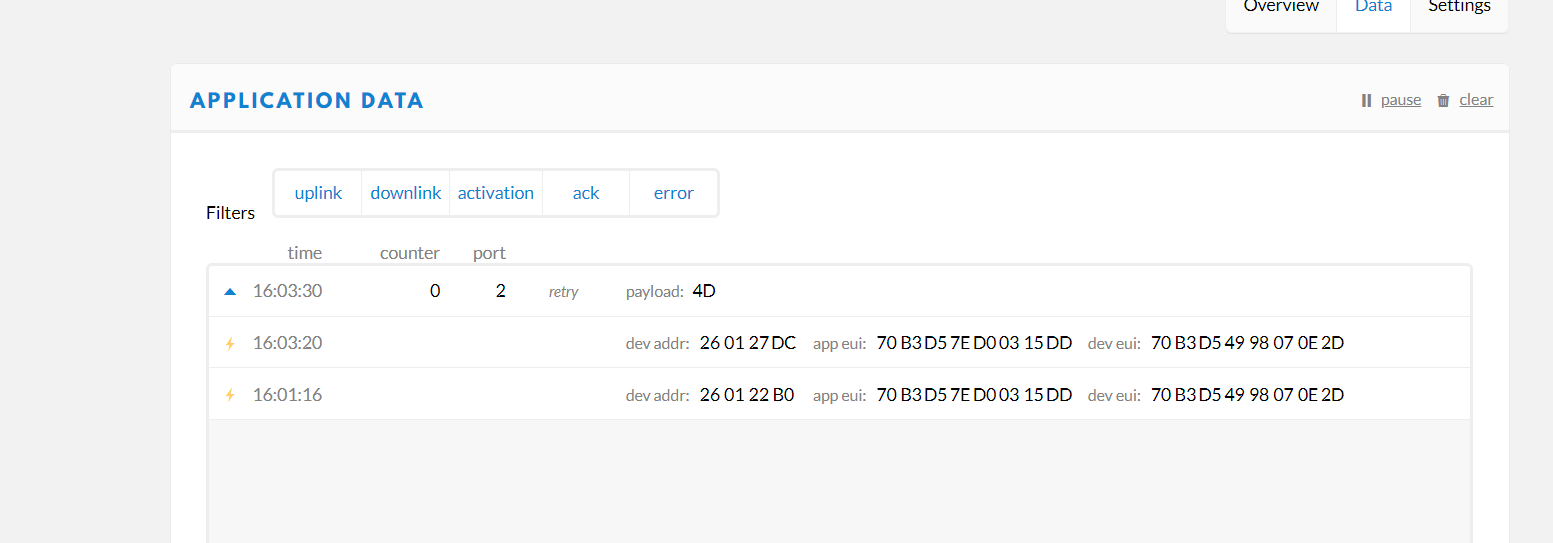
@robert-hh It works! I increased SF on join. Thanks a lot for your help
-
@robert-hh Hope you are doing well and had a good weekend. Thank you for your support.
In one of the reply, you mentioned that "the data rates for join should be handled automatic. It starts with the highest data rate (lowest sf), and if that fails, the data rate is lowered until eventually a join happens. Join always succeeds here, so it is hard test it."
Is there a way to test this? like debug messages?
The scenario being near my house, there are no TTN Gateway, so, i bought a Indoor gateway (which works fine).
So, I tested sending data using different spreading factor using
s.setsockopt(socket.SOL_LORA, socket.SO_DR, data_rate). When I set it to SF12BW125, the gateway far away was also able to receive the message. I was wondering if there's a way to set SF12 for the join request, so that the far gateway gets my Join request. (avoiding buying of a Indoor gateway) and increasing the reach-ability.Kind regards,
bitvijays


Hello! It looks like you're interested in this conversation, but you don't have an account yet.
Getting fed up of having to scroll through the same posts each visit? When you register for an account, you'll always come back to exactly where you were before, and choose to be notified of new replies (either via email, or push notification). You'll also be able to save bookmarks and upvote posts to show your appreciation to other community members.
With your input, this post could be even better 💗
Register Login