How to split project into submodules
-
Apologies for the noob question. I've missed something but I can't figure out what.
I'm using VS Code with pymakr plugin (on Linux). I would like to split my project into separate files to make things easier to manage, but I can't figure out how to bring everything together to run the project.
I have a main.py, which is the main file (surprise) and another file called lookups.py, which has some dictionaries defined in it. I want to refer to the dictionaries from main.py, but I'm not sure how. I've tried every variation of "import" I can think of except for the right one apparently. What do I have to do to refer to another file in the project from the main file?
All advice gratefully received.
-
@mogplus8 said in How to split project into submodules:
nt to refer to the dictionaries from main.py, but I'm not sure how. I've tried every variation of "import" I can think of except for the right one apparently. W
Hi,
I did it in the following way:- Create a folder called
libinside your project - In the folder, make a file (eg.
thing.py) put your extra functions (do not forget to also copy the necessary imports) - use
import thingin yourmain.pyfile and call the functions likething.function(), instead you could also doimport thing as anothernameto useanothername.
Let me know if that was clear!
Gijs
- Create a folder called
-
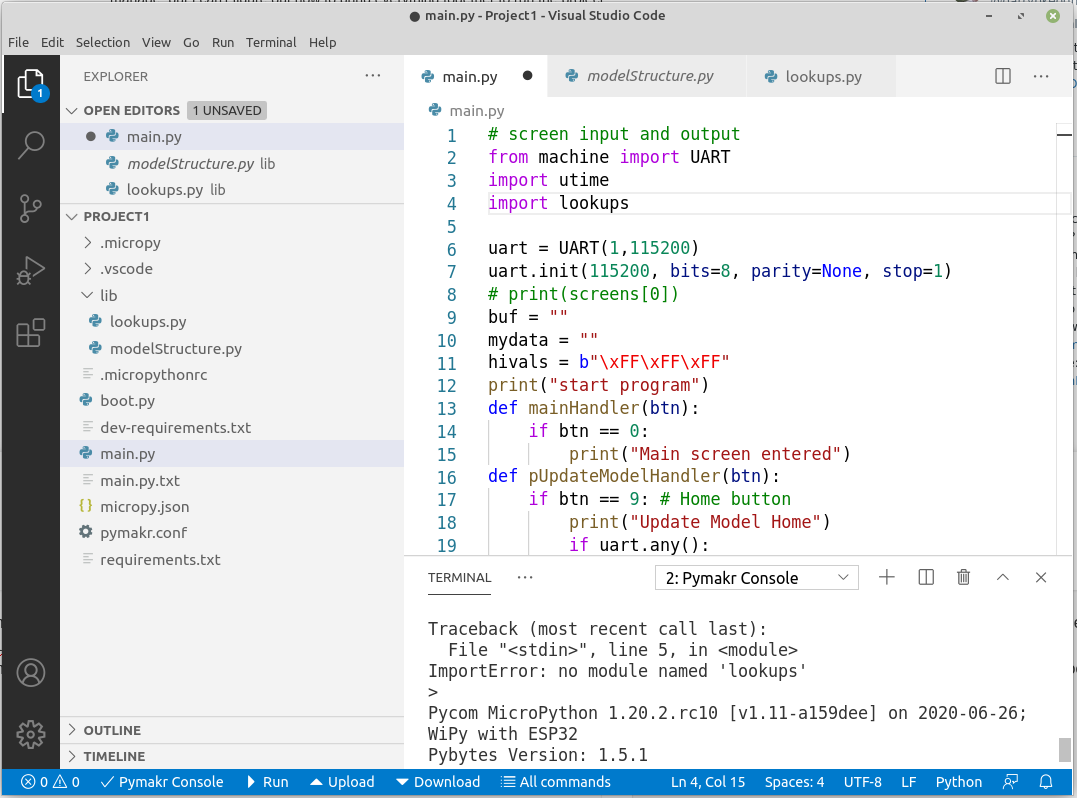
Hi @Gijs and thanks for the reply. That combination was one of the first I tried. I assumed that the lib folder was there to contain local libraries, so I put my submodule, "lookups.py", in it. However when I try to run my main.py with "import lookups" in the code I get an error "ImportError: no module named 'lookups'". I get the same error regardless of where I put the module.
-
Ah, I believe the problem is that you have to actually
upload to devicein order to use it. When you do that, it will upload themain.py,boot.pyand/lib/lookups.pyto theflashof your device and now they should be callable. -
@Gijs well that did it! thanks!!
;-)

Hello! It looks like you're interested in this conversation, but you don't have an account yet.
Getting fed up of having to scroll through the same posts each visit? When you register for an account, you'll always come back to exactly where you were before, and choose to be notified of new replies (either via email, or push notification). You'll also be able to save bookmarks and upvote posts to show your appreciation to other community members.
With your input, this post could be even better 💗
Register Login