Expansion board communicate Pymakr
-
Hello, I have an expansion board 3.1. Until a few days, I use Atom Pymakr to program my lopy, it was working. Suddenly I can no more communicate with my Expansion board: pymakr can see the expansion board (here COM23) but it cannot communicate with lopy. I have uninstalled and reinstalled the USB driver with no results. If I use another expansion board, it works!! Hereafter, a picture: I have tried to reboot but I have no response...
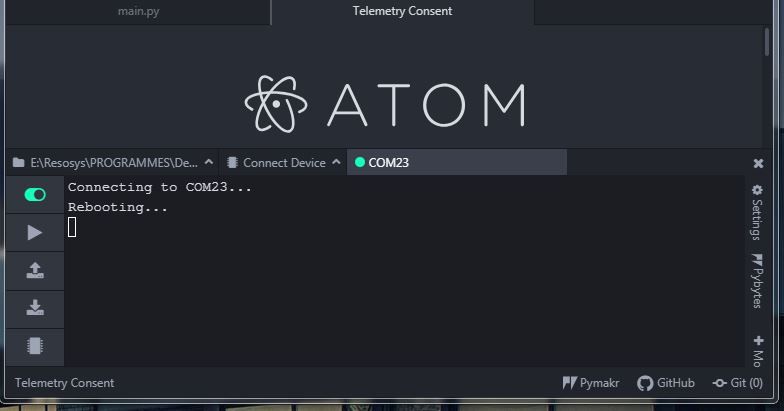
Does anybody have an idea on this problem?
Thank you for your help. -
Did you try restarting your computer? Sometimes the COM port can appear busy / in use but is not.
What happens when you use the firmware updater? It seems the USB connection is recognised, but the Lopy is held in firmware upload mode.I believe we had some issues with that in the past, you can try to update the firmware of the expansionboard: https://docs.pycom.io/updatefirmware/expansionboard/
-
@Gijs Thank you for your answer.
Yes, I have restarted many times my computer.
This is what happens with the firmware updater:
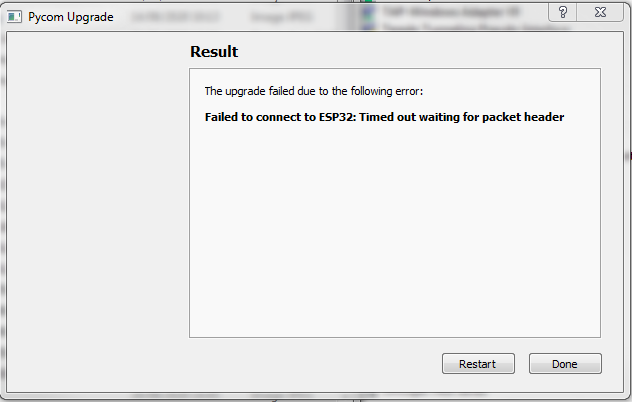
I have used your link to update the firmware of my expansion board:
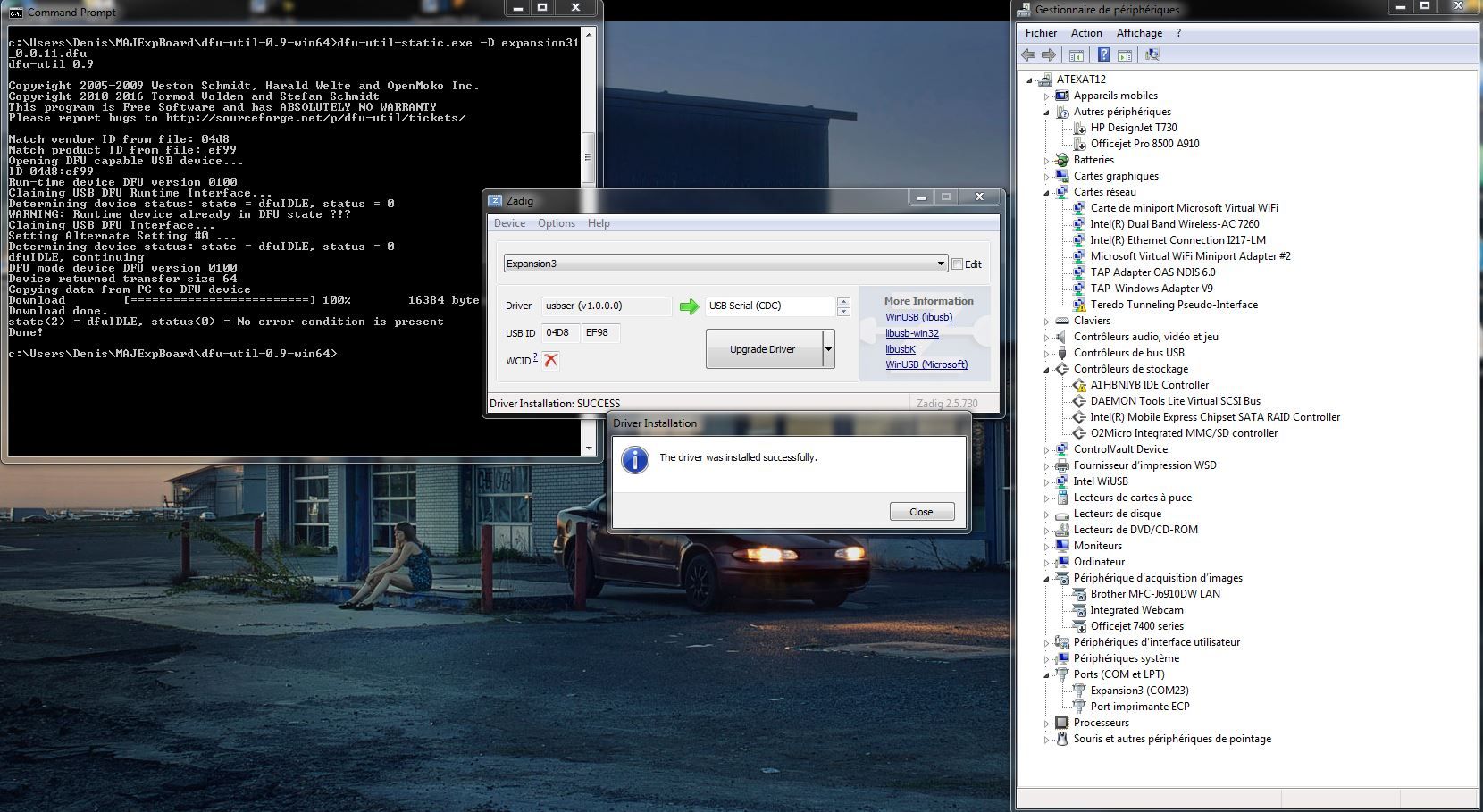
The problem still remains...
I am using Windows 7, could it have an incidence? -
Windows 7 should not be the issue. Also it seems your expansionboard is getting recognised correctly on COM23. Can you check the header placement on the expansionboard, make sure they are all in place. Can you try pressing the reset button and see what happens?
You mention the Lopy works on a different expansionboard, causing me to believe the issue is with the expansionboard. If the above does not work, can you check the voltage on the RST pin? this should be 3.3V without the button pressed and 0V with the button pressed. Let me know! -
@Gijs I have many expansion boards and this is not the only one that have this problem.
I put the header on TX - RX -CHRG. I have no header on RTS because I sometimes use a fipy.
When I press the reset button, nothing happens...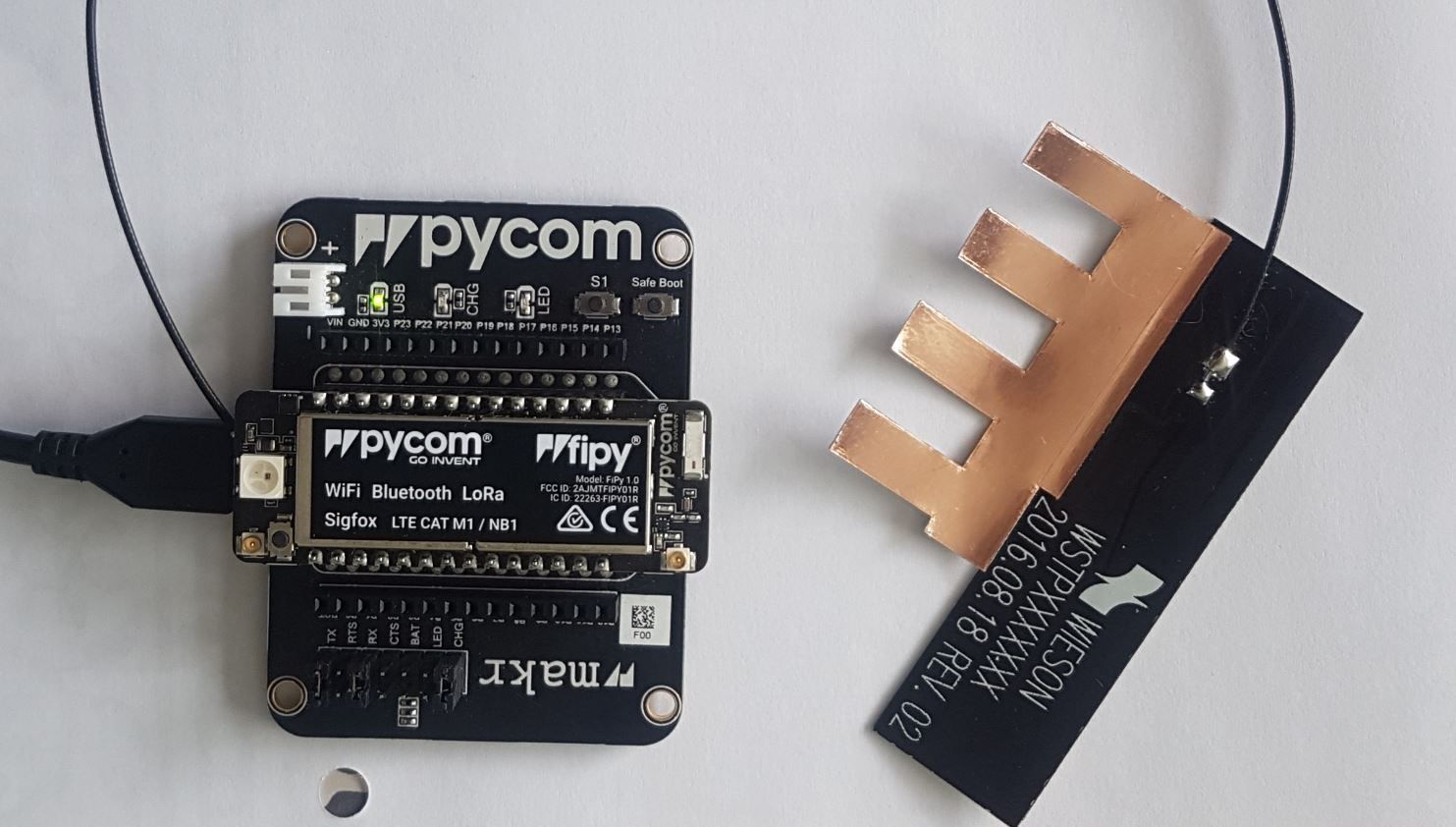
-
That is unfortunate,
Though you did mention that the fipy did work in other expansionboards?If I use another expansion board, it works!!
Contact me at support@pycom.io And I will see what I can do for you!
Hello! It looks like you're interested in this conversation, but you don't have an account yet.
Getting fed up of having to scroll through the same posts each visit? When you register for an account, you'll always come back to exactly where you were before, and choose to be notified of new replies (either via email, or push notification). You'll also be able to save bookmarks and upvote posts to show your appreciation to other community members.
With your input, this post could be even better 💗
Register Login