Getting started with PyGos and Pylife
-
@Pete-Allen-0 at this point I cannot get beyond the "checking for updates" point. If you say there is a way to update over USB then you should either A) offer us the USB cradle as a free/heavily discounted upgrade or B) offer an RMA service to exchange these inadequately tested units for working ones.
Fed up.
-
@bomtarnes +1
-
Here are my results so far.
Out of the 4 devices I have, I managed to upgrade 3. None of them through the app. One of my devices now is completely non-responsive, in the sense that it won't even charge. I'm going to leave it be with the hope that it will somehow go through the battery-depleted-reset process. I hope I didn't fry it with over-heating on the charge plate cum induction oven or otherwise bricked it.
My process of upgrading is as follows:
- Place on the charger
- Go through the app to firmware upgrade
- Start the firmware upgrade, all the way to its (for me) inevitable failure
- Make sure the phone is disconnected from the wireless network
PyCom_AP_Firmware_Update - Using my laptop, generally follow the instructions in https://github.com/pycom/pycom-documentation/blob/pylife/content/pylife/fwupdate/_index.md#manual-firmware-update-from-computer with the following modifications:
- Entirely skipping step 2, since the device is already in the upgrade mode, as evident by the existence of the
PyCom_AP_Firmware_Updatewireless network - The password in step 3 is
www.pycom.ioand not as written - Sometimes the firmware upload step (step 4, 3rd command) fails with a network error. Repeating this step works.
- Sometimes the
ota-verifycommand (step 4, 5th command) fails with an error message (although the HTTP request succeeds, see example below). In this case I started step 4 from the 1st command and it worked. - The
ota-rebootcommand (step 4, 6th command) never returns (i.e. the curl hangs and eventually times out). My guess is that it reboots immediately during the processing of the command and doesn't bother terminating the HTTP request correctly. Nevertheless it does reboot and the process is successful.
- Entirely skipping step 2, since the device is already in the upgrade mode, as evident by the existence of the
Here is an example of the command sequence succeeding:
1st command -
ota-init:arikb@txps:~/Downloads$ curl -v --request GET http://192.168.4.1/status -H "FW-Header-1: ota-init" Note: Unnecessary use of -X or --request, GET is already inferred. * Trying 192.168.4.1:80... * Connected to 192.168.4.1 (192.168.4.1) port 80 (#0) > GET /status HTTP/1.1 > Host: 192.168.4.1 > User-Agent: curl/7.81.0 > Accept: */* > FW-Header-1: ota-init > * Mark bundle as not supporting multiuse < HTTP/1.1 200 OK < Content-Type: text/html < Content-Length: 6 < Status: OK < * Connection #0 to host 192.168.4.1 left intact Statusarikb@txps:~/Downloads$2nd command -
ota-update:arikb@txps:~/Downloads$ curl -v --request GET http://192.168.4.1/status -H "FW-Header-1: ota-update" Note: Unnecessary use of -X or --request, GET is already inferred. * Trying 192.168.4.1:80... * Connected to 192.168.4.1 (192.168.4.1) port 80 (#0) > GET /status HTTP/1.1 > Host: 192.168.4.1 > User-Agent: curl/7.81.0 > Accept: */* > FW-Header-1: ota-update > * Mark bundle as not supporting multiuse < HTTP/1.1 200 OK < Content-Type: text/html < Content-Length: 6 < Status: Pending OTA UPDATE < * Connection #0 to host 192.168.4.1 left intact Statusarikb@txps:~/Downloads$3rd command - firmware upload:
arikb@txps:~/Downloads$ curl --request POST --data-binary @firmware_pygo1_1.20.4.r4-pylife.bin http://192.168.4.1/update
arikb@txps:~/Downloads$
3rd command - example of failure:
arikb@txps:~/Downloads$ curl --request POST --data-binary @firmware_pygo1_1.20.4.r4-pylife.bin http://192.168.4.1/update
curl: (56) Recv failure: Connection reset by peer
arikb@txps:~/Downloads$
4th command -
ota-finish:arikb@txps:~/Downloads$ curl -v --request GET http://192.168.4.1/status -H "FW-Header-1: ota-finish" Note: Unnecessary use of -X or --request, GET is already inferred. * Trying 192.168.4.1:80... * Connected to 192.168.4.1 (192.168.4.1) port 80 (#0) > GET /status HTTP/1.1 > Host: 192.168.4.1 > User-Agent: curl/7.81.0 > Accept: */* > FW-Header-1: ota-finish > * Mark bundle as not supporting multiuse < HTTP/1.1 200 OK < Content-Type: text/html < Content-Length: 6 < Status: OK < * Connection #0 to host 192.168.4.1 left intact Statusarikb@txps:~/Downloads$5th command -
ota-verify:arikb@txps:~/Downloads$ curl -v --request GET http://192.168.4.1/status -H "FW-Header-1: ota-verify" Note: Unnecessary use of -X or --request, GET is already inferred. * Trying 192.168.4.1:80... * Connected to 192.168.4.1 (192.168.4.1) port 80 (#0) > GET /status HTTP/1.1 > Host: 192.168.4.1 > User-Agent: curl/7.81.0 > Accept: */* > FW-Header-1: ota-verify > * Mark bundle as not supporting multiuse < HTTP/1.1 200 OK < Content-Type: text/html < Content-Length: 6 < Status: OK < * Connection #0 to host 192.168.4.1 left intact Statusarikb@txps:~/Downloads$5th command - example of failure:
arikb@txps:~/Downloads$ curl -v --request GET http://192.168.4.1/status -H "FW-Header-1: ota-verify"
Note: Unnecessary use of -X or --request, GET is already inferred.
*   Trying 192.168.4.1:80...
* Connected to 192.168.4.1 (192.168.4.1) port 80 (#0)
> GET /status HTTP/1.1
> Host: 192.168.4.1
> User-Agent: curl/7.81.0
> Accept: */*
> FW-Header-1: ota-verify
>
* Mark bundle as not supporting multiuse
< HTTP/1.1 200 OK
< Content-Type: text/html
< Content-Length: 6
< Status: Error(5)
<
* Connection #0 to host 192.168.4.1 left intact
Statusarikb@txps:~/Downloads$
Note the
Status: Error(5)message on the 4th line from the bottom.6th command -
ota-reboot:arikb@txps:~/Downloads$ curl -v --request GET http://192.168.4.1/status -H "FW-Header-1: ota-reboot" Note: Unnecessary use of -X or --request, GET is already inferred. * Trying 192.168.4.1:80... * Connected to 192.168.4.1 (192.168.4.1) port 80 (#0) > GET /status HTTP/1.1 > Host: 192.168.4.1 > User-Agent: curl/7.81.0 > Accept: */* > FW-Header-1: ota-reboot > * Recv failure: Connection timed out * Closing connection 0 curl: (56) Recv failure: Connection timed out arikb@txps:~/Downloads$Note that the time out error message at the bottom happens after several minutes.
-
Mine never gets as far as showing the wifi access point.
-
@bomtarnes I get it to show the access point by going through the firmware update process in the app. At least for me (Android, PyLife app version 1.0.9) when the firmware update process fails, it leaves the unit in a mode with the access point turned on. Then I disconnect the phone's Wi-Fi (if still connected) and then connect from my computer.
-
@arikb I can not get to starting the firmware update in the app. I get stuck during the scan process, where i should give the PyGo an alias name. The android app on my phone (Samsung Galaxy S7 with stock Android 8.0.0) does not accept anything no matter what i type there as input. (Tried also any formatting i can just think of). All i get is NOT_VALID_DEVICE response from the app and the PyGo does not turn on as an AP. Can you please tell me on what phone/Android version is working on your side?
-
@Peter-Bankuti I have a OnePlus 5T with a (rather old) CyanogenMod OS based on Android 9. Had no trouble at all scanning and adding and naming the devices.
-
@bomtarnes +1
-
@bomtarnes +100 a few more months waiting would have been better than shipping useless bricks. My PyGo1 and 2 are plain dead. Now waiting for a magical revival due to battery discharge. As a backer you choose to go the bumpy road, but this journey has been far beyond expectations in all aspects...
-
Thanks. I’ve now managed to update both using a PC. However, as other users are finding, they just won’t charge on the charging pad. After 5 hours still 0% on one and 2% on the other. The charging pad itself regularly has a flashing blue light which I assume is its own thermal protection. @Pete-Allen-0
-
@Ralph-Lohse @Pete-Allen-0 @bomtarnes +1 also
-
@Edouard-Abramovich @Pete-Allen-0 +1, I am now exactly at the same stage. After the reboot, I get BT, but Wifi-local is no more available.
-
@henri-lepervier @Pete-Allen-0 @Peter-Bankuti @bomtarnes
Hello Pete, All,
Finally, I have understood (sorry I am slow) that this was possible to use the Wifi Local network to try the Firmware upgrade manual procedure. I did it, and after several attempts, it worked !
Then I started from scratch. I had difficulties to have a positive scan for the PyGo (dozen of attempts), but eventually, it was recognized by the Android OS Pylife application
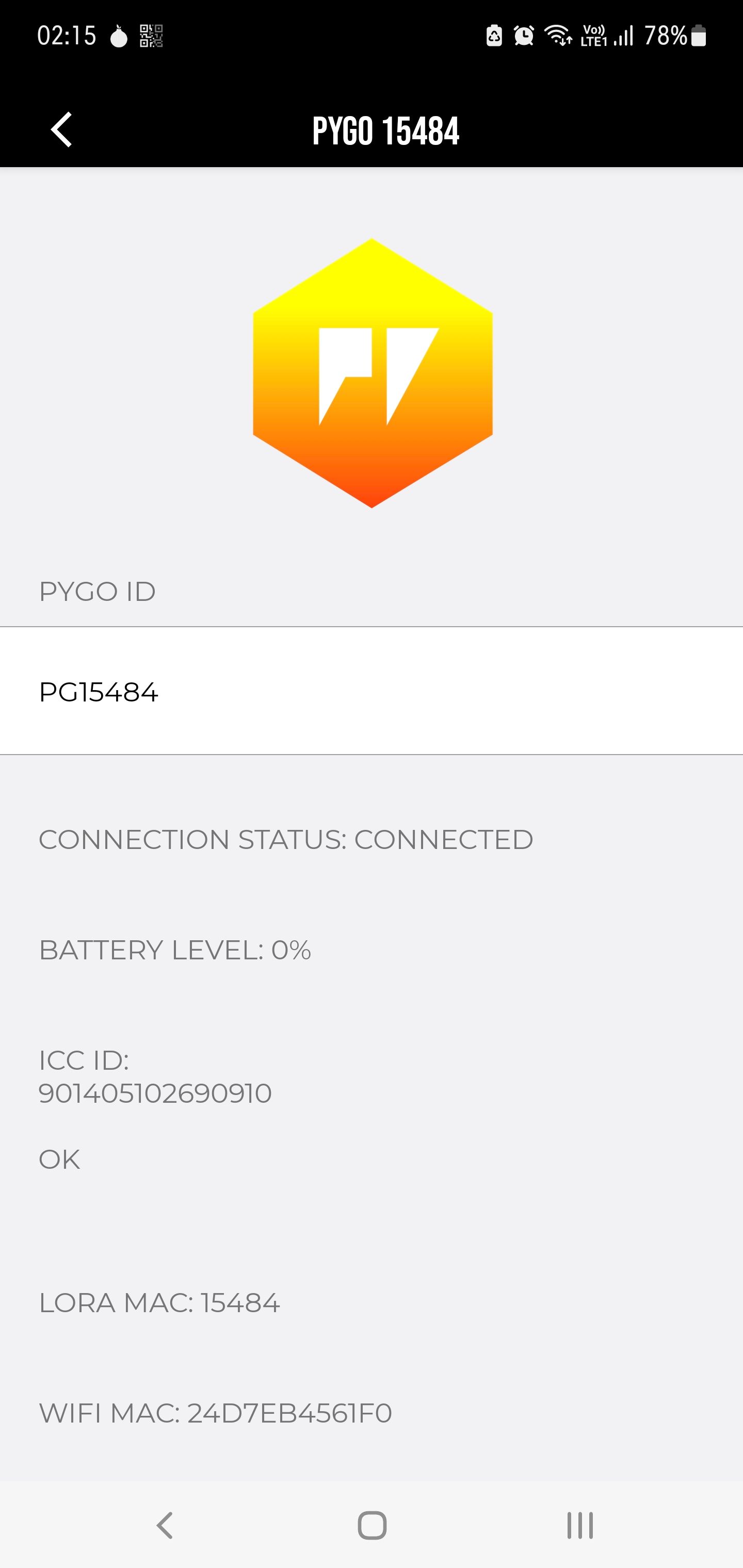
I though I was at the end of the story... but unfortunately no.
1/ The device cannot charge more than 1% (using a QI Wireless Charger)
2/ and more : the location stays wrong : I have a plot in the middle of the blue (without any google map all around)I have spent a lot of time to reach this point
And now, my question : I received a box with a sticker Pygo2 (so I used the PyGo2 firmware), but when I look to the device, there is no slot for a SIM card as presented into the documentation
Do you have the same ? is there a Sim slot on your devices ? I am wandering if all my issues are not due to a wrong PyGo (1 instead of 2)
For the time being, I am stuck : the device cannot charge, even with the Firmware updated to the latest version.
Any recommendation would be greatly appreciated
Kind regards
H. -
Update again. Both now just state 0% battery and only turn on when sitting on the charger. I left one charging overnight ~10 hours and in the morning it was still 0%. My conclusion is that neither will charge and the batteries are completely dead. @Stephen-Glavin @Pete-Allen-0
-
@Stephen-Glavin I noticed the battery percentage is not updated until the device goes to sleep mode. Once it is on again, the app displays the correct value. The overheating issue might still get in the way though. I put my charger in the freezer and managed to charge the battery halfway.
-
@henri-lepervier I ordered (and think) that I have received a pygo 1 + pygo 2. My pygo2 does not have a sim card slot. Having the issues upgrading firmware on it so can't confirm if it has a IMEI number (which I think indicates the unit can connect to cellular network).
-
I like the ingenuity, but it’s not very practical and would make wired charging just as convenient :) Hopefully this is just a firmware issue. But a bit disappointing that I can’t even test two pygos communicating as they each only have power when charging, and there’s only one charger. @Edouard-Abramovich
-
@Stephen-Glavin Maybe in another 4 years also pycom will respond to this shambolic product release. But until then it seems we as users should somehow reverse-engineer everything and try to find a solution instead of them. The very least pycom should have communicated by now is that they have an issue and we should not do anything with the delivered devices until they fix all the issues in the firmware that actually prevent us using the pygos. Really have no words how it is being handled.
-
This post is deleted! -
I have the same problems as @Stephen-Glavin @henri-lepervier @Edouard-Abramovich.
My PyGo still heats up a lot, and stops charging after a while. I'm trying to figure out the status LED on the wireless charger.
So far I've seen several behaviours, and I'm trying to fill in the blanks.
Green-blue-green - booting
Solid blue - charging
Blinking ~0.5Hz teal - overheating?

Hello! It looks like you're interested in this conversation, but you don't have an account yet.
Getting fed up of having to scroll through the same posts each visit? When you register for an account, you'll always come back to exactly where you were before, and choose to be notified of new replies (either via email, or push notification). You'll also be able to save bookmarks and upvote posts to show your appreciation to other community members.
With your input, this post could be even better 💗
Register Login