fipy no repl after firmware upgrade, safe boot doesn't help
-
Hi,
I have a fipy & expansionboard v3.1.
I upgraded the firmware on the expansionboard, then tried upgrading the fipy.
The upgrade utility says the upgrade was successful:
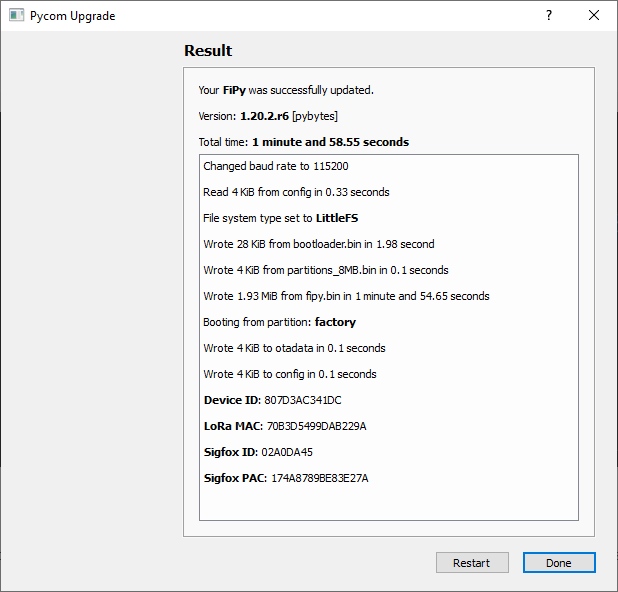
But I cannot get the repl prompt. The heartbeat seems to be going. I've tried the safeboot button and I do get the different LED flash rates, but still no repl.
If I press the reset button while putty is attached I get this:
rst:0x1 (POWERON_RESET),boot:0x12 (SPI_FAST_FLASH_BOOT)
configsip: 0, SPIWP:0xee
clk_drv:0x00,q_drv:0x00,d_drv:0x00,cs0_drv:0x00,hd_drv:0x00,wp_drv:0x00
mode:DIO, clock div:1
load:0x3fff8020,len:8
load:0x3fff8028,len:2128
load:0x4009fa00,len:19760
entry 0x400a05bc
ets Jun  8 2016 00:22:57
Sometimes that last line doesn't show up.
Any suggestions on how to get the fipy talking again?
Regards, David.
-
@David-Taylor said in fipy no repl after firmware upgrade, safe boot doesn't help:
I've tried the safeboot button and I do get the different LED flash rates, but still no repl.
Hi David,
It's worth checking what safeboot is doing. You don't say what the LED is doing, but the documentation is here
https://docs.pycom.io/gettingstarted/programming/safebootIf that doesn't work you could erase the flash with the cli updater and reflash.
https://docs.pycom.io/advance/cli/
Hello! It looks like you're interested in this conversation, but you don't have an account yet.
Getting fed up of having to scroll through the same posts each visit? When you register for an account, you'll always come back to exactly where you were before, and choose to be notified of new replies (either via email, or push notification). You'll also be able to save bookmarks and upvote posts to show your appreciation to other community members.
With your input, this post could be even better 💗
Register Login