Firmware update in Debian Wheezy / Advise
-
Hi there,
I was wondering if anyone has completed the firmware upgrade in Debian Wheezy? and if so, would it be possible to share key points or to point me in the right direction?
Cheers,
ColombianAus -
I updated my Lopy several times on Debian Wheezy w/o any issues using the text mode updater provided by PyCom (update) in high speed mode. Did you follow all instructions:
- Jumper between G23 and GND then reset the board
- Access to the internet, since the new image is downloaded during the update
- most recent installer
- select the right interface
I think you do not need specific udev rules. I did not find one on my machine which match the LoPy. Otherwise you might try to run the updater as root with sudo.
-
Hello,
thanks for your reply mate, so I have completed the following,
- Install Dialog
- Follow G23 + GND jumper
- Connect the board to the USB
- Run ./update (options related to USB port and speed OK)
- Error..."Something failed trying to connect to the device"
Debian OS definitely detects USB, (/dev/ttyUSB0) checked with dmesg command.
TEST:
unplug and execute ./update, there is no option for USB board. Plug back board, and dev/<USB> is shown.Have you seen this error before? I have attached screen shots.
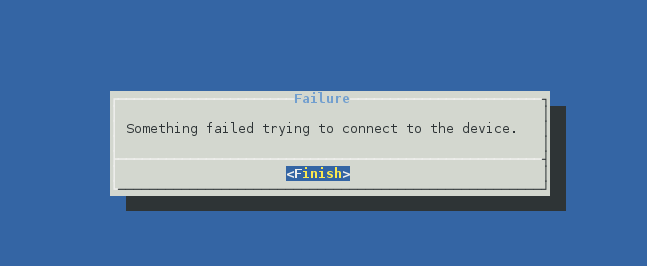
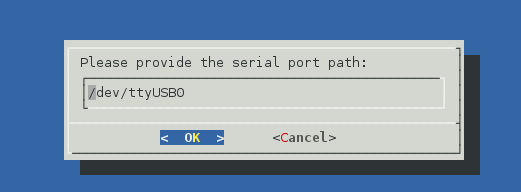
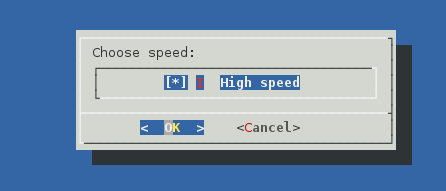
Cheers
ColombianAus -
Hello @ColombianAus,
No, I did not see that. A few checks:- did you use that set-up, PC + cable together with a simple terminal program like picocom (screen, ..)= to get a REPL prompt through serial? If yes, the the basic link is OK.
- did you try to run update as root (sudo update)? That would sort out any access right issues with /dev/USB0
- did you try to run in low speed?
-
Oh sorry, I'm using Jessie, not Wheezy. I always mix up the names. I had Wheezy on other machines, which I abandoned some time ago.
-
Having used the updater from various Debian releases as well as on a Raspberry Pi under different distributions, it looks like the udev rule for /dev/ttyUSB0 is not giving you access. I have the following line in /etc/udev/rules.d/99-lopy.rules :
SUBSYSTEMS=="usb", ATTRS{idVendor}=="0403", ATTRS{idProduct}=="6015", ATTRS{serial}=="DQ0058N3", GROUP="lopy-users", MODE="0660", SYMLINK+="lopy
That gives read and write access to a group named lopy-users. I add other developers (aka students) to that group. You could instead remove the GROUP clause and change MODE to 0666 to provide access to everyone on the host. The other ATTRS may need twiddled depending on your exact model. Check the (copious) output of lsusb -v.
-
Oh, I should have noted that it symlinks /dev/lopy to whichever ttyUSB* is connected to the device.
-
Hey Mate,
Well, that is exciting!! I have never heard about udev. I am so going to give a go mate. I am already looking for udev info in regards to what it is, and how to add the rule.
I have completed WiPy's update in Win 7, but I am not interested on working on Windows, I just did it as a test to check all was good with the board.
I will post my results here later mate.
Cheers
AustraliaCol -
Hey Robert,
Big thanks for all those ideas!!. I have completed upgrade in Win 7 so definetily WiPy is OK.
I am executing "dialog" with superuser terminal, however I am not sure if udev might cause the issue, my Linux knowledge is not that deep. exciting to dig on udev rules as well mate!!
Note: I will give a go to use the picocom a go, so as to learn more
Cheers again
ColombianAus

Hello! It looks like you're interested in this conversation, but you don't have an account yet.
Getting fed up of having to scroll through the same posts each visit? When you register for an account, you'll always come back to exactly where you were before, and choose to be notified of new replies (either via email, or push notification). You'll also be able to save bookmarks and upvote posts to show your appreciation to other community members.
With your input, this post could be even better 💗
Register Login