Easy Way to Tell what Expansion Board is in Use ?
-
Is there an easy way to tell which board is in use
for example i can run sys.platform which gives me FiPy etc
What I am thinking
Common Libraries for both
Main.py figures out which expansion board it is and then instantiates the relevant python file and runs the code
Have to program 14 boards which are a mix of pysense and pytracks and was trying to do it in a lazy way
the hacky way could be to try an I2C address and see if there is a response but if there is a built in method it would be nicer
Andrei
-
@ahaw021
Hi, i did not tried self but try this
https://github.com/pycom/pycom-libraries/blob/master/lib/pycoproc/pycoproc.py
there are especially:
read_hw_version
read_fw_version
read_product_id -
@livius -- thanks so much
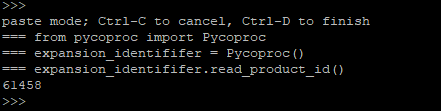
code i used is below
from pycoproc import Pycoproc
expansion_identififer = Pycoproc()
expansion_identififer.read_product_id()looks like:
Pysense product_id = 61458
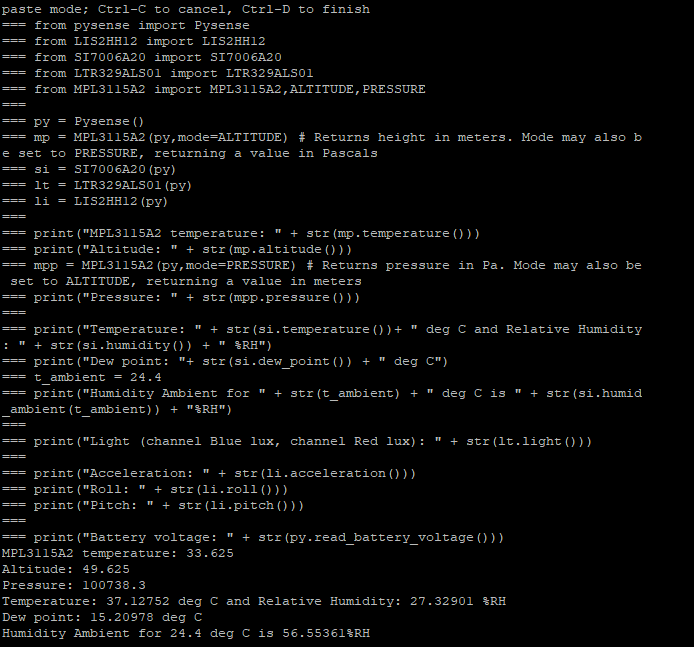
Pytrack product_id = 61459I also inserted the Pysense example code after and it runs with no issues which is what I wanted.
Andrei

Hello! It looks like you're interested in this conversation, but you don't have an account yet.
Getting fed up of having to scroll through the same posts each visit? When you register for an account, you'll always come back to exactly where you were before, and choose to be notified of new replies (either via email, or push notification). You'll also be able to save bookmarks and upvote posts to show your appreciation to other community members.
With your input, this post could be even better 💗
Register Login