Welcome to the Pycom forum Forum
    • \[\[global:header.categories\]\]
    • \[\[global:header.recent\]\]
    • \[\[global:header.tags\]\]
    • \[\[global:header.popular\]\]
    • Login

    Explore Pybytes | Official Documentation | Report a Firmware Bug/Issue | GitHub

    Set Cellular Access Point Name (APN)

    Scheduled Pinned Locked Moved FiPy
    ltegpyfipycellular
    51 Posts 14 Posters 23.2k Views 15 Watching
    Loading More Posts
    • Oldest to Newest
    • Newest to Oldest
    • Most Votes
    Reply
    • Reply as topic
    Log in to reply
    This topic has been deleted. Only users with topic management privileges can see it.
    • F Offline
      fkoran
      last edited by

      Also very interested in a configurable APN. In the US, intending to use the FiPy with hologram. io

      1 Reply Last reply Reply Quote 1
      • ahaw021A Offline
        ahaw021 @jmarcelino
        last edited by

        @jmarcelino could you please let us know how to do this? I am happy to talk to the module directly and set up sockets at the modem end as needed

        @benstr - do you have a hologram LTE-M sim card? I thought they currently were only doing 2G/3G sim cards only

        Andrei

        benstrB 1 Reply Last reply Reply Quote 0
        • benstrB Offline
          benstr @ahaw021
          last edited by

          @ahaw021 all of our SIM cards are global 2G/3G/4G/Cat-M1 (and soon to be NB). If you’re having troubles connecting to an M1 network you may have an older SIM that requires manual upgrade. You can keep the SIM and request the upgrade by contacting success@hologram.io

          Again, this is pretty rare and nearly all of our SIMs are automatically upgraded as new service partners and cellular technology is released. This is one of the cool advantages of our software-defined network. 😀

          ahaw021A 1 Reply Last reply Reply Quote 1
          • ahaw021A Offline
            ahaw021 @benstr
            last edited by

            @benstr thanks for clarifying that our for me

            Do you have any Australian NB-IOT providers?

            benstrB 1 Reply Last reply Reply Quote 0
            • benstrB Offline
              benstr @ahaw021
              last edited by

              @ahaw021 Looks like we provide access to Optus and Telstra networks. Not sure if either have NB. I’m currently mobile and only have access to a partial list.

              More than happy to dig further if need be - when I’m in the office tomorrow.

              S 1 Reply Last reply Reply Quote 2
              • R Offline
                rskoniec
                last edited by rskoniec

                @benstr Do you have any info about Cat-M1/NB providers in Poland? I already have one of your DevSIM card but still waiting for my FiPy.

                The machine is working as good as it's code.

                benstrB 1 Reply Last reply Reply Quote 1
                • benstrB Offline
                  benstr @rskoniec
                  last edited by

                  @rskoniec in Poland our 4G networks include T-Mobile, Orange, and Play. I’m told once they turn on M1/NB our sim will have access.

                  R 1 Reply Last reply Reply Quote 1
                  • R Offline
                    rskoniec @benstr
                    last edited by rskoniec

                    @benstr said in Set Cellular Access Point Name (APN):

                    @rskoniec in Poland our 4G networks include T-Mobile, Orange, and Play. I’m told once they turn on M1/NB our sim will have access.

                    Thank you for your respond. I wonder when do they turn on M1/NB, because so far I couldn't find any timelines (which month or 2018Qx).

                    The machine is working as good as it's code.

                    1 Reply Last reply Reply Quote 0
                    • L Offline
                      lewis @jmarcelino
                      last edited by

                      @jmarcelino even if the modem is not PTCRB certified in its final release you can still use it on ATT as part of their developer program, which is where I am right now. Is there any movement on letting me set my APN so I can test it? Thanks!

                      1 Reply Last reply Reply Quote 0
                      • B Offline
                        brotherdust @benstr
                        last edited by

                        @benstr I too have a hologram SIM, so I changed the hard-coded name in the C stack and re-compiled. No dice.

                        Would love to get my hands on test firmware.

                        1 Reply Last reply Reply Quote 0
                        • M Offline
                          michaelhobo @jmarcelino
                          last edited by

                          @jmarcelino any update on this? If there are other things that are pushing this feature out for much longer, can we get a custom build to set the APN? I think quite a few people have hologram.io sims burning holes in their pockets.

                          B ahaw021A 2 Replies Last reply Reply Quote 0
                          • B Offline
                            brotherdust @michaelhobo
                            last edited by

                            @michaelhobo I was able to make the hologram SIM work for me: it wasn't the APN setting. As far as I can tell, APN is irrelevant. The problem is that the 3GPP stack won't connect unless the SIM is on a home network.

                            If you're feeling ambitious, read on and I'll show how I did it.

                            First, the documentation. If you haven't already, download https://github.com/pycom/pycom-documentation/blob/master/chapter/datasheets/downloads/Monarch_4G-EZ_LR5110_ATCommands_ReferenceManual_Rev3_NOCONFIDENTIAL.pdf

                            Go to the beginning of Table 3-3 on page 85. What you'll see is a list of stat codes that the LTE modem returns after the 3GPP stack initializes and turns the radio on. What the stack is looking for is stat code 1: which means it's registered on a home network. Here it is in the 3GPP source code:
                            https://github.com/pycom/pycom-micropython-sigfox/blob/81f0934f48361403b3b638c150ba8ad026056884/esp32/3gpp/lib3GPP.c#L173

                            Problem: Hologram isn't a home network. It's a roaming network: stat code 5 (you've still got Table 3-3 up right?)

                            If you enable the debug mode in the 3GPP stack (and re-compile and flash the firmware, of course), you'll see that, after the radio turns on, it starts with stat code 0, then stat code 4 (usually a couple of times), then settles on stat code 5.

                            Solution? Change the 1 to a 5:
                            No: .cmdResponseOnOk = "+CEREG: 2,1",
                            Yes: .cmdResponseOnOk = "+CEREG: 2,5",

                            Compile, flash, problem solved. No APN change necessary.

                            M B 2 Replies Last reply Reply Quote 3
                            • M Offline
                              michaelhobo @brotherdust
                              last edited by

                              @brotherdust I need to try this today! Thanks for the detailed explanation. Time to pull down the pycom source...

                              B 1 Reply Last reply Reply Quote 0
                              • B Offline
                                brotherdust @michaelhobo
                                last edited by

                                @michaelhobo Good luck! One more thing: the documentation doesn’t explicitly mention it, but if you’re using the FiPy or GPy with the Expansion Board, you need to disable the RTS and CTS pins on the board (see Expansion Board 2.0 datasheet: https://docs.pycom.io/chapter/datasheets/boards/expansion.html). This is because the pins for RTS/CTS function on the FTDI USB to UART chip on the Expansion Board overlap with the LTE pins on the FiPy (and possibly GPy, I’m too lazy to look right now).

                                1 Reply Last reply Reply Quote 0
                                • ahaw021A Offline
                                  ahaw021 @michaelhobo
                                  last edited by

                                  @michaelhobo

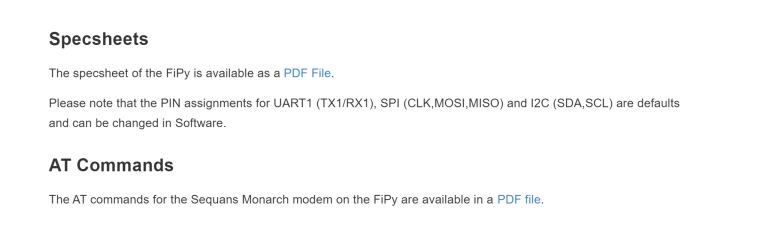
                                  https://docs.pycom.io/chapter/datasheets/development/fipy.html

                                  saw an AT command manual at the bottom.

                                  I don't have my FiPy (in NZ at the moment)

                                  but when i do i can do some more digging
                                  0_1517801668599_bcdc545b-dfc4-4cc3-85de-d74cbc93663d-image.png

                                  M 1 Reply Last reply Reply Quote 0
                                  • M Offline
                                    michaelhobo @ahaw021
                                    last edited by

                                    @brotherdust @ahaw021 Thanks all.
                                    I flashed my Gpy to look for roaming networks and turned on GSM_DEBUG. Then I realized I forgot to get an antenna... My poor little board never stood a chance.

                                    I can tell what's happening when I try to connect to the network now, thanks to debug mode. And I can build my own firmware, so I'm much further along than before. I will try again once my antenna arrives.

                                    B 1 Reply Last reply Reply Quote 0
                                    • B Offline
                                      brotherdust @michaelhobo
                                      last edited by

                                      @michaelhobo Did you blow up your board?!

                                      M 1 Reply Last reply Reply Quote 0
                                      • M Offline
                                        michaelhobo @brotherdust
                                        last edited by

                                        @brotherdust Oh no, it just couldn't get signal (and never could have in my room with no antenna)

                                        R 1 Reply Last reply Reply Quote 0
                                        • R Offline
                                          rskoniec @michaelhobo
                                          last edited by

                                          @michaelhobo I hope everything is OK with your board, because using LoRa/Sigfox/LTE without connecting the antenna is not recommended.

                                          The machine is working as good as it's code.

                                          B 1 Reply Last reply Reply Quote 0
                                          • B Offline
                                            bbel91 @brotherdust
                                            last edited by

                                            @brotherdust Hello, I'm a beginner with Fipy and new in this forum...
                                            Could you please explain how you enable the debug mode in the 3GPP stack and where are stored the libraries on my PC (W10) for me to modify the code as you explained ?
                                            Thanks.

                                            B 1 Reply Last reply Reply Quote 0

                                            Hello! It looks like you're interested in this conversation, but you don't have an account yet.

                                            Getting fed up of having to scroll through the same posts each visit? When you register for an account, you'll always come back to exactly where you were before, and choose to be notified of new replies (either via email, or push notification). You'll also be able to save bookmarks and upvote posts to show your appreciation to other community members.

                                            With your input, this post could be even better 💗

                                            Register Login
                                            • 1
                                            • 2
                                            • 3
                                            • 2 / 3
                                            • First post
                                              Last post

                                            Pycom on Twitter

                                            Pycom