Gpy + Pysense - urequests AttributeError: 'module' object has no attribute 'get'


-
Hi
I am trying to make an HTTP get request for testing but have getting this message:
urequests.py library downloaded from https://github.com/micropython/micropython-lib/tree/master/urequestsPlease give me some help, i am started with Pycom...
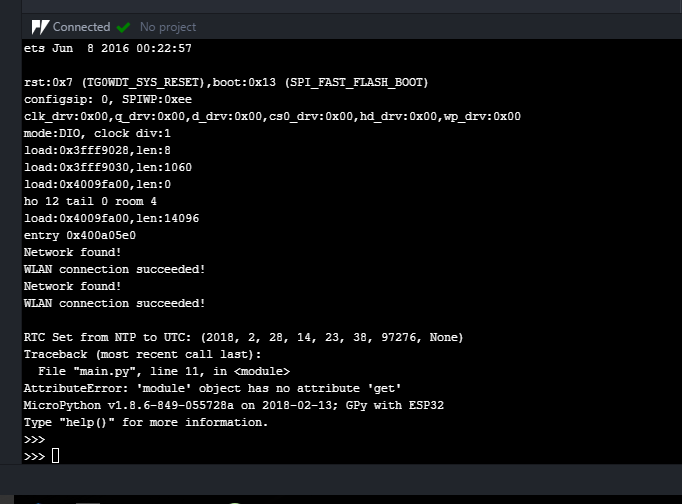
Network found!
WLAN connection succeeded!RTC Set from NTP to UTC: (2018, 2, 28, 14, 23, 38, 97276, None)
Traceback (most recent call last):
File "main.py", line 11, in <module>
AttributeError: 'module' object has no attribute 'get'
MicroPython v1.8.6-849-055728a on 2018-02-13; GPy with ESP32
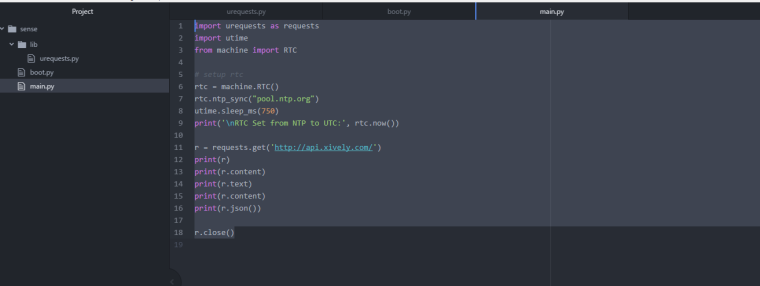
Type "help()" for more information.# boot.py import machine from network import WLAN wlan = WLAN(mode=WLAN.STA) nets = wlan.scan() for net in nets: if net.ssid == 'REMOVED': print('Network found!') wlan.connect(net.ssid, auth=(net.sec, 'REMOVED.'), timeout=5000) while not wlan.isconnected(): machine.idle() # save power while waiting print('WLAN connection succeeded!')# main.py import urequests as requests import utime from machine import RTC rtc = machine.RTC() rtc.ntp_sync("pool.ntp.org") utime.sleep_ms(750) print('\nRTC Set from NTP to UTC:', rtc.now()) r = requests.get('http://api.xively.com/') print(r) print(r.content) print(r.text) print(r.content) print(r.json()) r.close()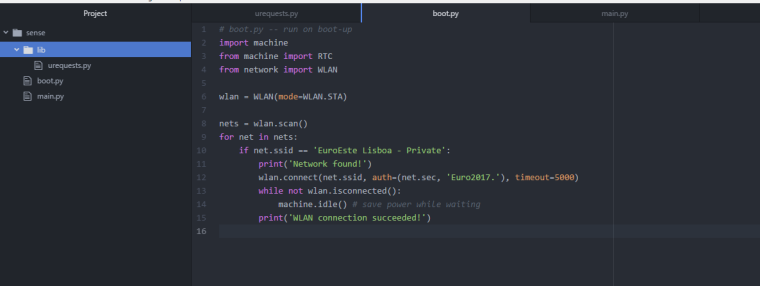
-
- Are you on the latest firmware?
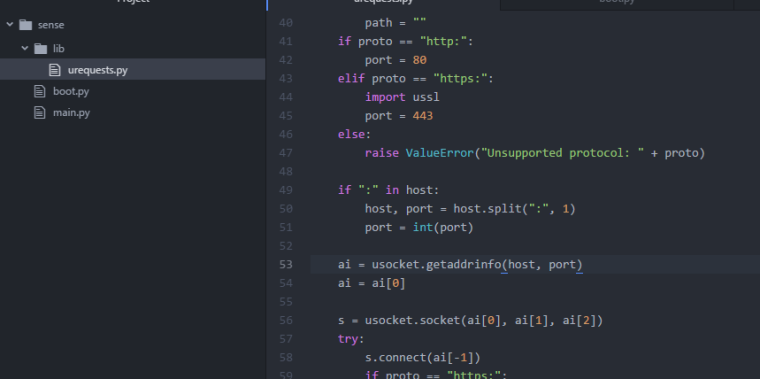
- Are you sure you have correctly downloaded the urequest.py file from the link you provided? When I attempted to run this code I could not replicate your error. I did however have to patch line 53 to be:
ai = usocket.getaddrinfo(host, port) -
@seb Yes i have the latest firmware, updated yesterday, Gpy, and Pysense
i have patch line 53, and the problem remains
-
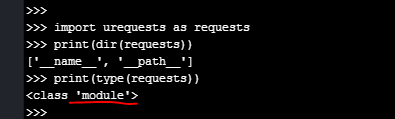
In the REPL console can you please run the following:
import urequests as requests print(dir(requests)) print(type(requests)) -
thank you very much for your help!
-
Ah there seems to have been an issue syncing the library because the output should be:
>>> import urequests as requests
>>> print(dir(requests))
['put', 'post', 'usocket', 'patch', 'request', '__file__', '__name__', 'delete', 'head', 'Response', 'get']
>>> print(type(requests))
<class 'module'>
Can you please run the following to clear your device and sync again:
import os os.mkfs('/flash') -
@seb Everything work fine, after sync again!
Thank you very much

Hello! It looks like you're interested in this conversation, but you don't have an account yet.
Getting fed up of having to scroll through the same posts each visit? When you register for an account, you'll always come back to exactly where you were before, and choose to be notified of new replies (either via email, or push notification). You'll also be able to save bookmarks and upvote posts to show your appreciation to other community members.
With your input, this post could be even better 💗
Register Login