Connect the Puck.js to The Things Network using a Pycom LoPy
-
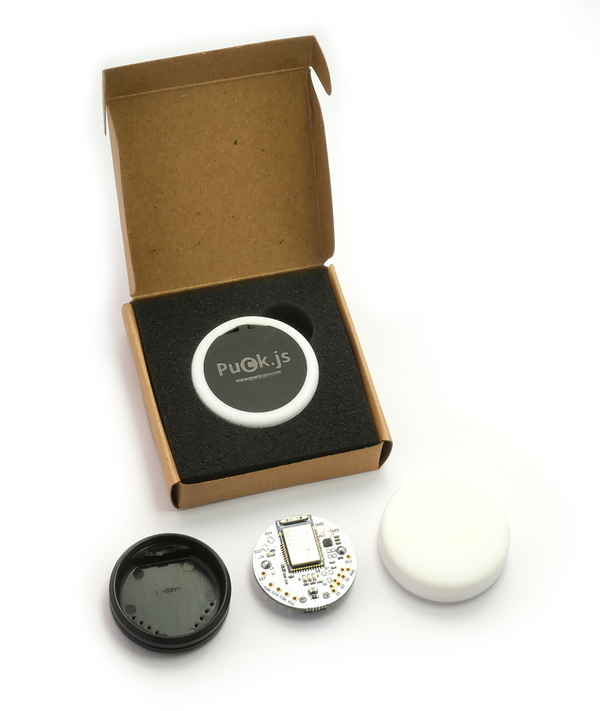
The Puck.js is a BLE enabled button with built in thermometer, light and battery level sensors. I combined the example code available for the Puck.js and the LoPy so that when you press the Puck.js, it connects via BLE to the LoPy and sends it the current thermometer, light and battery level. The LoPy then posts that data to The Things Network.Code etc. available online here.
-
Great write up! I always love new BLE examples :-)
Just a note on the UUID stuff you found. The UUID on LoPy and the Puck are just two different ways to store the same thing, though the Puck is usually the 'standard' way.
I have a little helper function which given the standard (Puck.js) way, converts it to the LoPy:
def uuid2bytes(uuid):
    uuid = uuid.encode().replace(b'-',b'')
    tmp = binascii.unhexlify(uuid)
    return bytes(reversed(tmp))
You can then use it as
srv1 = bluetooth.service(uuid=uuid2bytes('15ECCA29-0B6E-40B3-9181-BE9509B53200'), isprimary=True)Since this is your own custom service it's best if you generate your own new UUID, otherwise other devices might be confused if they scan by service (a very common way sadly not yet supported by LoPy)
You can use the uuidgen command to get your own on Linux or Mac or through one of the many UUID generator sites like https://www.uuidgenerator.net
-
Thanks Jose! I added the info to the blog post (with credits of course). The Puck.js doesn't have support for NRF.setScanResponse() yet either. That is planned for the next (major) firmware update.
The Puck.js has some other nice features though once you start playing with BLE, for example by default it has TX/RX services over BLE (with optional password) so you can reprogram it remotely over BLE, or simply switch the LED lights ON/OFF over BLE - https://www.espruino.com/About+Bluetooth+LE
An example use would be something like a message waiting button that blinks if messages are waiting and once pressed, over BLE connects to another device to tell it to start reading the messages of something like that. -
@PiAir Very nice, thanks for sharing!


Hello! It looks like you're interested in this conversation, but you don't have an account yet.
Getting fed up of having to scroll through the same posts each visit? When you register for an account, you'll always come back to exactly where you were before, and choose to be notified of new replies (either via email, or push notification). You'll also be able to save bookmarks and upvote posts to show your appreciation to other community members.
With your input, this post could be even better 💗
Register Login