How to pyTrack and pySense firmware upgrade in Windows
-
pyTrack / pySense shields upgrade in Windows environment.
DOWNLOAD LIST
- download the latest shield firmware release (tested with pyXxxxx_0.4.4.dfu)
- download DFU Util for windows (tested with dfu-util-0.9-win64.zip)
- download Zadig to install DFU Windows drivers for the shield(s) (tested with zadig-2.3.exe)
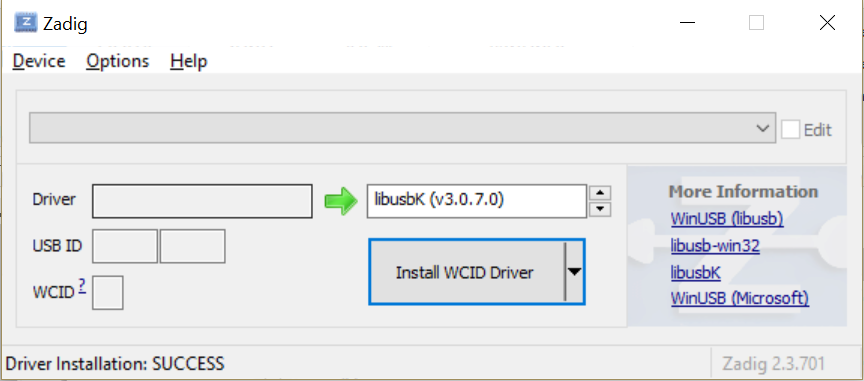
The first thing that has to be done, is to install the dfu drivers. Open Zadig and select libusbK as the driver.
To do this the board has to be set in DFU-mode:
- Disconnect the USB cable
- Hold down the button on the shield
- Connect the USB cable
- Keep the button pressed for at least one second
- Release the button
When the board is connected in DFU-mode, it will be in this state for 7 seconds.
Click the “Install Driver” button immediately. If the driver was not successfully installed, start over.
Sometimes Windows will automatically install drivers for the board, but not the correct type.
The button will then be labeled “Reinstall Driver” or “Replace Driver”.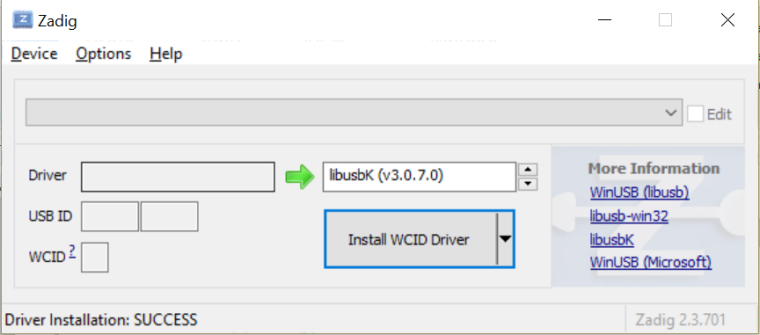
Open the command prompt and navigate to the directory where the DFU-util and the firmware was downloaded (must be in same directory). Repeat the procedure to get the board in DFU-mode and run the command below but replace X.X.X with the firmware version and replace pysense with pytrack if it is the pytrack that is to be updated (e.g: pytrack_0.0.2.dfu):
dfu-util-**static**.exe -D pysense_X.X.X.dfuIf the update was successful, the message “Done!” should appear in the bottom of the command prompt.
Maybe this short guide will help you : )
I found this guide here, just as reference.
-
Another option instead of using Zadig is to install the DFU drivers before connecting the board.
I have provided Windows drivers links in my original post:
PySense: http://metavurt.net/software/drivers/PySense_DFU.zip
PyTrack: http://metavurt.net/software/drivers/PyTrack_DFU.zip -
This is the correct procedure. It works 100%.
I really appreciate your quick and accurate response.
THANKS !!!
-
This post is deleted!
Hello! It looks like you're interested in this conversation, but you don't have an account yet.
Getting fed up of having to scroll through the same posts each visit? When you register for an account, you'll always come back to exactly where you were before, and choose to be notified of new replies (either via email, or push notification). You'll also be able to save bookmarks and upvote posts to show your appreciation to other community members.
With your input, this post could be even better 💗
Register Login