Can no longer type in the REPL area on Atom or connect to Lopy/Pytrack
-
Hello,
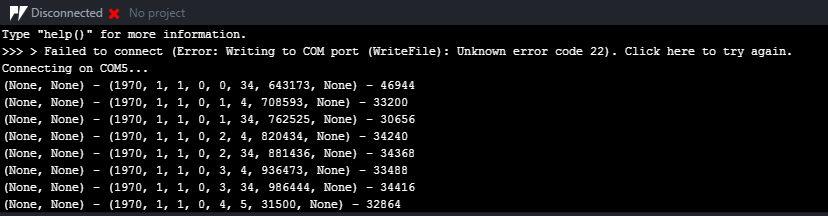
I am not sure what I managed to do, I had established a connected and finally received GPS coordinates this morning. I saw the update for 1.10.0.b1 and installed it as earlier. Now I can't seem to connect and I also can't type anything in the command/REPL/bottom area of REPL. When I try to upload or download i get failed to connect (couldn't recreate for picture). This is what happens when I am in Atom with the Pytrack/LoPy connect, I can't seem to stop it or type.
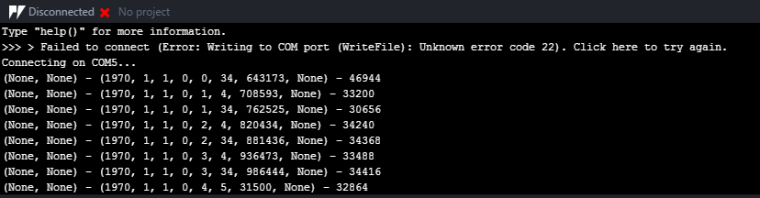
Does anyone have any ideas what I may have done, or know how to try again, I've tried on different computers so it seems to be something on the chip.
Cheers,
Dylan -
@dylan Have you tried Ctrl-C?
-
Yup, went through all the commands that are supposed to interrupt the currently running code
-
-
@jcaron That sounds like a good plan, I'll have a google to try and figure out how to connect etc, but while your around, you dont happen to know where I can find instructions on erasing the flash/connecting via wifi to remove the boot.py/main.py.
Cheers for the help.
-
I had an error come up again with possibly useful information:
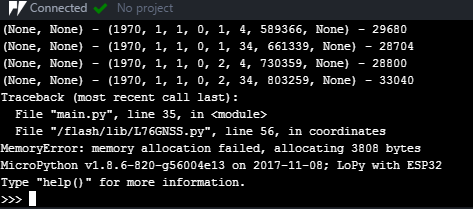
I have been trying to connect through PuTTy and filezilla as well but unable to get a connection, I believe last time when I had trouble connecting to the LoPy after updating to DFU stuff for the Pytrack, I installed the USB serial (CDC) with zadiq and it connected. I redid the Pytrack stuff and attempted to re-install the USB serial (CDC) drivers but it failed and I'm not sure why. I'm trying to compile all my mistakes and successes as I need to write instructions to setup multiple units, so hopefully I'll be able to repay the help I'm getting here.
Cheers,
Dylan
-
Problem was solved by following these steps:
https://forum.pycom.io/topic/517/downgrading-firmware-advanced-users -
@dylan
It seems for some reasons you board was auonatically running some GPS script and the downgrade process probably wiped your boot.py/main.py. You should be able to upgrade again now.Next time you can try the safe boot procedure: https://docs.pycom.io/chapter/toolsandfeatures/bootmodes.html this will skip the boot scripts.
-
@dylan the memory problem is not useful for your issue. You get them somethimes with older firmwares. The GPS part uses a lot of strings. The garbage collector seems to handle them not always in a proper way. But I never ran into this issue when the LoPy got only power over USB. Maybe I was only lucky, or a watchdog solved it for me.
Hello! It looks like you're interested in this conversation, but you don't have an account yet.
Getting fed up of having to scroll through the same posts each visit? When you register for an account, you'll always come back to exactly where you were before, and choose to be notified of new replies (either via email, or push notification). You'll also be able to save bookmarks and upvote posts to show your appreciation to other community members.
With your input, this post could be even better 💗
Register Login