[SOLVED]Send Serial ASCII string to Web Server
-
I have a lopy with expansion board I have connected pin 4 of the lopy to pin 3 (tx) of a serial cable aswell as ground to ground. I am using cmd echo hello > COM9 from windows shell, but I get as a hex string as an output.
b'\x00\x80\x80\x80\x00\x00\x80\x00\x80\x80\x80\x00\x80\x80\x80\x00\x00\x80\x00'
import machine
uart1 = machine.UART(1, baudrate=9600, bits=8, parity=None, stop=1)
while True:
print(uart1.readall())
time.sleep(1)Is this expected output? My goal is my family has a weigh station and want to have the weight displayed in their office which is 10m away from weigh machine. The weigh station out puts ASCII string via RS-232 connection as follows
<STX> <SIGN> <WEIGHT(7)> <STATUS> <EXT>
STX: Start of transmission character (ASCII 02)
ETX: End of transmission character (ASCII 03)
SIGN: The sign of the weight reading (space for positive, dash (-) for negative)
WEIGHT(7): A seven character string containing the current weight including decimal point, then first character isa space. Leading zero blanking applies.
STATUS: Provides information on the weight reading. The characters G?N?U?O?M?E represent Gross/ Net/ Underload/ Overload/ Motion/ Error.If the output is in HEX how can I represent this to POST in usable data? Can I use ubinascii conversion?
Any help would be great.
-
@jimpower said in Send Serial ASCII string to Web Server:
\x00\x80\x80\x80\x00\x00\x80\x00\x80\x80\x80\x00\x80\x80\x80\x00\x00\x80\x00'
this is not
hellosentence
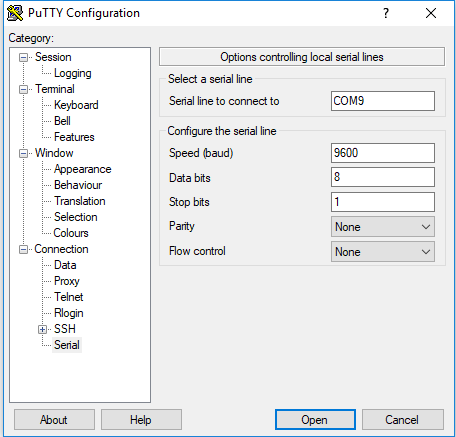
first look if you have same port configuration on PCtype
modeinto command line and look like is your port really configured
it can be different than showing in device manager ;-)to see how to configure port, type
mode /?e.g.
mode COM1 BAUD=9600 PARITY=n DATA=8 STOP=1 rts=off cts=offand to send data from command without line break and spaces use
set /p x="hello world" <nul >\\.\COM1but better use any com port software like putty, comport monitor from Arduino IDE ...
-
Thanks for your reply,
I used putty and got this output from
set /p x="hello world" <nul >\.\COM9
b'fr3rfr\x193r\x19rfr3r\x19r3rfrfr3rfr3rgr3rfrgrfr3r3rfrg\x00\xa9::\n*\x00yFrgrgrggr3rfrfrgrfrfrf3r3rfr\x19r\trMr\x12r\x12rHrKr\trcr\x0cr\x06r\x06r\x08rgr3rgr3rfr\x19r'
Does this look accurate?
-
@jimpower
no this looks like garbage
what is your putty com settings?

UPDATE
can you clarify this
I used putty and got this output from
set /p x="hello world" <nul >.\COM9above command can be run from windows CMD after setting com settings by
modecommand
you can not run it from putty it send this as text -
-
@jimpower
Then only some wiring problem must be.
You have connectedP4which is default RX for UART1 with TX of your serial converter
For test connect also RX from converter to TX (P3). And look if all is ok.
And if possible test Lopy without expansion board. -
@livius Yes my tx is on pin4 and rx on p3. I will try without expansion board thanks.
-
Isn’t there an issue with levels? I.e. +/- 5V for regular serial port compared to 0/3V for the LoPy or something similar?
-
-
@jcaron damn that makes sense, so I would need some kind of step down can this be done by an ardiuno I have one lying around.
-
@livius thanks I have a bunch of these lying around will give that a try thanks everyone
-
Hello! It looks like you're interested in this conversation, but you don't have an account yet.
Getting fed up of having to scroll through the same posts each visit? When you register for an account, you'll always come back to exactly where you were before, and choose to be notified of new replies (either via email, or push notification). You'll also be able to save bookmarks and upvote posts to show your appreciation to other community members.
With your input, this post could be even better 💗
Register Login