Fipy LTE Not Attaching
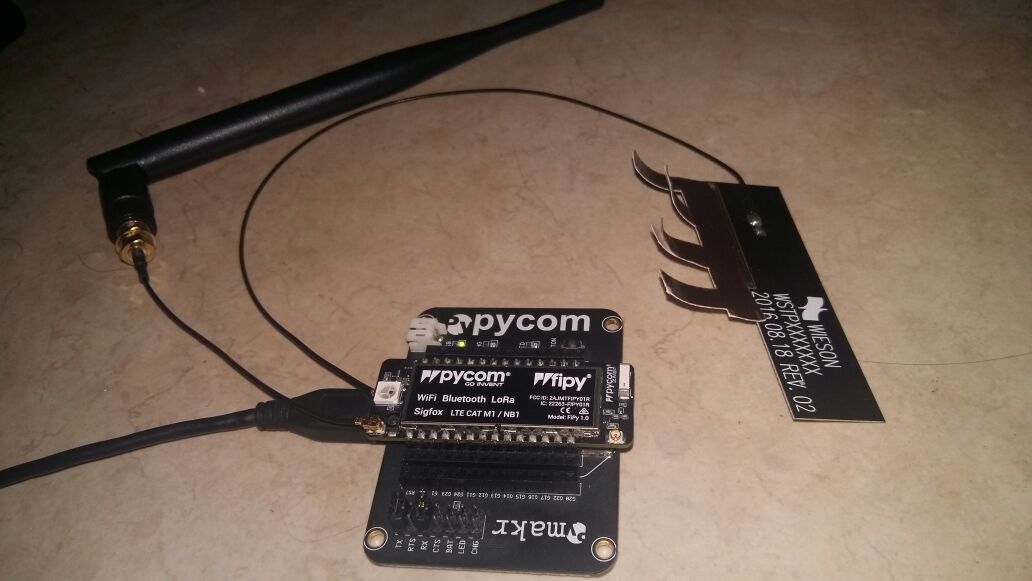

-
I am developing a solution using a Fipy v1.0
I'm following the following tutorial
https://docs.pycom.io/chapter/firmwareapi/pycom/network/lte/cat-m1.html
and connected the antennas as shown in the diagram
https://docs.pycom.io/chapter/datasheets/downloads/fipy-pinout.pdf
Also putted the card orientation in the following way
https://forum.pycom.io/topic/2486/nano-sim-card-orentation/2I verified that my sim card had internet connection puting it on my phone, test it and then putting it back on the fipy.
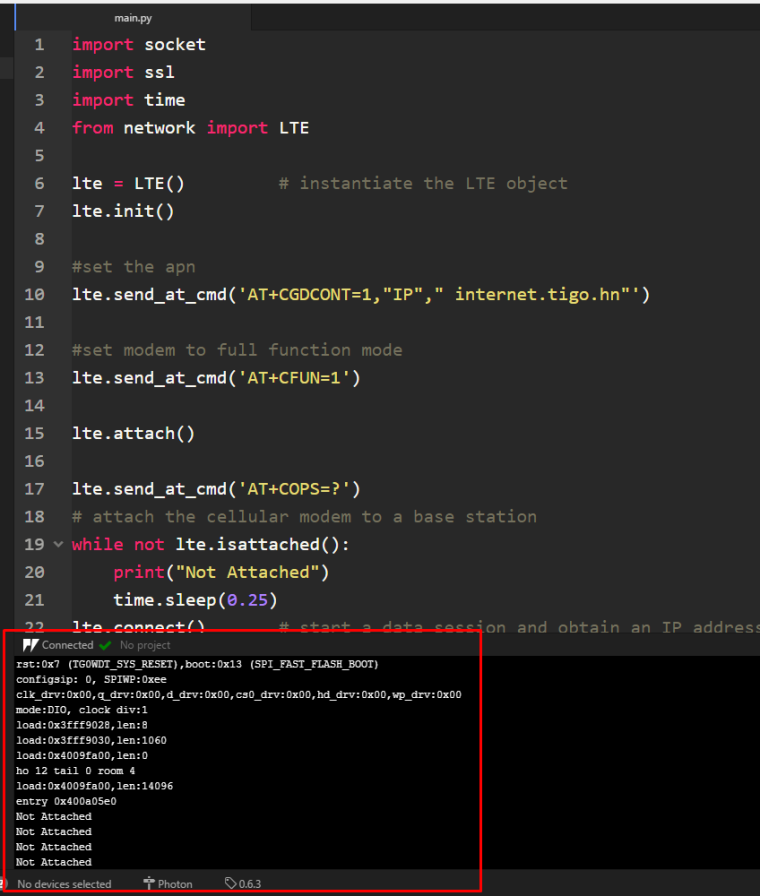
This is my code
-------------------------------------------------------------------------------------------------------import socket
import ssl
import time
from network import LTElte = LTE() # instantiate the LTE object
lte.attach()while not lte.isattached():
print("Not Attached")
time.sleep(0.25)
lte.connect() # start a data session and obtain an IP address
while not lte.isconnected():
print("Not Connecting")
time.sleep(0.25)
s = socket.socket()
s = ssl.wrap_socket(s)
s.connect(socket.getaddrinfo('www.google.com', 443)[0][-1])
s.send(b"GET / HTTP/1.0\r\n\r\n")
print(s.recv(4096))
s.close()
lte.disconnect()
lte.dettach()----------------------------------------------------------------------------------------------
Didn't worked.
I thought it was a problem with the APN so I followed the following forum
With the APN test i put the same address internet.tigo.hn in my phone's configuration.My code is now
----------------------------------------------------------------------------------------
import socket
import ssl
import time
from network import LTElte = LTE() # instantiate the LTE object
lte.init()#set the apn
lte.send_at_cmd('AT+CGDCONT=1,"IP"," internet.tigo.hn"')#set modem to full function mode
lte.send_at_cmd('AT+CFUN=1')lte.attach()
lte.send_at_cmd('AT+COPS=?')
#attach the cellular modem to a base station
while not lte.isattached():
print("Not Attached")
time.sleep(0.25)
lte.connect() # start a data session and obtain an IP address
while not lte.isconnected():
print("Not Connecting")
time.sleep(0.25)s = socket.socket()
s = ssl.wrap_socket(s)
s.connect(socket.getaddrinfo('www.google.com', 443)[0][-1])
s.send(b"GET / HTTP/1.0\r\n\r\n")
print(s.recv(4096))
s.close()lte.disconnect()
lte.dettach()
-----------------------------------------------------------------------------------------------**
Didn't worked niether. I disconnected both jumpers CRS/RTS But still doesn't work. The only jumpers left are RX and TX to enable my computer to connect to the console.**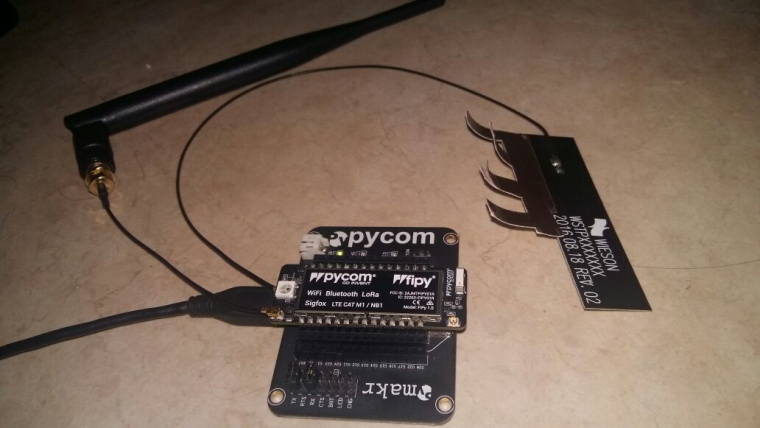
-
You mentioned testing this on a phone, does your sim support LTE or LTE CAT-M1? The FiPy/GPy will not work with the regular LTE that your phone uses.
-
@seb yes the phone supports LTE. It was tested on Galaxy Note 3 and S4. Is there a way to see if my sim card supports LTE CAT-M1 In the cellphone?
-
@rubencg195 said in Fipy LTE Not Attaching:
yes the phone supports LTE. It was tested on Galaxy Note 3 and S4. Is there a way to see if my sim card supports LTE CAT-M1 In the cellphone
Cellphone - I do not suppose that it support CAT-M1 at all.
LTE - what you have at phone is something different that LTE-CAT M1 -
Hi Ruben,
Are you in the UK? There is no LTE Cat M1 network here yet.
This is a new technology optimised for lower power IoT, not the same as the LTE on your phone.
Currently you can use it in the US with Verizon and more countries coming soon.
-
@jmarcelino we are based for the moment at Central America. What is weird is that we are trying to migrate from Particle Electron LTE modules to Pycom since you provide LoraWAN, but in the particle devices we can connect to LTE but with the Fipy using the same sim card we can´t.
I don´t know if you have but you should add a list of countries with LTE CAT M1 availability in your docs. And specify in big letters haha in the store product´s description that regular LTE is not supported.
-
@rubencg195
Regular LTE has very large power demands, if you look at the Particle Electron GSM/3G you'll find you need to supply 2A@5V to operate correctly, or have a LiPo battery attached as backup source.The industry knows this just isn't going to work for IoT and is moving to low power LTE-M and NB-IoT, Particle knows it too - the newly announced Boron LTE is also LTE-M/NB-IoT only.
Pycom just decided to skip the whole legacy tech step and went straight to LTE-M. While it seems odd and complicated now come next year your power hungry legacy LTE IoT device will look like a steam coal locomotive in a world of electric.
-
@jmarcelino I agree that they’re just different technologies suited for different needs, but @rubencg195 has a point that it should probably be made clearer on the specs pages that “regular LTE” is not supported, as this seems to confuse quite a few people who don’t necessarily understand the difference between LTE and LTE CAT M1 etc.
-
@jmarcelino @jcaron Thank you very much for your support. As Marcelino said, the gsm module energy consumption is very high, that's why we were testing Pycom as an alternative. By the moment, it would be difficult for us since LTE CAT M1 is not supported yet in our region. We already have our gateway receiving information from our nodes, the only thing left for us is the connection of the gateway to the cloud. Right now the only way is through WI-FI but is not scalable. If you know another alternative to use with our Pycom devices, please let us know. Thank you very much.
-
@rubencg195 What's your use case? Fixed, mobile? Battery powered or not? How much data do you need to transmit and how often? What area do you need to cover...? Indoors or outdoors?
LoRaWAN or Sigfox may be alternatives if you need (much) larger coverage than Wi-Fi but not the ubiquity of a cell network. You would need to deploy gateways in all the areas you want to cover, though.
-
What's your use case?
- Environmental sensor installed in forest or rural areas for air quality monitoring. The gateway must be battery powered because of the lack of AC energy supply available. We tried to build a LoraWAN Gateway with the Fipy but LTE CAT M1 is not yet implemented in our region. Do you know any low-cost, decent range gateway compatible and tested with Lopy's?
Fixed, mobile? Battery powered or not?
- Yes, Fixed but battery powered.
How much data do you need to transmit and how often?
- A small amount 60 KB to 100 KB or LoraWAN equivalent data transmission package size.
What area do you need to cover...?
- At least 1 to 2 KM in dense environments and up to 15 km suburban areas. That's why we are interested in LoraWAN technology.
Indoors or outdoors?
- Outdoors
-
@rubencg195 just to be clear, you have sensors that use LoRaWAN to the gateway, but now your issue is that you need a battery-powered gateway and a usable backhaul technology (from the gateways back to the network/server)?
Even if you ignore the backhaul, it’s difficult to operate a gateway on batteries, unless you can go for something like a car battery maybe... Also the volume of data seems quite disproportionate compared to what you can send over LoRa...
-
Thank you @jcaron, for the data consumption topic, you're right, I will check the requirements again. For the gateway, can you recommend us some low price, fair range LoraWAN gateways? Doesn't matter if they aren't battery powered. We can start from there.


Hello! It looks like you're interested in this conversation, but you don't have an account yet.
Getting fed up of having to scroll through the same posts each visit? When you register for an account, you'll always come back to exactly where you were before, and choose to be notified of new replies (either via email, or push notification). You'll also be able to save bookmarks and upvote posts to show your appreciation to other community members.
With your input, this post could be even better 💗
Register Login