TypeError: 'module' object is not callable


-
Hi everybody
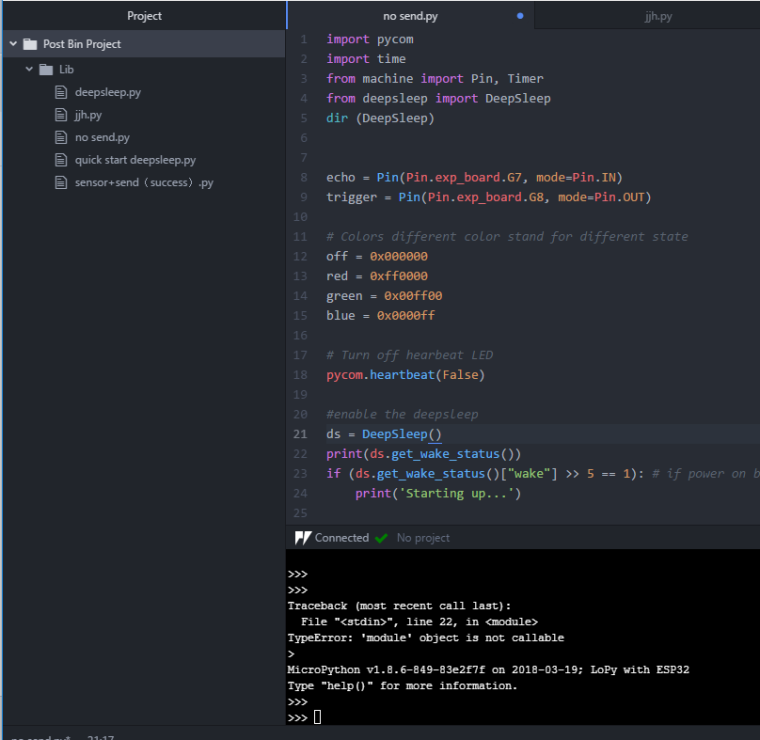
I am new here to use the deep sleep shield. I add the deepsleep.py in the library and sync the project. I don't know if it's right and I am very confused this process:

You can see the deepsleep.py file is in the left side of my screenshots.
The problem is always: TypeError: 'module' object is not callable!
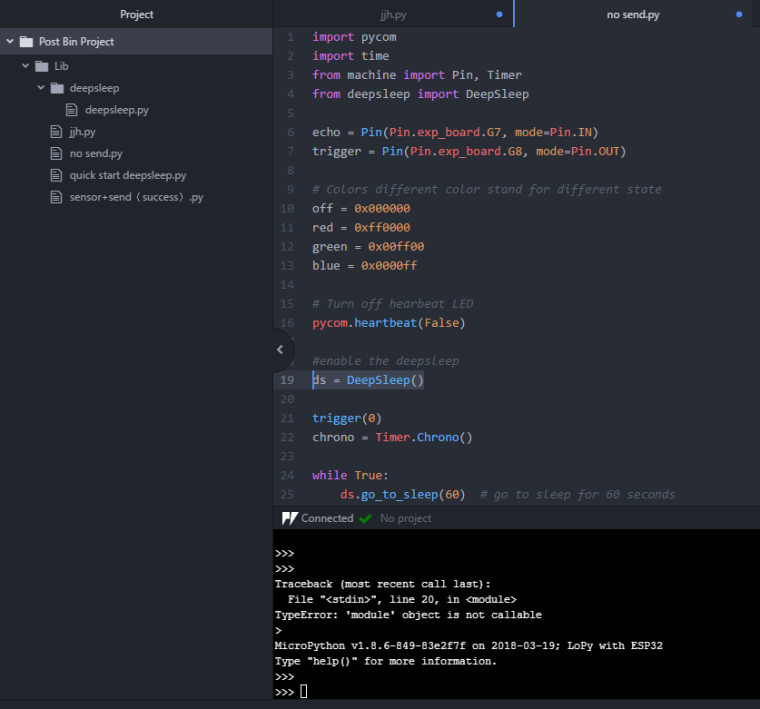
import pycom import time from machine import Pin, Timer from deepsleep import DeepSleep echo = Pin(Pin.exp_board.G7, mode=Pin.IN) trigger = Pin(Pin.exp_board.G8, mode=Pin.OUT) # Colors different color stand for different state off = 0x000000 red = 0xff0000 green = 0x00ff00 blue = 0x0000ff # Turn off hearbeat LED pycom.heartbeat(False) #enable the deepsleep ds = DeepSleep() trigger(0) chrono = Timer.Chrono() while True: ds.go_to_sleep(60) # go to sleep for 60 seconds print("Wake up") chrono.reset() trigger(1) time.sleep_us(10) trigger(0) while echo() == 0: pass chrono.start() while echo() == 1: pass chrono.stop() distance = chrono.read_us() / 58.0 if distance > 400: print("Out of range") else: print("Distance {:.0f} cm".format(distance)) time.sleep(1) -
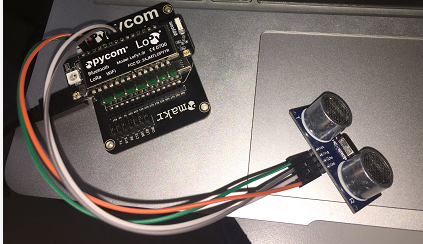
This is my device.
-
I believe you should have deepsleep.py directly in the lib folder, not a subfolder.
-
@jcaron I tried but still fail.
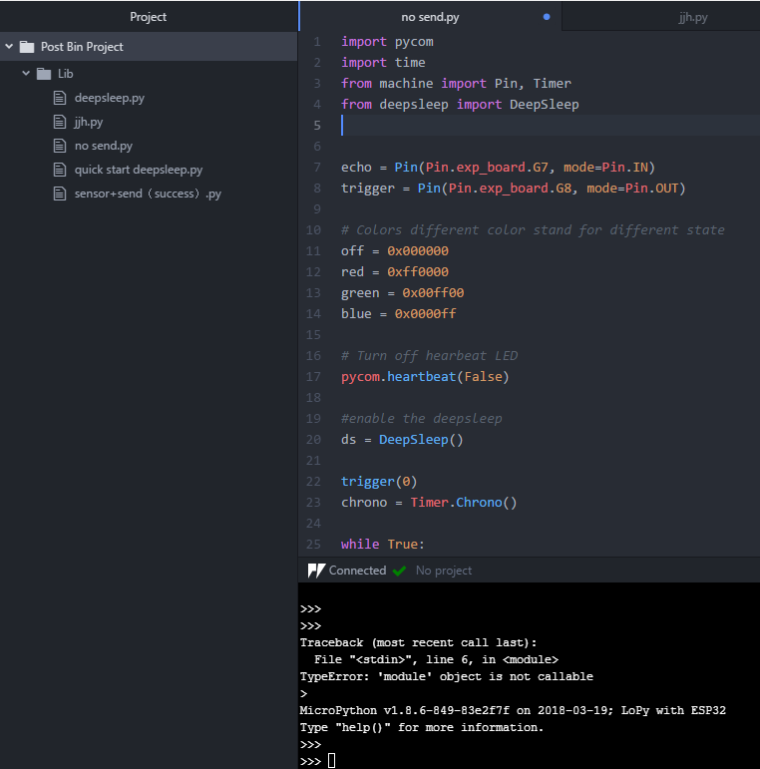
-
@rachelsimida if you type in the REPL prompt:
from deepsleep import DeepSleep
dir (DeepSleep)
What do you get as output?
-
-
The errors do not seem to be very consistent. Note that Pymakr uploads files it knows about but it can leave odd stuff on the module's filesystem.
I recommend you either use FTP to check that you only have the files required, or clear the flash and then re-upload with Pymakr, it should help.
Also, don't add all those other files in lib, you'll end up with issues.
-
Would it be because you have the directory as /Lib instead of /lib (i.e. try using lowercase).
-
@nathanh Thaks. I tried. It still the same problem.
-
@jcaron Thank you. I tried but still like this, I don't know why it's so complicated.
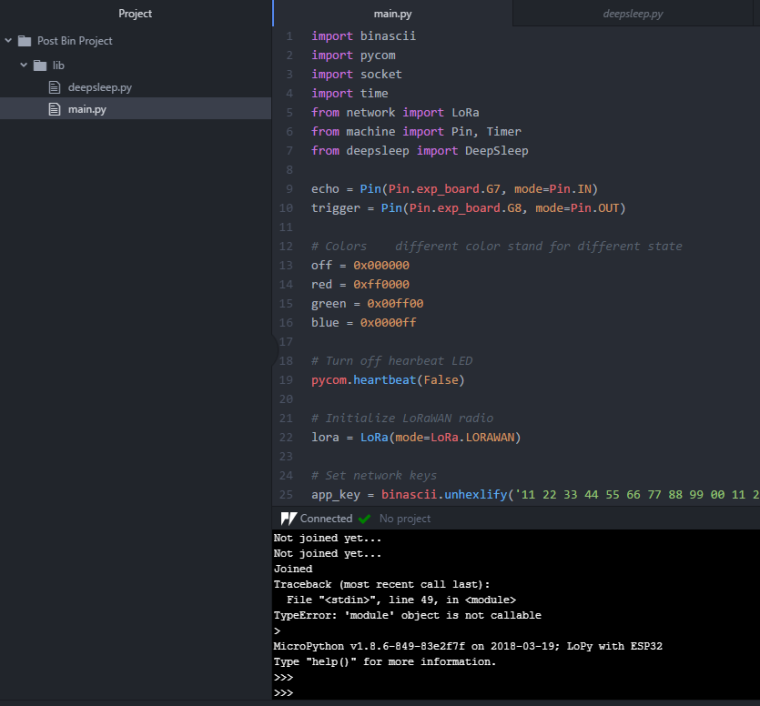
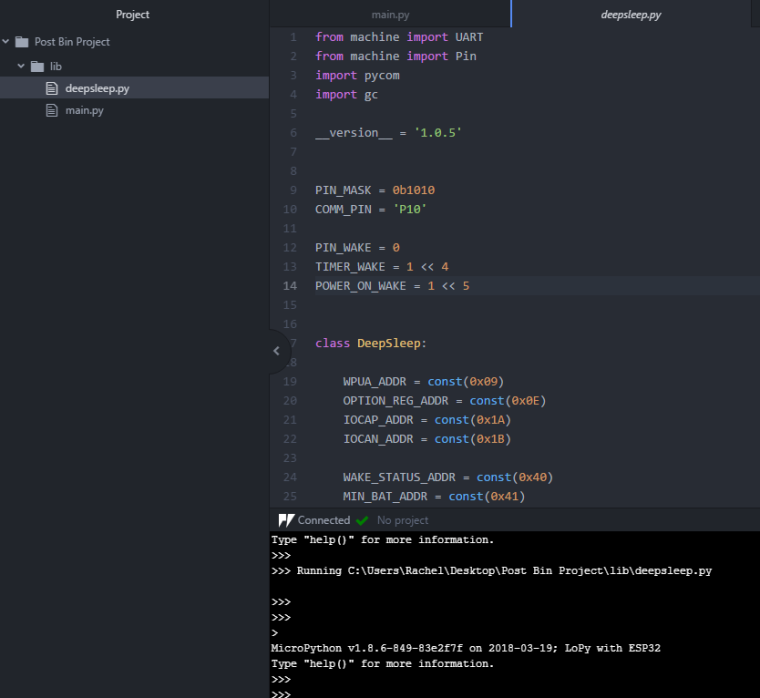
I run the deepsleep.py and there is no action in the console, if the deepsleep code is right. I downloaded from there.
https://github.com/pycom/pycom-libraries/tree/master/deepsleep
-
This error statement TypeError: 'module' object is not callable is raised as you are being confused about the Class name and Module name. The problem is in the import line . You are importing a module, not a class. This happend because the module name and class name have the same name .
If you have a class "MyClass" in a file called "MyClass.py" , then you should import :
from MyClass import MyClassIn Python , a script is a module, whose name is determined by the filename . So when you start out your file MyClass.py with import MyClass you are creating a loop in the module structure.
In Python, everything (including functions, methods, modules, classes etc.) is an object , and methods are just attributes like every others. So,there's no separate namespaces for methods. So when you set an instance attribute, it shadows the class attribute by the same name. The obvious solution is to give attributes different names.

Hello! It looks like you're interested in this conversation, but you don't have an account yet.
Getting fed up of having to scroll through the same posts each visit? When you register for an account, you'll always come back to exactly where you were before, and choose to be notified of new replies (either via email, or push notification). You'll also be able to save bookmarks and upvote posts to show your appreciation to other community members.
With your input, this post could be even better 💗
Register Login