Firmware upgrade issue WiPy 3.0
-
Re: Firmware upgrade troubleshooting - checklist/procedure
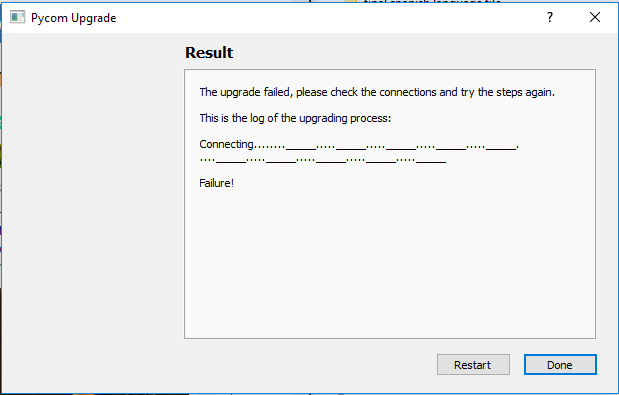
I got my WiPy 3.0 (no expansion boards) today and I am trying to do a firmware upgrade. The Pycom Updater fails to communicate with the board:
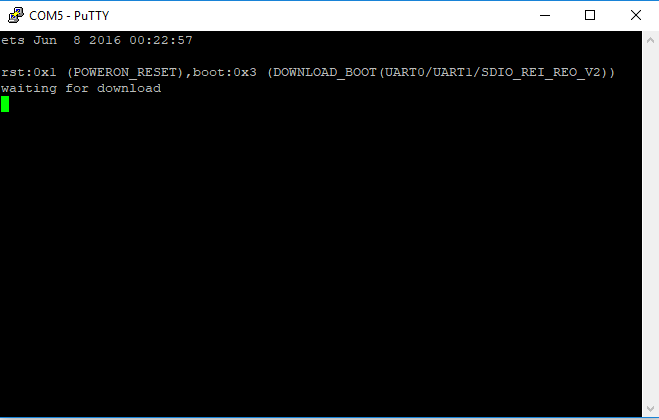
When booting in bootload mode while having Putty connected I get this message, so I know the comms is working:
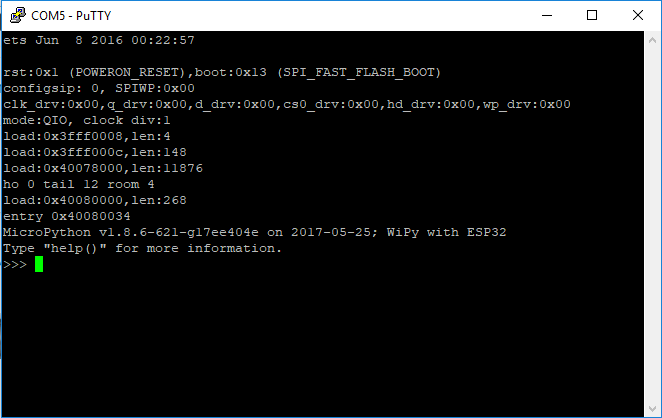
And normal boot:
Tried over and over again even with high transfer speed disabled, but no luck. I am using a FTDI USB to 3v3 TTL converter. I have nothing else connected to the board.
This is what I get when calling os.uname(): release='1.7.0.b1', version='v1.8.6-621-g17ee4Can anyone help?
-
Make sure nothing else has the com port open while trying to perform the upgrade, make sure pymakr isnt open and close putty
-
@seb I have double checked all that but still the same issue. Is the PyCom FW updater tool using 115200 baud by default? Like I said, I can connect via putty @ 115200 baud so comms is working. Is there another way to update FW? Should I try it through Linux perhaps?
-
@inverseeffect Can you please try this new beta firmware updater [LINK NO LONGER AVAILABLE]
If you disable the High speed option during the Communication step you can choose from a list of several alternate speeds.
I don't think this will solve your problem though as the initial connection is always done at 115200 bps and the higher connection speed of 921600 bps is set at a later stage.
Could you please also check if you can connect with the CLI version of the firmware updater? https://docs.pycom.io/chapter/advance/cli.html
Please make sure that the module is in firmware updater mode and the reset button is pressed between every command.
If this still doesn't help please provide a bit more details about your setup, especially how the WiPy3 is powered.
It's possible that the ftdi module is not able to provide enough power for the esp32 in firmware update mode.
-
@xykon Note to self: connect the ground of the USB-to-serial converter to the WiPY's ground :) This was the issue all along. Can't believe it actually worked in putty though
Thanks for all the help.

Hello! It looks like you're interested in this conversation, but you don't have an account yet.
Getting fed up of having to scroll through the same posts each visit? When you register for an account, you'll always come back to exactly where you were before, and choose to be notified of new replies (either via email, or push notification). You'll also be able to save bookmarks and upvote posts to show your appreciation to other community members.
With your input, this post could be even better 💗
Register Login