Expansion board v3.0 doesn't go in Dfu mode
-
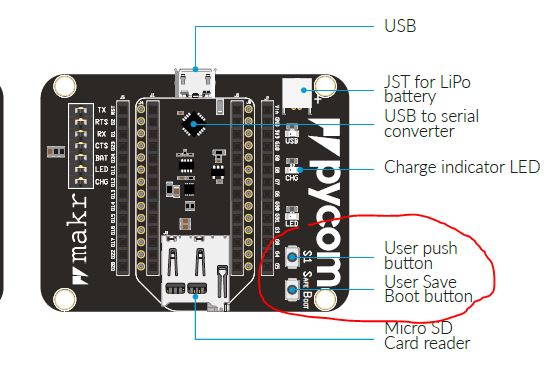
I've successfully installed libusbk drivers, now i can't turn on my expansion board in dfu mode (0xEF99) to upgrade the firmware, what of the 2 buttons i have to keep press?
i think i've installed libusbk while in normal boot (0xEF98), i'm not sure, is this a problem?
https://docs.pycom.io/chapter/pytrackpysense/installation/firmware.html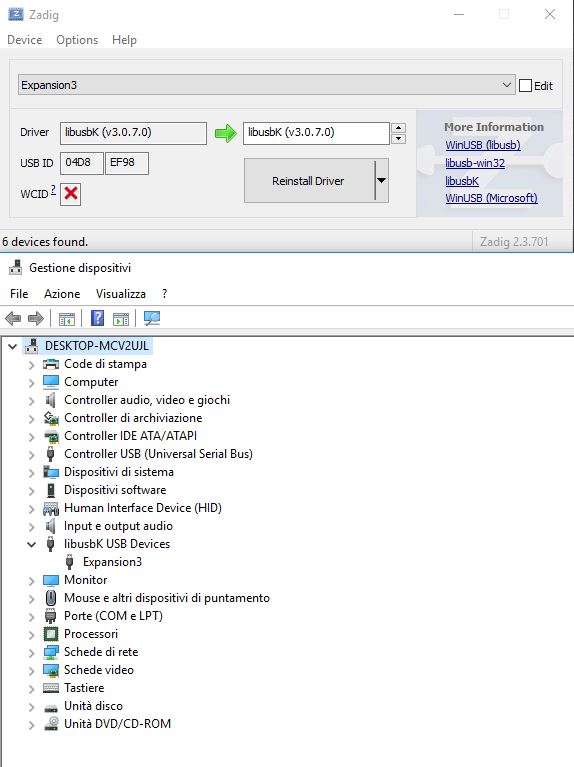
-
You should only press S1 while plugging in the USB cable to enable DFU mode.
If you've accidentally set EF98 device to the libusbK driver you'll then need to revert it to get the COM port back
-
@jmarcelino How should i revert back to COM?
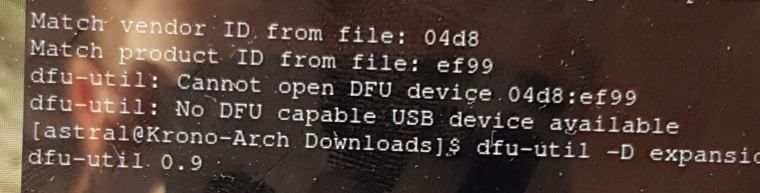
I've tried also to do this in linux and this is what i get, actually it recognize ef99 but cannot open it
And on widows 7 with many tries i got
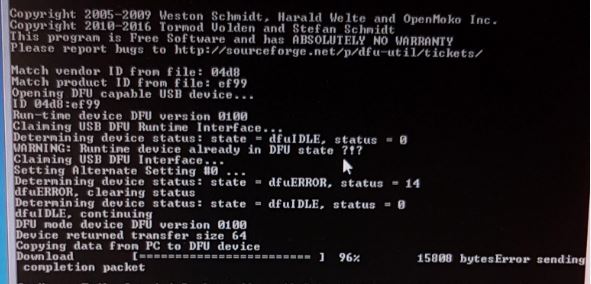
The installation blocked at 96% -
@matthew
To revert back to COM please use the WinUSB driverOn Linux it sounds like a permission problem, can you try running dfu-util as root with e.g. sudo?
Regarding the last screen I've never seen a problem at 96% as you reported. Maybe try a different cable. If there's a battery connected to the Expansion Board also please unplug it.
-
@jmarcelino
Tried a different cable on windows 7 and on windows 10 got back to com and then back to libusbk correctly, nothing different happens, on linux instead i got this
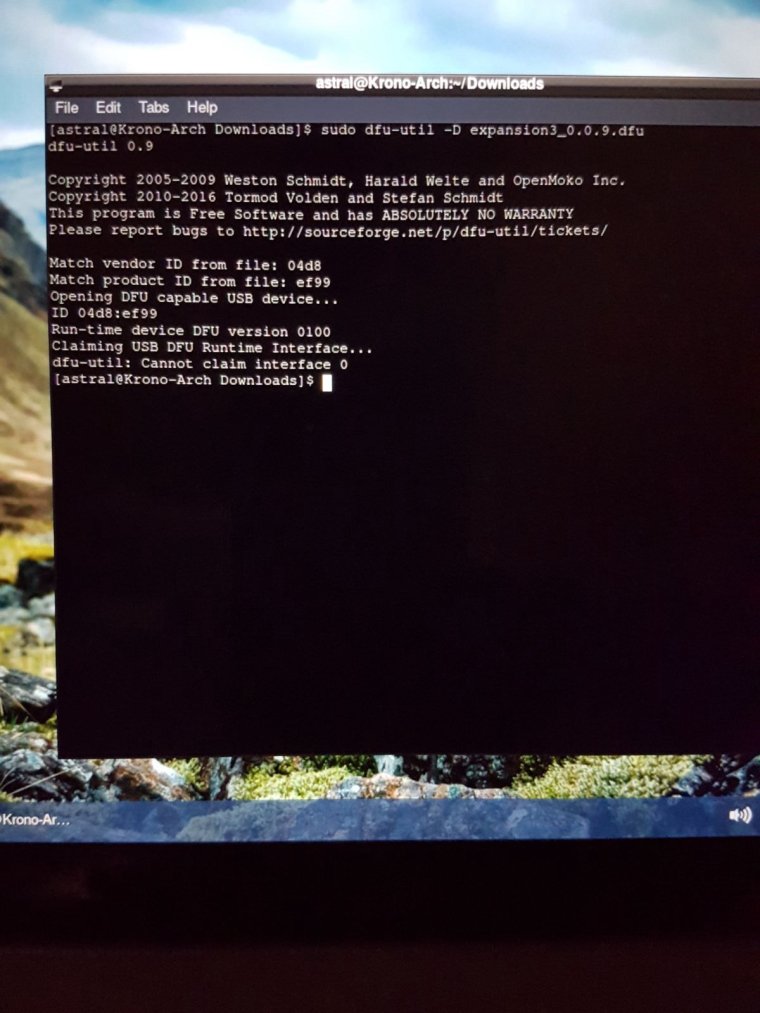
-
@matthew said in Expansion board v3.0 doesn't go in Dfu mode:
The installation blocked at 96%
I could workaround this by inserting the device into the available USB2.0 port, instead of 3.0 SS.
You could also try USB2.0 hub, if you have no 2.0 ports.. -
hi @Matthew,
First, you should not have anything plugged in the Expansion Board, no Lopy/Fipy.
On Windows, the fact that went up to 96% and stopped, means there are USB problems(lots of retries and timeout). Try changing something, USB port, cable. We had lots of problems with poor USB cables. Maybe try to remove other USB peripherals, from your PC.
On Linux, please, check if board is in dfu mode, looking at
lsusboutput, 04D8:EF99 should be visible. It's not clear from dfu-util error, Cannot open DFU device 04d8:ef99, if the device is not enumerated or you don't have rights.As wild try, maybe you should keep just RX and TX jumpers, on Expansion Board.
<later edit>: FYI, the Expansion board 3 has already the latest firmware, we released just once


Hello! It looks like you're interested in this conversation, but you don't have an account yet.
Getting fed up of having to scroll through the same posts each visit? When you register for an account, you'll always come back to exactly where you were before, and choose to be notified of new replies (either via email, or push notification). You'll also be able to save bookmarks and upvote posts to show your appreciation to other community members.
With your input, this post could be even better 💗
Register Login