Http get LoPy freeze
-
this is my coding:
from network import WLAN
import urequest
import machine
import time

wlan = WLAN(mode=WLAN.STA)
wlan.antenna(WLAN.INT_ANT)

wlan.connect("WiFi", auth=(WLAN.WPA2, "password"), timeout=5000)
while not wlan.isconnected():
     machine.idle()
print("Connected to Wifi\n")

while True:
     response = urequest.get('http://things.ubidots.com/api/v1.6/devices/pycom/Switch/lv?token=A1E-YH9cBXkax47bJPraezMrcc2ityAtZq')
     print(response.text)
     time.sleep(2)
if without while loop i can get the value at the HTTP
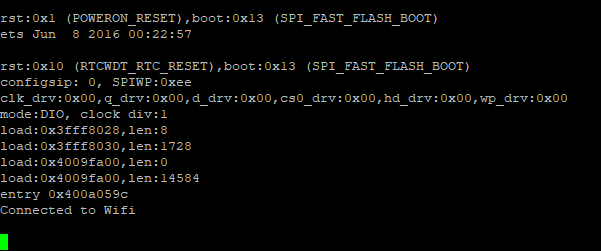
but when i put while i cant get any value and no error. i will freeze after connected to WiFi.
any solution? Thank you.
-
Hi @vicky_
I've tested your code and it is working for me here. Can you provide more details please to help us understand the problem please?
Which board are you using? What's your firmware version - have you tried the updating it to the latest?
Finally which urequest.py library are you using?
Thank you
-
Thanks @jmarcelino
for board im using LoPy
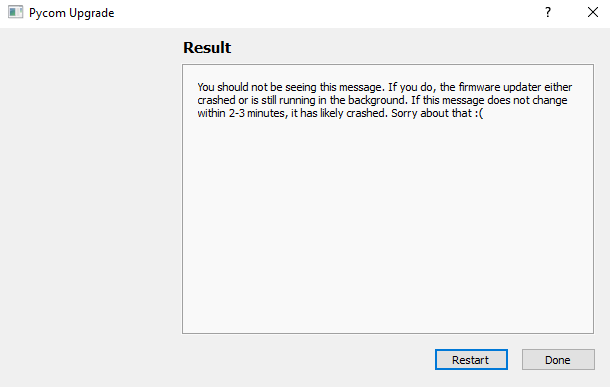
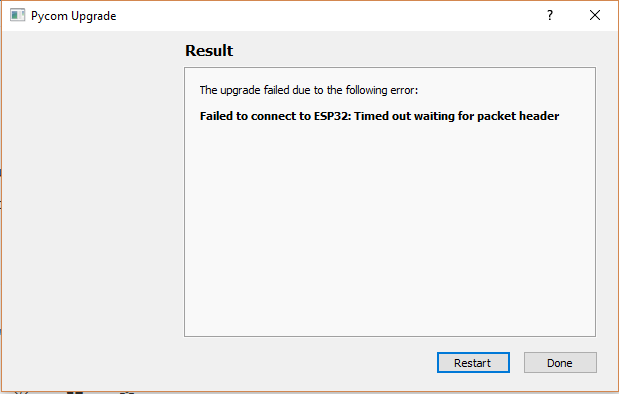
i have difficulty update my board. tried many times
import usocket

class Response:

    def __init__(self, f):
        self.raw = f
        self.encoding = "utf-8"
        self._cached = None

    def close(self):
        if self.raw:
            self.raw.close()
            self.raw = None
        self._cached = None

    @property
    def content(self):
        if self._cached is None:
            try:
                self._cached = self.raw.read()
            finally:
                self.raw.close()
                self.raw = None
        return self._cached

    @property
    def text(self):
        return str(self.content, self.encoding)

    def json(self):
        import ujson
        return ujson.loads(self.content)


def request(method, url, data=None, json=None, headers={}, stream=None):
    try:
        proto, dummy, host, path = url.split("/", 3)
    except ValueError:
        proto, dummy, host = url.split("/", 2)
        path = ""
    if proto == "http:":
        port = 80
    elif proto == "https:":
        import ussl
        port = 443
    else:
        raise ValueError("Unsupported protocol: " + proto)

    if ":" in host:
        host, port = host.split(":", 1)
        port = int(port)

    ai = usocket.getaddrinfo(host, port)
    ai = ai[0]

    s = usocket.socket(ai[0], ai[1], ai[2])
    try:
        s.connect(ai[-1])
        if proto == "https:":
            s = ussl.wrap_socket(s, server_hostname=host)
        s.write(b"%s /%s HTTP/1.0\r\n" % (method, path))
        if not "Host" in headers:
            s.write(b"Host: %s\r\n" % host)
        # Iterate over keys to avoid tuple alloc
        for k in headers:
            s.write(k)
            s.write(b": ")
            s.write(headers[k])
            s.write(b"\r\n")
        if json is not None:
            assert data is None
            import ujson
            data = ujson.dumps(json)
            s.write(b"Content-Type: application/json\r\n")
        if data:
            s.write(b"Content-Length: %d\r\n" % len(data))
        s.write(b"\r\n")
        if data:
            s.write(data)

        l = s.readline()
        #print(l)
        l = l.split(None, 2)
        status = int(l[1])
        reason = ""
        if len(l) > 2:
            reason = l[2].rstrip()
        while True:
            l = s.readline()
            if not l or l == b"\r\n":
                break
            #print(l)
            if l.startswith(b"Transfer-Encoding:"):
                if b"chunked" in l:
                    raise ValueError("Unsupported " + l)
            elif l.startswith(b"Location:") and not 200 <= status <= 299:
                raise NotImplementedError("Redirects not yet supported")
    except OSError:
        s.close()
        raise

    resp = Response(s)
    resp.status_code = status
    resp.reason = reason
    return resp


def head(url, **kw):
    return request("HEAD", url, **kw)

def get(url, **kw):
    return request("GET", url, **kw)

def post(url, **kw):
    return request("POST", url, **kw)

def put(url, **kw):
    return request("PUT", url, **kw)

def patch(url, **kw):
    return request("PATCH", url, **kw)

def delete(url, **kw):
    return request("DELETE", url, **kw)
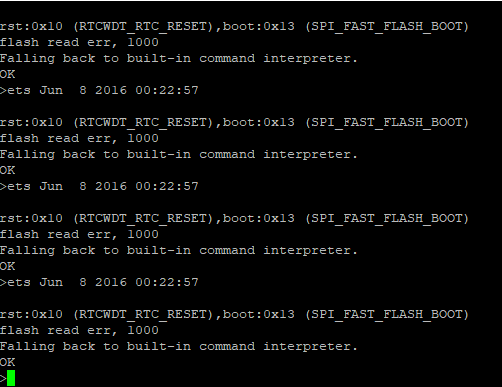
i updated few days ago, but just now when i tried update again. my firmware crashed? what should i do now?
-
@vicky_
Do you have anything connected to any of the pins?
Where is the LoPy connected to? The Pycom Expansion Board? -
@jmarcelino i use jumper wire to connect GND and G23 while updating.
yes the LoPy is connected to pycom expansion board.sorry for late reply because i can post comment every 10 minutes
-
@vicky_
Please1 connect the wire between G23 and GND
2 press reset button on LoPy
3 run the firmware updaterYou should not get that error if you have nothing else connected to the expansion board.
Thanks
-
@jmarcelino i have nothing else connected. Thanks god it works now
just updated to the latest

but it is still the same
-
I have the same issue with usocket.readline() ...
For some reason it just sitting there and waiting for ages ... until the battery dies ... it's like it's stock in a "forever waiting loop" ...
Is it possible to define a "timeout" for how long the usocket.readline() will try to read????
-
@combaindeft said in Http get LoPy freeze:
Is it possible to define a "timeout" for how long the usocket.readline() will try to read????
socket.settimeout(value)
-
Thanks! ... it did the trick
Hello! It looks like you're interested in this conversation, but you don't have an account yet.
Getting fed up of having to scroll through the same posts each visit? When you register for an account, you'll always come back to exactly where you were before, and choose to be notified of new replies (either via email, or push notification). You'll also be able to save bookmarks and upvote posts to show your appreciation to other community members.
With your input, this post could be even better 💗
Register Login