LoPy4 - TTN Lora - Uplink OK - Downlink not working

-
Hi from Australia,
Project --> IoT with LoRaWAN, Pycom, The Things Network & Node-RED
https://core-electronics.com.au/tutorials/iot-with-lorawan-pycom-the-things-network-and-node-red.htmlLorawan gateway at home --> Sentrius Gateway
Device --> LoPy4 + PyTrack
Firmware version --> 1.20.2.rc3I searched on different forum on the different ways to join in OTAA mode in adding the Australian channels and most of the configurations were working.
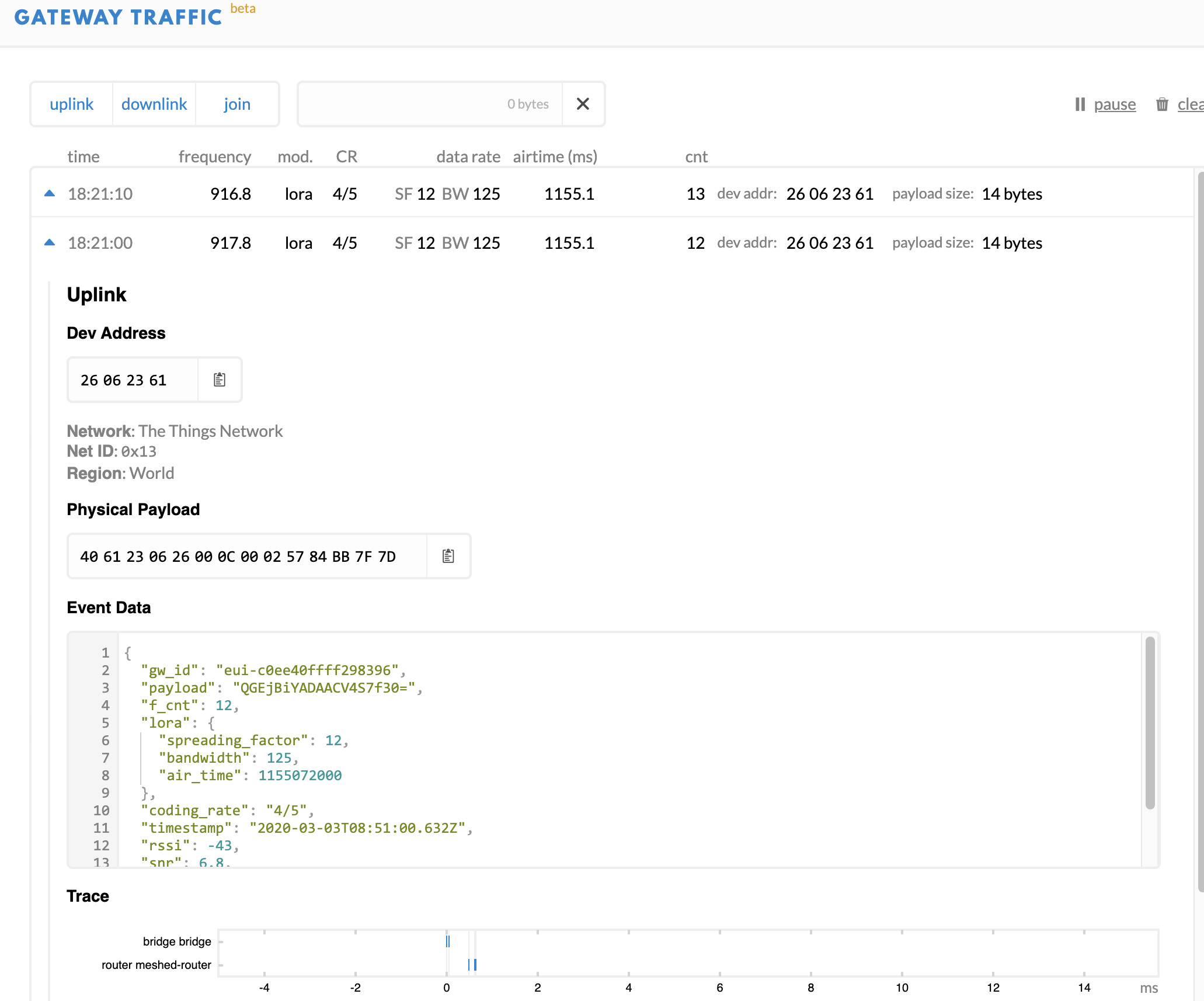
Basically I can join the gateway
I can send data from the LoPy, it is received by the Application and I can received it in Node-RED.
So far, so good.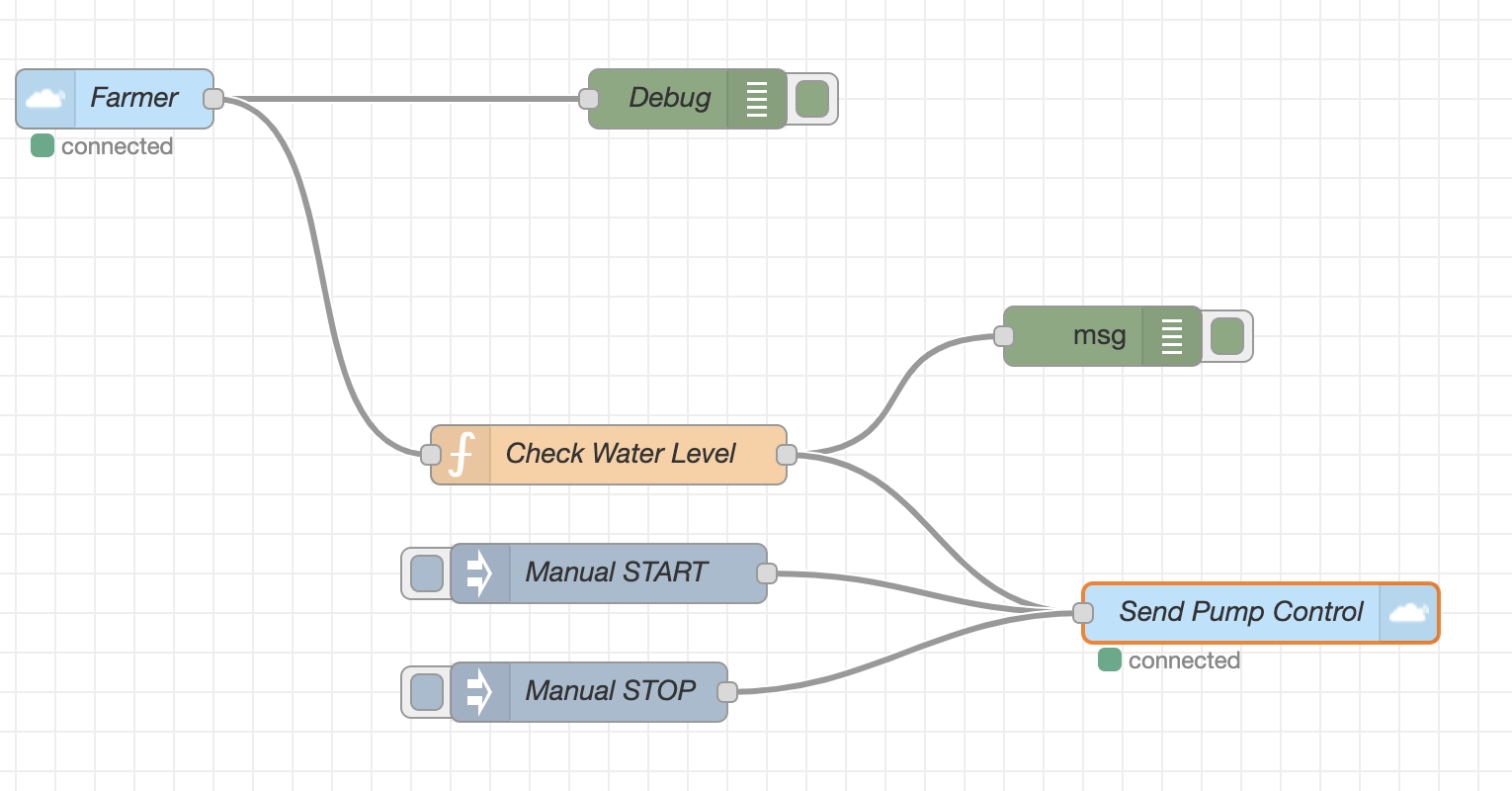
Data received from the LoPy - Application Traffic
The LoPy is sending "water_level: 0"
and in response, Node-RED is transmitting --> "pump_running: 1"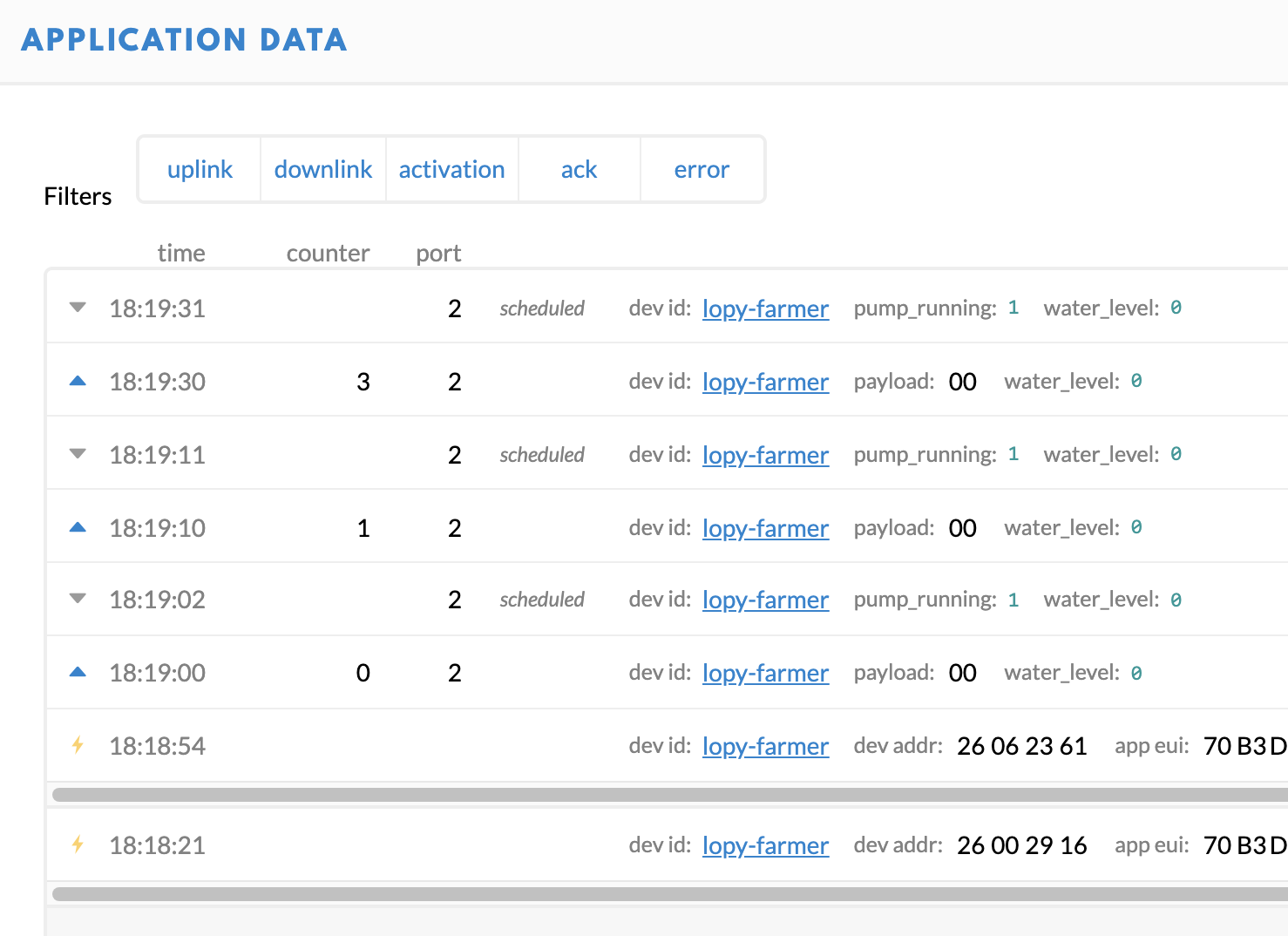
Data received from the LoPy - Gateway Traffic
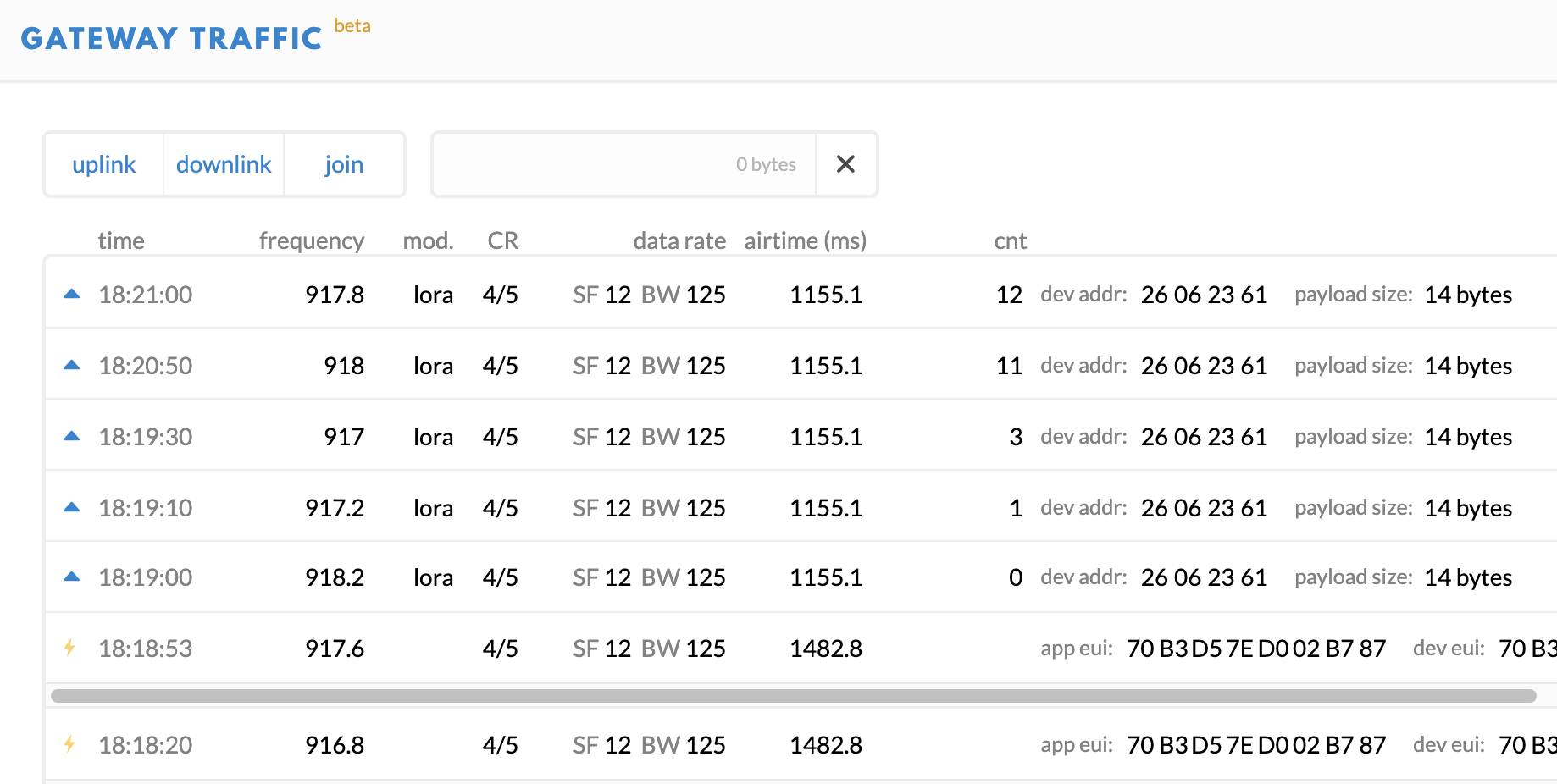
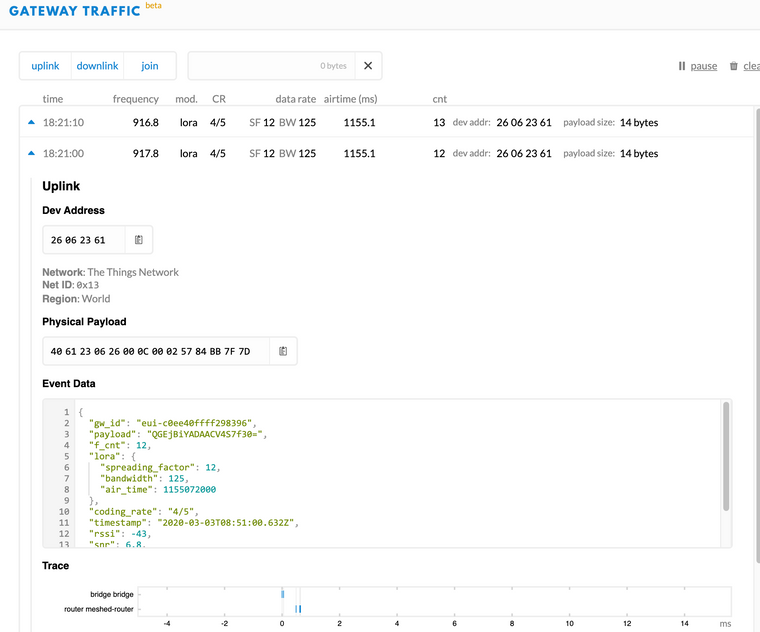
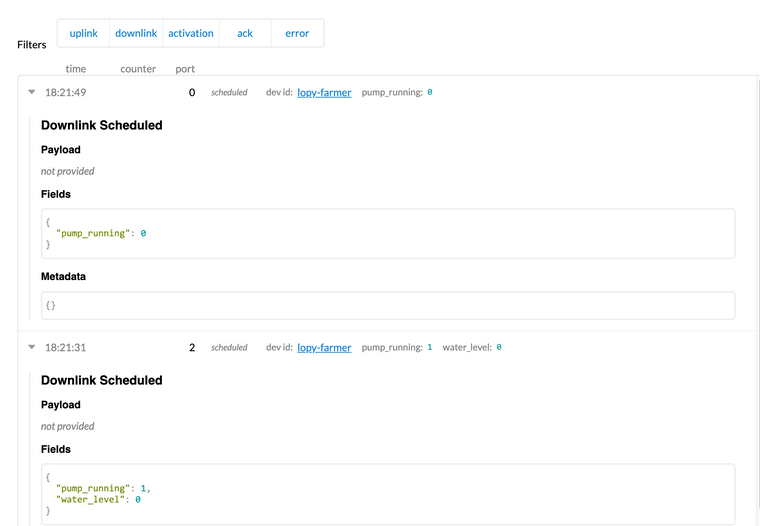
The Application receives the data sent by Node-RED but the LoPy doesn't received it from the gateway.
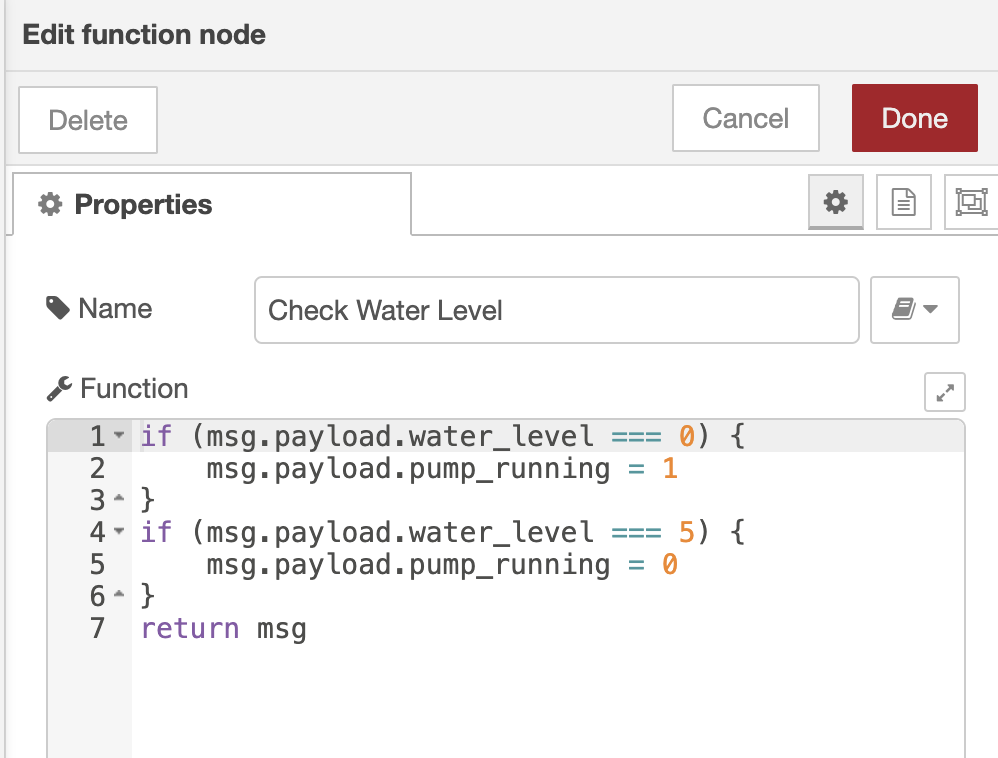
I tried different ports but no luck.The Node-RED code is pretty simple:
I don't know if this is a problem with how I join the network? (Channels created, ...)
or maybe the is something in the LoPy code that is not correctWould anyone have an idea of what am I doing wrong?
Could it be that the JSON sent from node-RED is not correct?
See --> linkI looked there without any luck:
--> link
--> link
--> link
--> link
--> linkCould this be that
Thank you for your help.
Xavier
CODE LOPY4
from network import LoRa
import struct
import socket
import pycom
import time
import binascii
import utime

LORA_FREQUENCY = 916800000
LORA_GW_DR = "SF7BW125" # DR_5
LORA_NODE_DR = 5

COLOUR_WHITE = 0xFFFFFF
COLOUR_BLACK = 0x000000
COLOUR_RED   = 0xFF0000
COLOUR_GREEN = 0x00FF00
COLOUR_BLUE  = 0x0000FF

pycom.heartbeat(False)
pycom.rgbled(COLOUR_BLACK)

print("****** Farmer App OTAA *******")

# lora config
lora = LoRa(mode=LoRa.LORAWAN, region=LoRa.AU915)
# access info from ttn console (note; we just need the app id & app key)
dev_eui = binascii.unhexlify('WWWWWWWWWWWW') # these settings can be found from TTN
app_eui = binascii.unhexlify('ZZZZZZZZZZZZZZZZZ')
app_key = binascii.unhexlify('XXXXXXXXXXXXXXXXXXXXXXXXXXXX')

for i in range(0, 72):
    lora.remove_channel(i)

# adding the Australian channels
print("add channels")
for i in range(8, 16):
    lora.add_channel(i, frequency=915200000 + i * 200000, dr_min=0, dr_max=3)
    lora.add_channel(65, frequency=917500000, dr_min=4, dr_max=4)

for i in range(0, 8):
    lora.add_channel(i, frequency=923300000 + i * 600000, dr_min=0, dr_max=3)

# attempt join - continues attempts background every 15 seconds
lora.join(activation=LoRa.OTAA, auth=(dev_eui, app_eui, app_key), timeout=0)

# wait for a connection to be established
print('Waiting for LoRaWAN network connection...')
while not lora.has_joined():
    utime.sleep(1)
    if utime.time() > 15:
        print("possible timeout or collision")
        machine.reset()
    pass

print('Network joined!')

s = socket.socket(socket.AF_LORA, socket.SOCK_RAW)

s.setsockopt(socket.SOL_LORA, socket.SO_DR, LORA_NODE_DR)

s.setblocking(False)

pump_running = False
water_level = 0
empty_level = 0
full_level = 5

def check_downlink_messages():

    global pump_running # We need to tell Python to use the variable
                        # defined outside this function

    downlink_message, port = s.recvfrom(256) # See if a downlink message arrived
    #print(downlink_message)
    #print(port)

    if not downlink_message: # If there was no message, get out now
        return

    print("Downlink message received!")

    if downlink_message[0]: # The first byte is non-zero
        print("Starting the pump")
        pump_running = True
    else:
        print("Stopping the pump")
        pump_running = False

def send_level():

    print('Sending water level: {}'.format(water_level))
    uplink_message = bytes([water_level])
    s.send(uplink_message)

def adjust_water_level():

    global water_level  # We need to tell Python to use the variable
                        # defined outside this function

    if pump_running:
        if water_level < full_level:    # Can't be overfilled
            water_level += 1            # Water level rises
    else:
        if water_level > empty_level:   # Can't be less than empty
            water_level -= 1            # Water level drops

while(True):

    # Code at the indent happens every 10 seconds

    adjust_water_level()

    send_level()

    for i in range (10):        # 10 x 1 second delay

        # Code at this indent happens every second
        check_downlink_messages()

        if pump_running:    # At any time the pump might be stopped
            pycom.rgbled(COLOUR_GREEN)
        else:
            pycom.rgbled(COLOUR_RED)

        time.sleep(1)           # 1 second delay
-
Problem solved, I didn't have the Encoder setup properly:
function Encoder(object, port) { var bytes = []; if (object.pump_running === 0 || object.pump_running === 1) { bytes[0] = object.pump_running ? 1 : 0; } // There is no separate converter and validator function for this direction. Return an empty array to drop the message. // https://www.thethingsnetwork.org/docs/devices/uno/quick-start.html return bytes; } -
@xavier where are you running that encoder? I'm trying to do something similar with node-red.
Hello! It looks like you're interested in this conversation, but you don't have an account yet.
Getting fed up of having to scroll through the same posts each visit? When you register for an account, you'll always come back to exactly where you were before, and choose to be notified of new replies (either via email, or push notification). You'll also be able to save bookmarks and upvote posts to show your appreciation to other community members.
With your input, this post could be even better 💗
Register Login