OTA updates: HTTP Server not working
-
Hi.
I am following the example in the documentation, as well as referencing this video from Pycom:
https://www.youtube.com/watch?v=NnUVYIedl_w
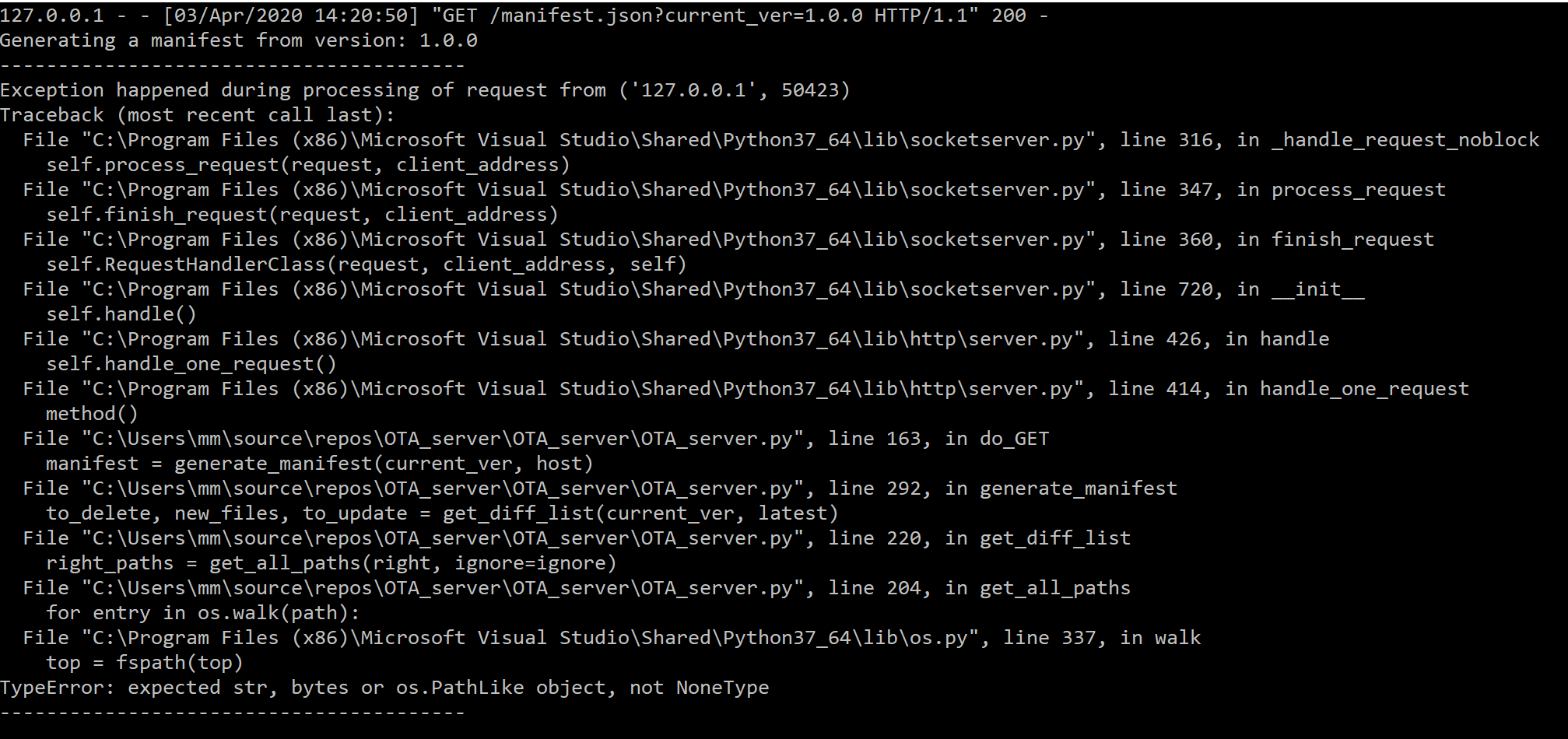
However, when running the server, either in CMD or in Visual Studio, it produces following error if i try to enter either:
http://127.0.0.1:8000/manifest.json?current_ver=1.0.0
or as suggested in the video:
localhost:8000/manifest.json
Error:

I haven't changed a single line in the OTA.py or OTA_server.py, so what am i doing wrong?
The directory that i am running the server from when using CMD has following structure:
- server directory
|- OTA_server.py
|- 1.0.0
| |- flash
| | |- lib
| | | |- OTA.py
| | |- main.py
| | |- boot.py
| | |- config.py
|- 1.0.1
| |- flash
| | |- lib
| | | |- OTA.py
| | |- main.py
| | |- boot.py
| | |- config.py
To get the errors shown i had to go into Visual Studio and run the server, where the directory is not in this structure, but i am assuming that this is not the problem since running the server using CMD is not working.
Another question: Ultimately i would like to be able to remotely update my code on the FiPy using LTE (NB-IoT) connection instead of WiFi. What will this require of changes? Obviously i must replace the Wifi part of the code, but wondering if someone has made this work / have an example of it?
- server directory
Hello! It looks like you're interested in this conversation, but you don't have an account yet.
Getting fed up of having to scroll through the same posts each visit? When you register for an account, you'll always come back to exactly where you were before, and choose to be notified of new replies (either via email, or push notification). You'll also be able to save bookmarks and upvote posts to show your appreciation to other community members.
With your input, this post could be even better 💗
Register Login