allthingtalk socket
-
Hello,
Does someone has ever tried to connect a fipy to 'orange.allthingstalk.com', because I do not manage to connect a socket, it allways shows the error "[Errno 113] ECONNABORTED"
I have a fipy + expansion board with a orange SIM card.>>> lte.connect() >>> lte.isconnected() True >>> address = socket.getaddrinfo('api.allthingstalk.io',8891) >>> print(address) [(2, 1, 0, '', ('40.68.172.187', 8891))] >>> s = socket.socket() >>> s = ssl.wrap_socket(s) >>> s.connect(address[0][-1]) Traceback (most recent call last): File "<stdin>", line 1, in <module> OSError: [Errno 113] ECONNABORTED >>>On the other hand, I manage to connect socket to 'google':
>>> lte.connect()
>>> lte.isconnected()
True
>>> address = socket.getaddrinfo('www.google.com', 443)
>>> print(address)
[(2, 1, 0, '', ('172.217.17.36', 443))]
>>> s = socket.socket()
>>> s = ssl.wrap_socket(s)
>>> s.connect(address[0][-1])
>>>
It would be great if I had a solution. Thank you in advance
-
Hi,
I get this as well for
api.allthingstalk.ioon port 8891, but it does not happen on port 80. I believe the connection is being refused as the port is not open? -
@Gijs Thank you for your answer.
It seems to connect with port 80.>>> s = socket.socket() >>> address = socket.getaddrinfo('40.68.172.187',80) >>> print(address) [(2, 1, 0, '', ('40.68.172.187', 80))] >>> s.connect(address[0][-1]) >>> s.send(b'R5VBDxxxxxxxxrmROhNnpSgD\nmaker:4SRXQxxxxxxxx1VeVtzN6xSghrrwi5pzkpqgTQq\n{"Test01":{"value":1}}') 93 >>>I do not have any response on "https://orange.allthingstalk.com/"
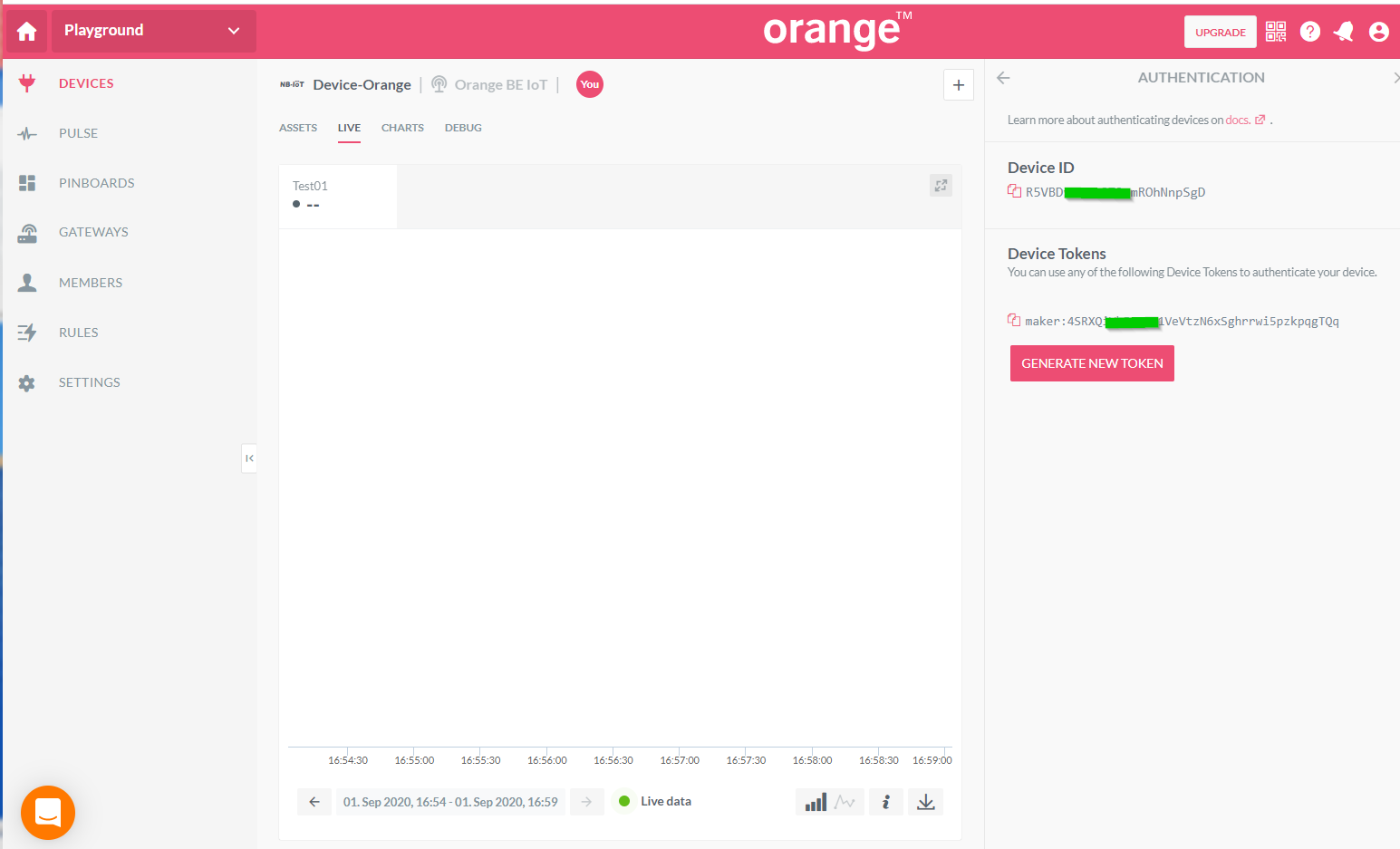
Do I use the right format of micro python command to send the value of Test01? -
Hi
Sorry, my experience is limited with allthingstalk. I believe you should connect to port 80, and then send a HTTP request (GET / POST depending on your settings)
I found this online: https://docs.allthingstalk.com/developers/api/get-started/first-device/
It seems you have to attach the autorization in the headers, and implement your JSON data where i mention data.When searching, I also found a Python library for allthingstalk, maybe that is compatible with micropython, but Im not sure.. That might make things easier.
In this example, I manually construct the HTTP header and data, such that it will be received properly by AllThingsTalk: (Sorry I did not test this for mistakes in the HTTP, it is merely what it should look like)
import socket s = socket.socket() address = socket.getaddrinfo('api.allthingstalk.io',80)[0][-1] s.connect(address) s.send(b'GET /device/token HTTP/1.0\r\n\r\n Authorization: Bearer maker:token \r\n "Content-Type: application/json" data' -
@Gijs Thank you for your investment. I am going to work with your answer and will inform you as soon as I have a result.
Best regards -
One minor addition I wanted to make.. If AllThingsTalk uses the MQTT protocol, you should not use the HTTP request I was suggesting, but switch to the MQTTClient library from micropython
Hello! It looks like you're interested in this conversation, but you don't have an account yet.
Getting fed up of having to scroll through the same posts each visit? When you register for an account, you'll always come back to exactly where you were before, and choose to be notified of new replies (either via email, or push notification). You'll also be able to save bookmarks and upvote posts to show your appreciation to other community members.
With your input, this post could be even better 💗
Register Login