Red led
-
I'm having some troubles with some of my lopy4s.
Few days ago I had some troubles uploading some scripts to my devices and I decided update the last firmware version because I was working with a legacy one (1.18). The goal of this action was have my devices like as factory.
The problem is that when I update it all works fine, but then when I start working with they the led lights red (I think is when I reboot the lopy) and I can't use them anymore.
I tried enabling and disabling all this options, but still crashing.
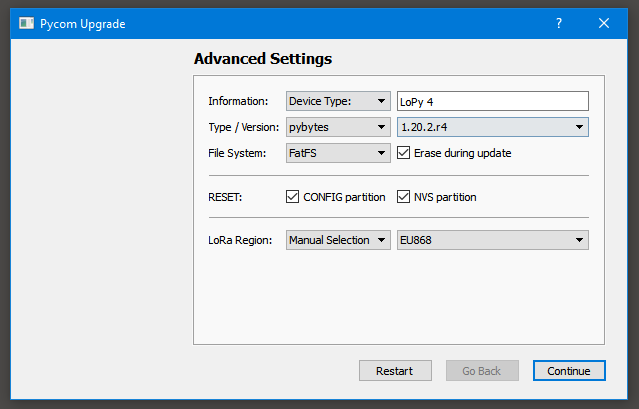
Can somebody help me? Now I have 3 lopy4s that I can't use :(
Thank you very much.
-
Have you tried (or with another device port) ?
$ pycom-fwtool-cli -p /dev/ttyACM0 erase_all -
@rcolistete Hello! Probably is a silly question but where (or when) I have to write this command? In my Atom console?
I'm using the Pycom Upgrade program to format my devices right now.
Thank you.
-
This command is on (Linux) terminal. On Mac OS and Windows only the serial device name changes.
-
The 'erase all' is indeed different from the 'erase flash' and 'clear CONFIG / NVS partitions' in the firmware updater tool. Im not sure exactly, but in most cases the 'erase all' in the command line works better than the latter methods, and could indeed provide a solution here

Hello! It looks like you're interested in this conversation, but you don't have an account yet.
Getting fed up of having to scroll through the same posts each visit? When you register for an account, you'll always come back to exactly where you were before, and choose to be notified of new replies (either via email, or push notification). You'll also be able to save bookmarks and upvote posts to show your appreciation to other community members.
With your input, this post could be even better 💗
Register Login