pycom-fwtool does not start. Error loading Python DLL.
-
I suddenly get the following error message when starting the pycom-fwtool:
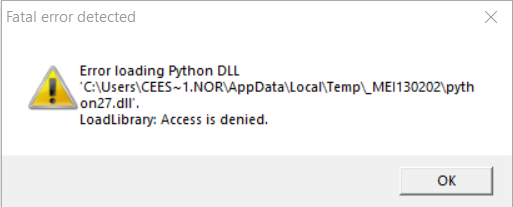
The same error appears when starting the CLI.I have tried to uninstall / install the updater, but that is not possible either. The uninstaller comes with a message:
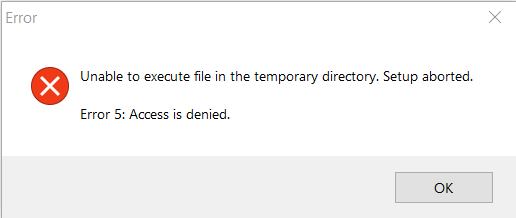
So I'm stuck. Can't use it, can't remove it and cannot upgrade it. Does anybody has a clue what might be the problem ( and how to solve it) ?
-
@Cees_Meijer Did you install Python 2.7 on your computer? The message tells, that a File belonging to Python 2.7 is missing.
-
@robert-hh I'm quite sure Python 2.7 is already on there. But just to be sure I ran the latest installer, only to find that that also does not work due to a similar problem:
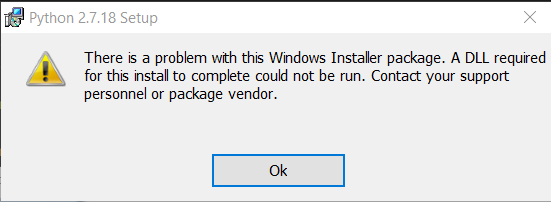
There seems to be some relation to the 'Users\AppData\Local\Temp' folder not being accessable, but I have not been able to solve it yet. -
@Cees_Meijer Just de-install Python 2.7 and install it again. That should help.
-
@robert-hh Nope. De-install does not work either. But, as I expected, it was indeed all related to the 'Users\AppData\Local\Temp' folder. I have tried every suggestion I could find to unlock this folder, but nothing worked. Finally I just created a new C:\TEMP folder, and edited the Environment Variables so both TEMP and TMP pointed at that new folder. And now everything works. Not sure if this will create problems in the future, but for now I'm up and running again.

Hello! It looks like you're interested in this conversation, but you don't have an account yet.
Getting fed up of having to scroll through the same posts each visit? When you register for an account, you'll always come back to exactly where you were before, and choose to be notified of new replies (either via email, or push notification). You'll also be able to save bookmarks and upvote posts to show your appreciation to other community members.
With your input, this post could be even better 💗
Register Login