Cannot connect terminal to FiPy

-
Hi,
I'm struggling to get started with a FiPy in a PyScan board.
Device permissions are OK.
Firmware updated to 1.20.2.r6 using the fwtool GUI on linux AMD64pymakr on vscode lists the device but when connecting it spins on "safeboot" for a bit then fails with:
Could not safeboot device. Please hard reset the device and verify that a shield is installed.
What else can I try here?
Thanks
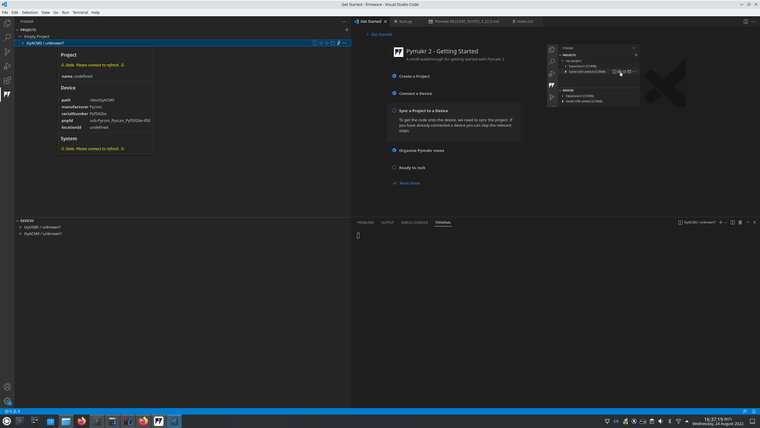
-
@Rob-Shepherd Try using a simple terminal emulator like putty first. pymakr with vcs or atom are notorious for having compatibility issues.
-
This post is deleted! -
THank you @robert-hh
Yes I should have mentioned, I have tried picocom thus:
rob@graviton:/tmp$ sudo picocom -b 115200 /dev/ttyACM0
[sudo] password for rob:
picocom v3.1

port is        : /dev/ttyACM0
flowcontrol    : none
baudrate is    : 115200
parity is      : none
databits are   : 8
stopbits are   : 1
escape is      : C-a
local echo is  : no
noinit is      : no
noreset is     : no
hangup is      : no
nolock is      : no
send_cmd is    : sz -vv
receive_cmd is : rz -vv -E
imap is        :
omap is        :
emap is        : crcrlf,delbs,
logfile is     : none
initstring     : none
exit_after is  : not set
exit is        : no

Type [C-a] [C-h] to see available commands
Terminal ready
It just hangs there sadly.
Thanks again
-
@Rob-Shepherd Picocom is fine. When you have picocom connected and push the reset button, do you receive anything from the board. There should be at least some messages by the ROM based bootloader.
-
@Rob-Shepherd If you do not get boot messages, you might have to update the pyscan board's PIC firmware. But that's another story.
-
Update.
Going for broke, I used the fwtool to erase the flash and reset the CONFIG and NVS areas.
working, connected to REPL etc.
I don't see a pyscan DFU listed and wasn't able to grope for it. Seems to be working now after a spring clean.
R

Hello! It looks like you're interested in this conversation, but you don't have an account yet.
Getting fed up of having to scroll through the same posts each visit? When you register for an account, you'll always come back to exactly where you were before, and choose to be notified of new replies (either via email, or push notification). You'll also be able to save bookmarks and upvote posts to show your appreciation to other community members.
With your input, this post could be even better 💗
Register Login