Nebra firmware for Pycom Helium hotspots
-
@John-Caipa
Download and install Balena Etcher, then go to the link I posted and click "Get Started". Choose the WiFi and Ethernet option and enter your WiFi SSID and password. It will automatically open Balena etcher and flash to your SD card. Pop the card into your Pycom hotspot, plug it in and that's it. It'll connect to Nebra's servers and download any updates. The web interface is totally different, not as informative as Pycom's - and there is no SSH access. BUT - it will uplink data and earn through PoC. I haven't signed up for the Nebra dashboard to manage it remotely yet. With the upcoming changes to the network, any hotspots not running the latest miner release will cease to function. -
@DC thanks, can we do that on already onboarded and new? got one of each
I tried but wasn't able to onboard with nebra app, crash or empty screen on my android and iphonethanks
-
Hi everyone,
Very nice news @DC! Thanks for letting us know about this new firmware! Everything works great by now, the hotspot is connected to wifi, it has excellent signal strength, which the old firmware lacked for some unknown reason. The bad news is that you should remove the PoE adapter if you have one installed, because it wont connect to neither wifi nor ethernet. It seems incompatible with the Nebra firmware (so far). But with only wifi it works great. Will keep in touch with updates.
Have a nice one!
-
@Edward-Codarcea
That's great news. I ordered PoE kits, but at the time of shipping they said they were not going to be available, so my hotspot is WiFi only. They can probably get the ethernet port working if they had access to a hotspot that was equipped with a PoE adapter.
My hope is that Pycom will be pushing updates and refinements when they get back on their feet. -
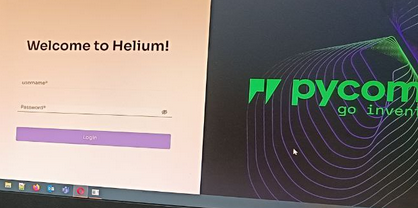
@DC i have the original firmware from pycom and i can get the local webpage fron the miner, but i don't know how access it, and i can't get the hotspot register, and I have not been able to register the hotspot in helium with the App, can I do this with this firmware? Or do I have to register it first with the pycom app?
-
If this hotspot has not been onboarded yet, there is nothing for you do but wait until Pycom replenishes their maker account. Each hotspot costs $50 USD worth of DC to cover onboarding to the Helium network and first location assertion. This was paid for when you purchased the hotspot. Since your hotspot is tied to Pycom's maker key, the only other way to get it on the blockchain would be to burn HNT to DC to Pycom's maker account and hope that someone else doesn't use the credits to onboard their hotspot. I own a couple that are NIB and are essentially bricks at this point until Pycom gets things sorted out under their new ownership. We're still in a better place than Synchrobit owners though...
-
@DC Hi,
how is the Password for the webfrontend? -
@DC said in Nebra firmware for Pycom Helium hotspots:
, plug it in and that's it. It'll connect to Nebra's servers and download any updates. The web interface is totally different, not as informative as Pycom's - and there is no SSH access. BUT - it will uplink data and earn through PoC. I
how is the password to logon?
-
Its the miners LAN MAC address.
Log into your router and find its WIFI MAC address, remove all hyphens/colons etc.., then drop the final hex value by one. Password is in capitals.
- Log into your router and find its WIFI MAC address
If you don't know how to do this, Google it.
- Remove all hyphens, drop the last hex value by one and capitalise.
My WIFI Mac address was a4:5f:01:bb:12:bd, dropping the final hex value by one made it a4:5f:01:bb:12:bc, this is the LAN MAC address of my mine.
dropping the colons and capitalising the letters made it A45F01BB12BC.A45F01BB12BC was my Nebra password.
-
@N-M What What address do I use to access the pycom miner. Did the SD card part already.
-
@Kevin-James
ItItss the IP address of the miner, log into your router to find it.
Hello! It looks like you're interested in this conversation, but you don't have an account yet.
Getting fed up of having to scroll through the same posts each visit? When you register for an account, you'll always come back to exactly where you were before, and choose to be notified of new replies (either via email, or push notification). You'll also be able to save bookmarks and upvote posts to show your appreciation to other community members.
With your input, this post could be even better 💗
Register Login