Help with firmware update
-
Hi, I'm looking for some help. I have downloaded the firmware upload tool, but cannot find any instructions on how to use it. From what I can see, the installer has given me a python distribution and some scripts. I get python exceptions when I try and run those scripts (for instance lopyupdate.py).
The readme mentions that there are some dependencies, but it's not clear to me whether the installer has given me everything I need or not. PIP doesn't find py_qscintilla.
This all feels like a bit of an unfinished mess to me. Is it possible to update the firmware just using esptool.py, without using the pycom value-add?
-
I should add, I am using Windows 7.
(but I can't because I'm a new user and have to wait 600 seconds.... Sigh)Getting up and running with the Pycom board has NOT been a positive experience.
-
Hi @martinsmac,
Are you downloading the Firmware Update Tool from here?
Website:
https://www.pycom.io/resources/Direct Link:
https://software.pycom.io/findupgrade?product=pycom-firmware-updater&type=all&platform=win32&redirect=trueWhen you select windows you should download a .exe which you can just run? Do you not get this?
Really sorry that you've had this experience! We're trying to improve/streamline this so I'm keen to get your feedback on where it's been difficult and resolve the problems you're running into.
Sincerely,
Alex
-
Worked it out. I was picking up my existing python installation, which did not contain the necessary dependencies. Can I encourage you to add some detail to your site and the readme..?
How about:
The installation package contains everything you need to update the firmware on your Pycom board. On Windows, simply do the following
cd c:\Program Files (x86)\Pycom\Pycom Firmware Update\Upgrader
..\Python27\python.exe lopyupdate.pyThis will open the firmware update tool in a new window containing instructions.
-
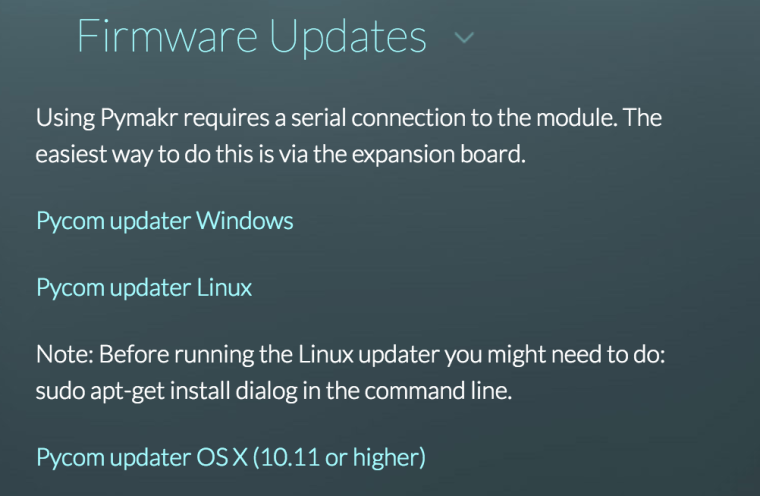
@martinsmac I think you may have downloaded the linux installer by accident - the windows installer should give you a .exe file and the setup should be automatic. You can reach it with the links I posted below and it should be displayed as the image below! Hope this helps!
-
@bucknall Thanks for getting back to me.
I downloaded an exe file. It installed a large number of files, but didn't provide any messaging on what I needed to do next. There wasn't an executable in what was installed apart from the python.exe.
I was hoping for a batch file that wrapped up a command line, or even an exe that launched the tool.
Having worked out how to launch it, I must say I am impressed with the upgrade tool. It worked very smoothly and it is better than other ESP flashers I have encountered.
Hello! It looks like you're interested in this conversation, but you don't have an account yet.
Getting fed up of having to scroll through the same posts each visit? When you register for an account, you'll always come back to exactly where you were before, and choose to be notified of new replies (either via email, or push notification). You'll also be able to save bookmarks and upvote posts to show your appreciation to other community members.
With your input, this post could be even better 💗
Register Login