FW 1.18.0 - increased boot time / power consumption?
-
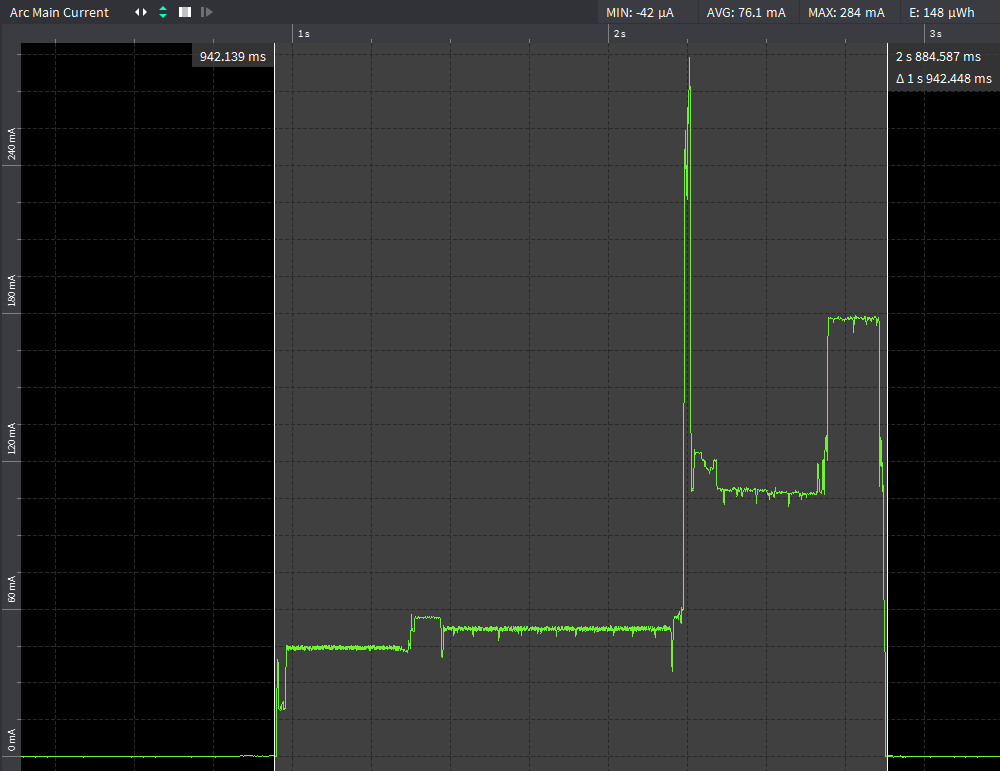
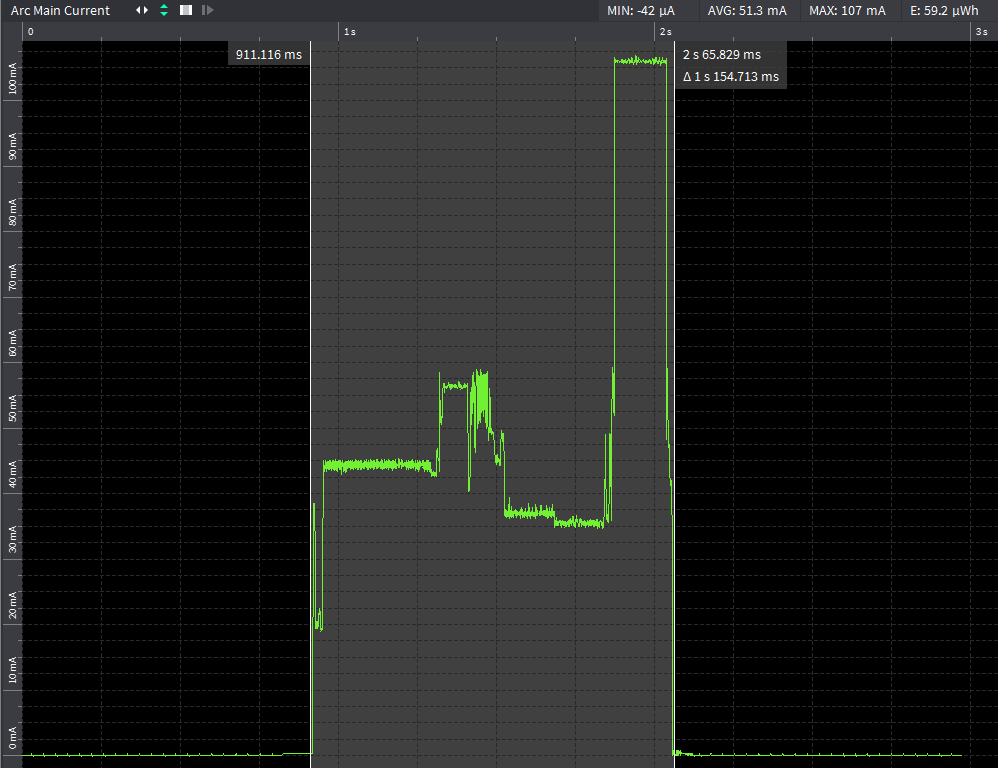
I noticed that boot of frozen application on FW 1.18.0 takes longer so I did some comparison. Frozen application is exactly the same in both builds. Property wifi_on_boot is set to False during initial boot after flashing and I verified that it is set to False before the tests were performed.
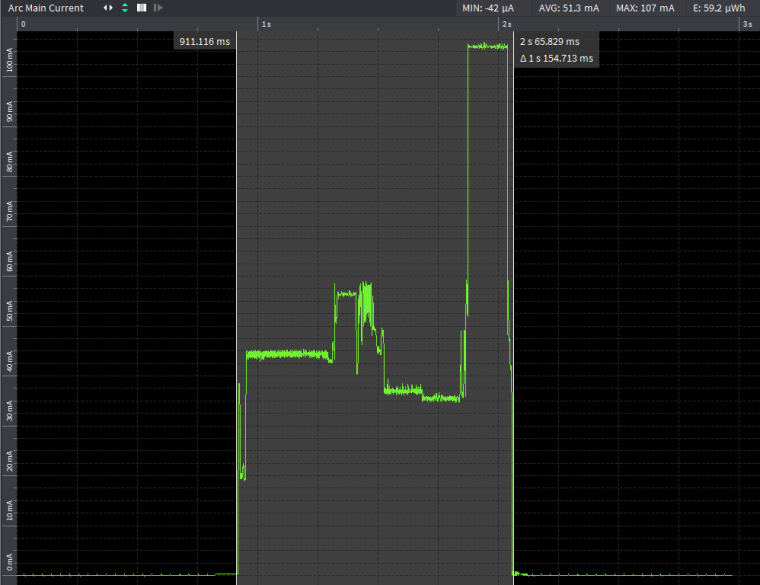
FW 1.14.0.b1 - execution time ~1.15s, energy consumed during active cycle ~59uWh
FW 1.18.0 - execution time ~1.94s, energy consumed during active cycle ~148uWh
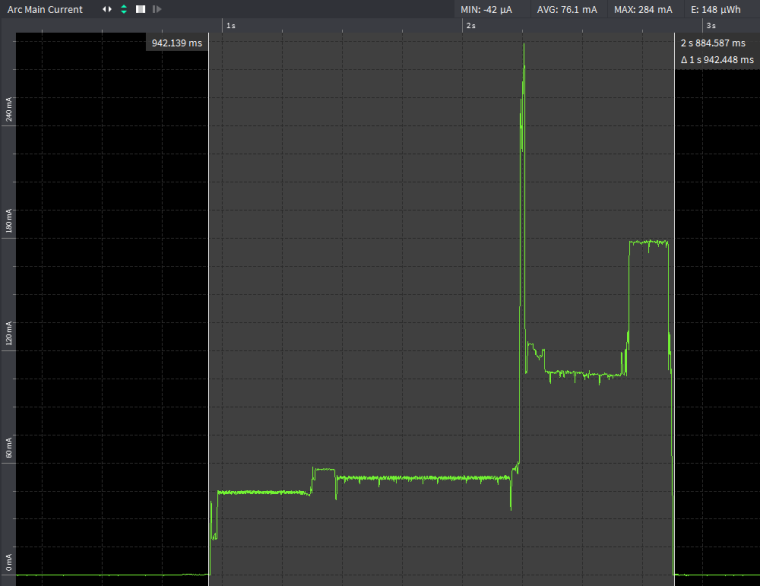
Also peak current during LoRa transmission in the end of active cycle seems to be higher in case of FW 1.18.0 (~175mA vs ~107mA).
There is also suspicious spike in the second half of active cycle reaching 284mA. I believe after this moment the (pre-compiled) Python code gets executed.
What can be causing this behavior? Is WiFi radio really disabled during boot?
-
I did some more testing using very simple application built as frozen _main.py:
import machine
import pycom
import os

pycom.wifi_on_boot(False)
print(os.uname())
machine.deepsleep()
Following Xtensa compiler was used for both builds:
https://dl.espressif.com/dl/xtensa-esp32-elf-linux64-1.22.0-80-g6c4433a-5.2.0.tar.gzFW 1.14.0.b1 with last commit 5bb7bc2941919e35953e2dd47e77f5a11eefa82a was built with SDK with last commit be424097224394c29ec927d5f197e061c9ce8800.
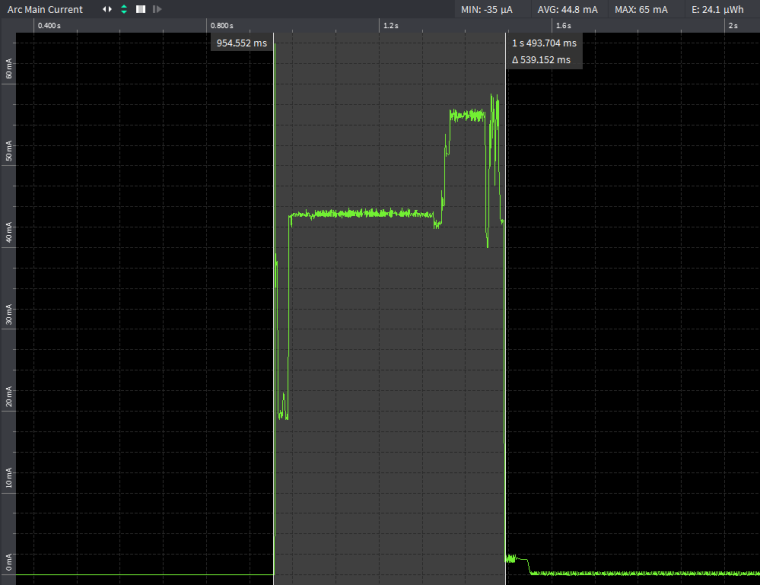
FW 1.18.0 with last commit 4481a1c283be97640592ea2a0440830e336064de was built with SDK with last commit 4eab4e1b0e47c73b858c6b29d357f3d30a69c074.
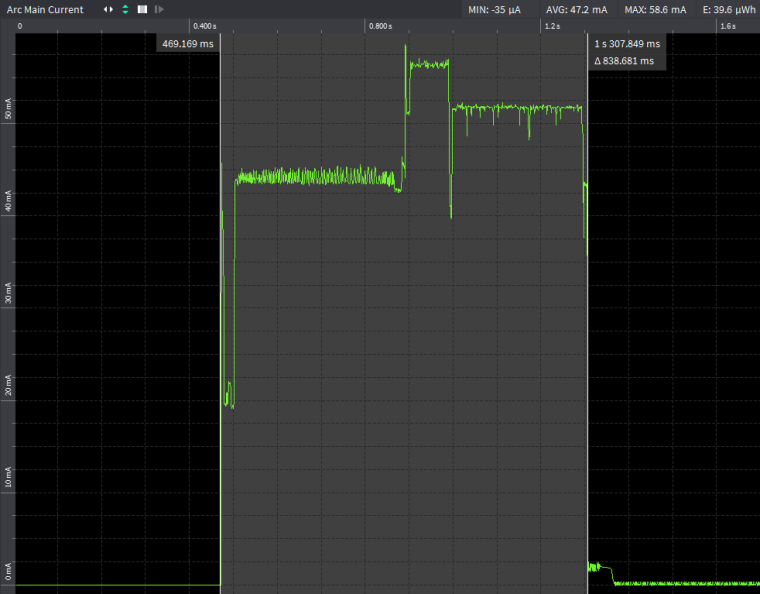
It's obvious that execution is significantly slower on 1.18.0. It literally takes away years of operation in case of battery powered sensors which are in deep-sleep most of the time.
-
To me it looks like it stays awake longer than before. The rest looks similar.
Did you make any progress with this?
-
@sympatron
No I did not. Daniel mentioned that it might have something to do with secure boot feature which was introduced in between tested releases. -
hi @danielm, are you using features like Secure Boot and Flash Encryption, ie.
make SECURE=on?If you have testing setup prepared, could you take consecutive builds from 1.14 to 1.18? It would help us to spot the problem faster.
-
@catalin
I don't usemake SECURE=on.
I have only built 1.14.0 and 1.18.0 with the simple app mentioned above.
During next week I will try to find time to to build releases in between and test them. If you manage to do that sooner it would be even better :) -
@catalin
I finally managed to perform tests of releases between 1.14.0.b1 and 1.18.0.b1.Otii ARK traces are available here:
https://drive.google.com/open?id=1kIZL0HJHn_dEIPDM_jv6fEhDhb_UkfqjSignificant execution time increase occured between versions:
1.17.0.b1:
MP: d0dc708a0197d2900a5620648725794a1fb5c8f3
IDF: 3b54cd7473aefdb8b75531a21ce340c4bd2221da
and
1.17.2.b1:
MP: 1bf377b08e2162e8534b6cbe78dcdeeb930f64b8
IDF: 4eab4e1b0e47c73b858c6b29d357f3d30a69c074

Hello! It looks like you're interested in this conversation, but you don't have an account yet.
Getting fed up of having to scroll through the same posts each visit? When you register for an account, you'll always come back to exactly where you were before, and choose to be notified of new replies (either via email, or push notification). You'll also be able to save bookmarks and upvote posts to show your appreciation to other community members.
With your input, this post could be even better 💗
Register Login