Nanogateway example code does not work. (Import class NanoGateway)
-
Hi,
I have setup my LoPy and I am able to upload code and run basic print commands within that code. Also I am able to print variables defined in the config.py.
What does not work is the nanogateway.py code. Importing the class does not work at all. I believe this does not yet require a firmware update.
I tried to place the nanogateway.py into the /flash/lib folder and also tried to place it into /flash.
Any ideas?
Thanks, Lothar
-
Hi @lollisoft could you please post the code that you are using to try and import the nanogateway.py library?
-
I think, I have tracked down the problem and I indeed think I have to update the firmware.
The nanogateway file imports a Timer and fails at that point. If I place a test variable above them, I am able to print it from main.py.
How do I update the firmware? Is there an option to do that from Atom (with the plugin), or do I need the board that comes with the twin pack?
I grabbed the code from GIT: https://github.com/pycom/pycom-libraries/blob/master/examples/lorawan-nano-gateway/nanogateway.py
-
I run into the same issue, but I run the latest firmware.
My pymakr also shows interesting issues with 'const':
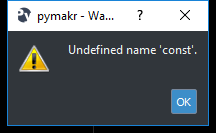
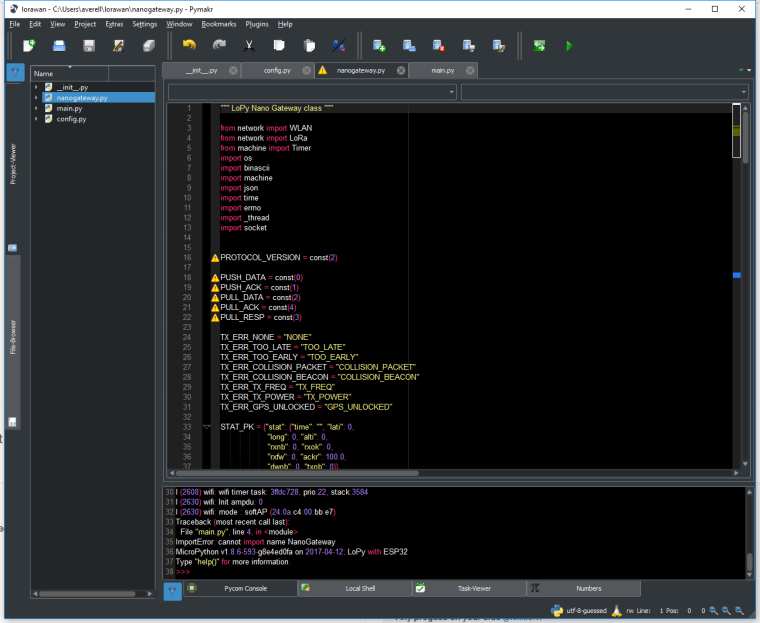
Any progess on your side @lollisoft?
-
@averell I was advised to use atom editor and the pymakr plugin. I followed that advise.
And I just had a look at the code within atom. The const definitions are there (I was not aware of that).
Atom does not complain about the unknown const name. So I assume, it is an issue with PyMakr.Simply go the Atom route and install the plugin. It is not very complicated and I think the editor will have
other good features. -
@lollisoft I see that you have resolved your issue. You do need the latest firmware in order to run the LoRaWAN nano-gateway.
@averell I strongly recommend moving to Atom plus the Pymakr plug-in, it's so much better than the original Pymakr IDE.
-
@daniel said in Nanogateway example code does not work. (Import class NanoGateway):
@lollisoft I see that you have resolved your issue. You do need the latest firmware in order to run the LoRaWAN nano-gateway.
Yes, done. Now running my next long time test. Seems at least today working well.

Hello! It looks like you're interested in this conversation, but you don't have an account yet.
Getting fed up of having to scroll through the same posts each visit? When you register for an account, you'll always come back to exactly where you were before, and choose to be notified of new replies (either via email, or push notification). You'll also be able to save bookmarks and upvote posts to show your appreciation to other community members.
With your input, this post could be even better 💗
Register Login