• nanogateway with lopy4 and TTN

    LoPy nanogateway ttn gateway
    3
    0 Votes
    3 Posts
    42 Views
    P
    Hi, I've replied on your other thread about the same topic, so this is just for reference for anyone that finds this in the future. Nanogateways are generally pretty outdated these days. 8 channel gateways are so much cheaper than they were a few years ago few people are using nanogateways. There was a big update to the TTN API around a year ago, and I think they removed the legacy packet format, and Pycom haven't updated to it as so few people are using them. Unfortunately this means it is unlikely you will get this working.
  • 0 Votes
    3 Posts
    262 Views
    S
    @mfalkvidd Hi, tks for the reply. Ok, that explains the problems that I have.
  • 0 Votes
    2 Posts
    390 Views
    robert-hhR
    @re Yes. The SX1272 of the LoPy of SX1276 of the Lopy4 can only listen to one frequency and one SF/BW setting at a time. The target platform for these chips is motes (= Lora nodes, AFAIK), not gateways. Gateways use typically a different chip set, like the combination of Semtech SX1257 and SX1301/SX1308. If you need a full service gateway, you must get one. There are raspi add-on boards Like the IC880a from ICMP and the RAK831 which offer full service. Or you buy a ready gateway. Look at the The Things site for product lists. ICMP offers also a ready built box with raspi, receivber & software for testing.
  • 0 Votes
    2 Posts
    397 Views
    J
    @suad_m5 As a LoPy (and hence a nano gateway) can only listen on one channel at a time, it is not LoRaWAN compliant, and only devices that are configured to use that single channel will be supported. It is not a generic gateway, it's just a tool to make quick tests without a real gateway around. This does not mean only LoPys can be used. If you can configure your device to only use the channel you configured on your nano gateway, it should work. This is however not possible on many devices.
  • otta node problem with nanogateway

    LoPy nanogateway lopy lorawan otaa time ntp
    5
    0 Votes
    5 Posts
    1k Views
    L
    Did you ever get it work? Any advise for me, as I am in the exact same situation?
  • 0 Votes
    2 Posts
    753 Views
    J
    @dylan The nano gateway uses the Semtech standard protocol which is uses UDP on port 1700, this is very different from your usual WiFi traffic and likely to be treated differently by your institution’s network policies. I guess you can ask them what is their policy for long running UDP sessions on port 1700 but in my experience, unless you are able to talk to core networking staff, you might not get a straight answer. Since UDP is a connectionless protocol the LoPy has no idea about the state of the connection either, by definition UDP is a “send packets and hope for the best” protocol. What you can do is point the nanogateway at another server, maybe some server you control outside of your institution network and have something listen on UDP/1700 there, can be as simple as Netcat: netcat -u -l 1700 Then wait that half an hour and see if the nanogateway messages still arrive there. Doing a packet capture (tcpdump) on port 1700 will probably help. If the packets stop arriving - the gateway will always send status packets even without LoRa traffic - you’ll know at least that you have a networking problem and nothing related to LoRa. You should also monitor the nano gateway, ideally over Serial to see if no error messages pop up.
  • NanoGateway: Error 118

    LoPy nanogateway lora gateway error
    1
    0 Votes
    1 Posts
    841 Views
    No one has replied
  • nanogateway , valueError 868100000

    LoPy nanogateway
    1
    0 Votes
    1 Posts
    674 Views
    No one has replied
  • 0 Votes
    10 Posts
    3k Views
    S
    okmarts is happy to help you.
  • 0 Votes
    5 Posts
    3k Views
    ledbelly2142L
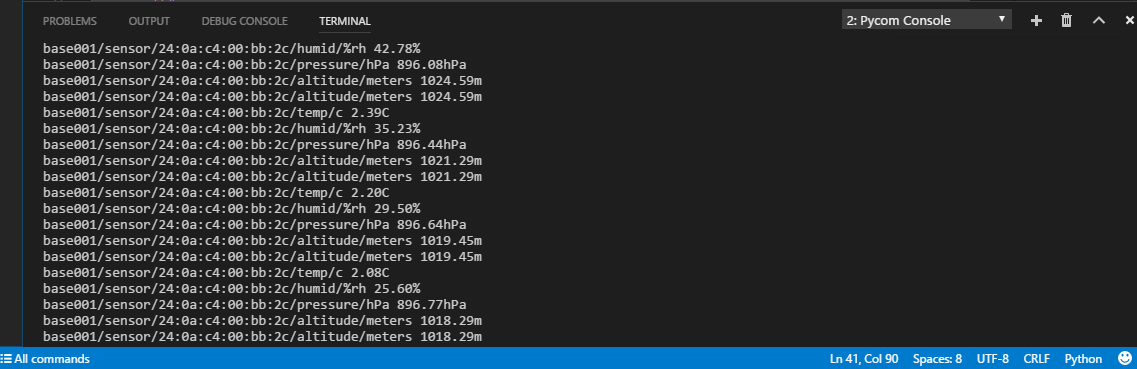
    Thanks @ahaw021 I am still wrapping my mind around how to go from sensor/MQTT-->LoPy send via LoRa to a LoPy acting as a RAW LoRa Nano-Gateway/LoPy--> that then forwards the message over wifi on local network. LoPy/LoRa Node --> LoPy/LoRa NanoGateway (recieves and forwards via WiFi)-->LoPy/WiFi NanoGateway --> local network. I apologize that I have not been very clear in my posts. In the LoPy NanoGateway discussion "The nodes send messages to the Nano-Gateway for further processing, this might include sending the messages over WiFi to a server for example." I want to forward messages over WiFi. The MQTT example HERE uses WiFi to send client messages to the MQTT Broker. Each LoRa/LoPy node needs to send the data to the NanoGateway, the NanoGateway needs to send it to the MQTT Broker. I don't know if there is a simple programmatic way to assemble and send the messages/topics from the NanoGateway to the MQTT Broker. Ideally it would just publish topics/data based on the message payload from the LoPy node. However, this hard codes publishing topics in node code. In the LoPy RAW NanoGateway example HERE the node code the message payload (Sensor Data Here) could include sensor data that the NanoGateway would publish the topic to the MQTT broker. msg = "Sensor Data Here" pkg = struct.pack(_LORA_PKG_FORMAT % len(msg), DEVICE_ID, len(msg), msg) lora_sock.send(pkg) It seems like this would work, but I would like the message payload to be inclusive like msg = "client.publish("/sensors/sensor8/print(temp)")" pkg = struct.pack(_LORA_PKG_FORMAT % len(msg), DEVICE_ID, len(msg), msg) lora_sock.send(pkg) I am not sure of a proper syntax to send in the message payload for parsing and forwarding. Perhaps just the topic e.g. /sensors/sensor8/temp, print(temp) The NanoGateway would receive the message payload and publish the topic with something like: client.publish("/sensors/sensor8/temp", "72.3") This would hard code each LoRa/LoPy sensor node with its topics, which is not very flexible. And I think this is just on way, not sure how to forward a node subscribing back via LoRa from the NanoGateway. Has anyone done anything like this? Any feedback is appreciated.

  • 0 Votes
    3 Posts
    2k Views
    R
    @jmarcelino I've tweaked the LoRa configs in every way I can think of. I get the same results when using data rate 4. I suppose the next step would be to examine if the packet (header + payload) is being created correctly through socket.send() however I know of no way to do that at the uPython command level. Any suggestions of next steps?
  • OTAA over nanagateway to brocaar loraserver

    LoPy otaa nanogateway loraserver
    4
    0 Votes
    4 Posts
    1k Views
    D
    I'm trying to use nano-gateway with loraserver.io but I can not downstream messages just upstream. Can you share if you had the same problem?
  • NanoGateway Crashes after a couple of Hours?

    Locked LoPy lopy nanogateway ttn gateway
    2
    0 Votes
    2 Posts
    930 Views
    J
    There's already a topic about this here https://forum.pycom.io/topic/1328/ttn-lorawan-gw-not-100-stable
  • 0 Votes
    7 Posts
    3k Views
    J
    Finally I could get the node to join TTN! :D I needed to add a delay of 5 seconds before the node starts listening for the response of the Join Request with the command AT+JD: > AT+JD=5 OK > AT+JOIN Successfully joined network OK Also the fix for _send_down_link in my last post is no more needed as the frequency in the Event Data is now ok.
  • OTAA Node says 'Not yet Joined..'

    LoPy otaa nanogateway frequency lopy
    12
    0 Votes
    12 Posts
    4k Views
    A
    Even after repeated attempts, unable to get my node working. I tried Sodaq One and lopy nano gateway which worked fine. So, I'm guessing there is a problem with my other LoPy which I'm trying to use as a node. Thanks everyone for your help.
  • 0 Votes
    7 Posts
    2k Views
    lollisoftL
    @daniel said in Nanogateway example code does not work. (Import class NanoGateway): @lollisoft I see that you have resolved your issue. You do need the latest firmware in order to run the LoRaWAN nano-gateway. Yes, done. Now running my next long time test. Seems at least today working well.