Pytrack and Pysense firmware release 0.0.2
-
@livius after it hangs, does it revive by resetting the WiPy 2, or do you have to power cycle the pysense?
-
@daniel
it revive by pressing reset button on Wipy2
and back hangUPDATE
pytrack is ok only pysense is affected -
-
@livius
Does the Pysense after update appear as a USB serial device using the usbser driver?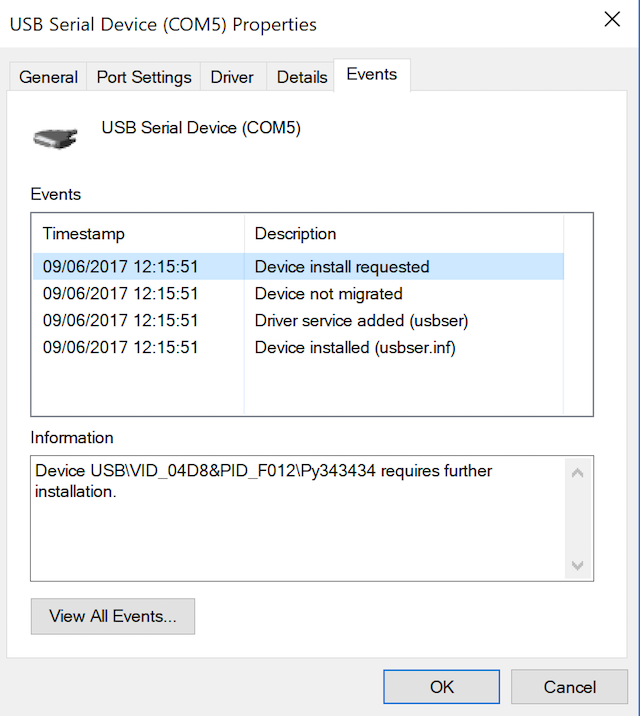
-
@jmarcelino said in Pytrack and Pysense firmware release 0.0.2:
Not sure how many checks the DFU stuff uses (would think it was reliable since it's a USB.org standard) but maybe try flashing it again?
I have tried before 5 times before written here
also with different cable on different USB port - no difference
and with really short cable (used for near everythin programing)
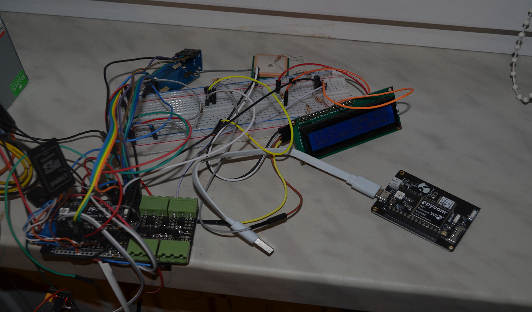
e.g. white cable below
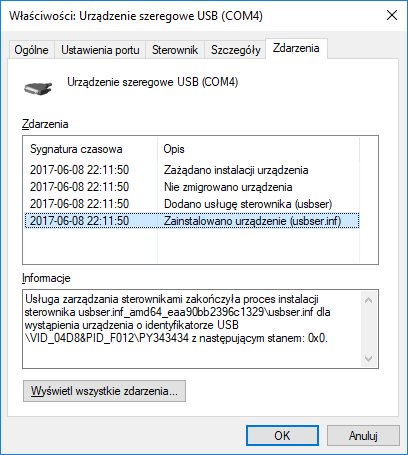
Does the Pysense after update appear as a USB serial device using the usbser driver?
yes
-
@livius
Sorry should have figured you'd have done that already :-)Not sure what it can be, but if pressing reset works I guess it's the WiPy crashing and not the Pysense shutting it off. Sounds like that was the question Daniel had.
-
@jmarcelino said in Pytrack and Pysense firmware release 0.0.2:
Sorry should have figured you'd have done that already :-)
for us we can assume this always ;-)
-
@livius @jmarcelino In my case I was obtaining the same error:
dfu-util(-static).exe -D pytrack_0.0.2.dfu
Cannot open DFU device 04d8:f014
No DFU capable USB device availableHowever, running the same with this option finally flashed the Pytrack!
dfu-util-static.exe --device 04d8:f014 -D pytrack_0.0.2.dfu
Hope that this can help to whom have the same problem!
Edit: I should add that before running that command I installed the driver packages which provided @jmarcelino and it didnt work after several attempts.
-
Hello, I followed every steps, both on windows or mac and I can't upgrade my pysense...
So, to be clear, I'll only speak about the mac part.
I installed dfu-util with brew, so I've the latest version (0.9).
If I try to upload the firmware without specifying the device ID, I get :
"dfu-util: No DFU capable USB device available"When I use dfu-util -l to see dfu capable devices plugged in my mac, I see two devices :
"Found Runtime: [05ac:8290] ver=0146, devnum=6, cfg=1, intf=5, path="20-8", alt=0, name="UNKNOWN", serial="UNKNOWN"
Found Runtime: [1209:2002] ver=0001, devnum=14, cfg=1, intf=0, path="20-5", alt=0, name="UNKNOWN", serial="UNKNOWN""The second one is pysense since it disappears when I unplug it.
So I tried to force the device with "dfu-util --device 1209:2002 -D pysense_0.0.2.dfu" and this is what I get :
"dfu-util 0.9Copyright 2005-2009 Weston Schmidt, Harald Welte and OpenMoko Inc.
Copyright 2010-2016 Tormod Volden and Stefan Schmidt
This program is Free Software and has ABSOLUTELY NO WARRANTY
Please report bugs to http://sourceforge.net/p/dfu-util/tickets/Opening DFU capable USB device...
ID 1209:2002
Run-time device DFU version 0100
Claiming USB DFU Runtime Interface...
Determining device status: state = dfuIDLE, status = 0
dfu-util: WARNING: Runtime device already in DFU state ?!?
Claiming USB DFU Interface...
Setting Alternate Setting #0 ...
Determining device status: state = dfuIDLE, status = 0
dfuIDLE, continuing
DFU mode device DFU version 0100
Device returned transfer size 64
dfu-util: Error: File ID 04d8:f011 does not match device (1209:2002 or 1209:2002)"It seems like my pysense doesn't have the good ideas... what should I do ?
-
@titi974 Wel, if you are in Windows and you press the push buttom while you plug in, and then you maintein your finger one second more, you could see when you run the first command Cannot open device (id) DFU or something like that. By the way, if you run it correctly, you can heard the sound when a device is pluged in, and 7 seconds laters the sound that something has pluged out(despite that maybe it's still pluged in)
If that doesnt work, you have to repeat the process sometimes. (plug in while pressing the buttom and running the first command)To me it didnt work the first attempts but I could obtain an output different than "dfu-util: No DFU capable USB device available"
-
@Pajarraco so, if you have read the entire thing, I've said that my problem is not that it's not recognised, it's that the IDs do not match...
And, on windows I get the exact same results as I've had on mac (see my first answer to understand the thing about device IDs that do not match). And yes I'm doing the procedure that you described.
I've been trying to make this work with my colleague since this morning so I think we've tried every possible way to launch it ahah and on different pcs and macs too. -
@titi974 yes, I read that you have followed every steps... Well, maybe you can try to install the drivers which @jmarcelino has provided some posts bellow and retry the procedure
-
@titi974
There is something very weird with your Pysense.1209:2002 is the USB ID for the PIC16F1-USB-DFU-Bootloader project which sounds like what Pycom used here.
However the firmware image and indeed the boards I've seen all use 04d8:f011. I wonder if yours is a very early version or if something slipped through production. Can you post your serial number? (sticker underneath)
Maybe someone from Pycom can chime in on this, it's a head scratcher.
-
@jmarcelino s/n is "1713000002"
@Pajarraco sorry I should have said that I already used those drivers... but strangely, I had to manually select the drivers as the device appeared as "unknown device" and windows 10 didn't ask me to choose what to do automatically
Hello! It looks like you're interested in this conversation, but you don't have an account yet.
Getting fed up of having to scroll through the same posts each visit? When you register for an account, you'll always come back to exactly where you were before, and choose to be notified of new replies (either via email, or push notification). You'll also be able to save bookmarks and upvote posts to show your appreciation to other community members.
With your input, this post could be even better 💗
Register Login