Welcome to the Pycom forum Forum
    • \[\[global:header.categories\]\]
    • \[\[global:header.recent\]\]
    • \[\[global:header.tags\]\]
    • \[\[global:header.popular\]\]
    • Login

    Explore Pybytes | Official Documentation | Report a Firmware Bug/Issue | GitHub

    Set Cellular Access Point Name (APN)

    Scheduled Pinned Locked Moved FiPy
    ltegpyfipycellular
    51 Posts 14 Posters 23.2k Views 15 Watching
    Loading More Posts
    • Oldest to Newest
    • Newest to Oldest
    • Most Votes
    Reply
    • Reply as topic
    Log in to reply
    This topic has been deleted. Only users with topic management privileges can see it.
    • M Offline
      michaelhobo @brotherdust
      last edited by

      @brotherdust I need to try this today! Thanks for the detailed explanation. Time to pull down the pycom source...

      B 1 Reply Last reply Reply Quote 0
      • B Offline
        brotherdust @michaelhobo
        last edited by

        @michaelhobo Good luck! One more thing: the documentation doesn’t explicitly mention it, but if you’re using the FiPy or GPy with the Expansion Board, you need to disable the RTS and CTS pins on the board (see Expansion Board 2.0 datasheet: https://docs.pycom.io/chapter/datasheets/boards/expansion.html). This is because the pins for RTS/CTS function on the FTDI USB to UART chip on the Expansion Board overlap with the LTE pins on the FiPy (and possibly GPy, I’m too lazy to look right now).

        1 Reply Last reply Reply Quote 0
        • ahaw021A Offline
          ahaw021 @michaelhobo
          last edited by

          @michaelhobo

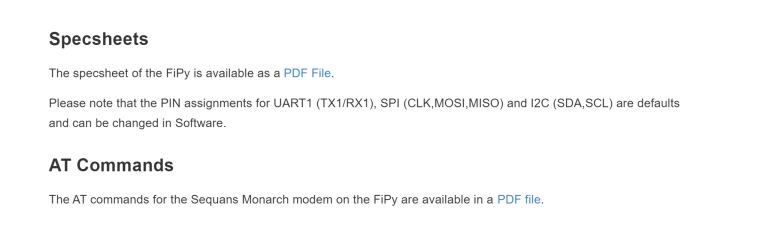
          https://docs.pycom.io/chapter/datasheets/development/fipy.html

          saw an AT command manual at the bottom.

          I don't have my FiPy (in NZ at the moment)

          but when i do i can do some more digging
          0_1517801668599_bcdc545b-dfc4-4cc3-85de-d74cbc93663d-image.png

          M 1 Reply Last reply Reply Quote 0
          • M Offline
            michaelhobo @ahaw021
            last edited by

            @brotherdust @ahaw021 Thanks all.
            I flashed my Gpy to look for roaming networks and turned on GSM_DEBUG. Then I realized I forgot to get an antenna... My poor little board never stood a chance.

            I can tell what's happening when I try to connect to the network now, thanks to debug mode. And I can build my own firmware, so I'm much further along than before. I will try again once my antenna arrives.

            B 1 Reply Last reply Reply Quote 0
            • B Offline
              brotherdust @michaelhobo
              last edited by

              @michaelhobo Did you blow up your board?!

              M 1 Reply Last reply Reply Quote 0
              • M Offline
                michaelhobo @brotherdust
                last edited by

                @brotherdust Oh no, it just couldn't get signal (and never could have in my room with no antenna)

                R 1 Reply Last reply Reply Quote 0
                • R Offline
                  rskoniec @michaelhobo
                  last edited by

                  @michaelhobo I hope everything is OK with your board, because using LoRa/Sigfox/LTE without connecting the antenna is not recommended.

                  The machine is working as good as it's code.

                  B 1 Reply Last reply Reply Quote 0
                  • B Offline
                    bbel91 @brotherdust
                    last edited by

                    @brotherdust Hello, I'm a beginner with Fipy and new in this forum...
                    Could you please explain how you enable the debug mode in the 3GPP stack and where are stored the libraries on my PC (W10) for me to modify the code as you explained ?
                    Thanks.

                    B 1 Reply Last reply Reply Quote 0
                    • B Offline
                      brotherdust @bbel91
                      last edited by

                      @bbel91 You'll need to set up a development environment. See https://github.com/pycom/pycom-micropython-sigfox#the-esp32-version for instructions. Follow them carefully! When are you able to compile and flash the firmware from the unmodified source, you'll be ready for modifying the code to enable GSM_DEBUG and LTE roaming features (if that's what you want to do). I STRONGLY suggest getting comfortable with Git before you start modifying the source code. I personally use a combination of Tower and Git CLI commands.

                      It's possible to directly access the Sequans modem over UART if you have the expansion board; once you have that setup, you can type AT commands directly to the modem and see what works. See https://forum.pycom.io/topic/2496/gpy-readiness/20 for more info (and a great face-palm moment by yours truly when he forgets to swap the UART pins).

                      B 1 Reply Last reply Reply Quote 0
                      • B Offline
                        brotherdust @rskoniec
                        last edited by

                        @rskoniec said in Set Cellular Access Point Name (APN):

                        @michaelhobo I hope everything is OK with your board, because using LoRa/Sigfox/LTE without connecting the antenna is not recommended.

                        My understanding is that, with no antenna attached, it could fry the LNA on the modem. It's expecting a particular impedance on the ANT connector. I really hope you didn't fry it. That would be sad and irritating. =( I've fried a REALLY expensive GPS chip this way (ublox LEA-6T); now it's just a paperweight.

                        R 1 Reply Last reply Reply Quote 0
                        • B Offline
                          bbel91 @brotherdust
                          last edited by

                          @brotherdust Thanks a lot for your help.
                          As I am on Windows10, I looked for a corresponding environment (msys2).
                          I could then follow your procedure but it blocks at "cd mpy-cross ..." because the directory does not exist. Do you have an idea of what it can be?

                          L 1 Reply Last reply Reply Quote 0
                          • L Offline
                            livius @bbel91
                            last edited by

                            @bbel91 said in Set Cellular Access Point Name (APN):

                            mpy-cross

                            you have it in the pycom-micropython-sigfox/mpy-cross repo
                            https://github.com/pycom/pycom-micropython-sigfox/tree/master/mpy-cross

                            think about people first, then computers

                            B 1 Reply Last reply Reply Quote 0
                            • B Offline
                              bbel91 @livius
                              last edited by

                              @livius Thanks for your answer.
                              Yes, of course, I've forgot the essential...
                              Now that all seems ok and all the repository installed I get this issue when I "make" in mpy-cros :

                              LINK mpy-cross
                              build/py/modbuiltins.o:modbuiltins.c:(.rdata$mp_module_builtins_globals_table+0x294): référence indéfinie vers « mp_type_TimeoutError »
                              collect2: erreur: ld a retourné 1 code d'état d'exécution
                              make: *** [../py/mkrules.mk:133: mpy-cross] Error 1

                              Do you know where it can come from ?

                              1 Reply Last reply Reply Quote 0
                              • R Offline
                                rskoniec @brotherdust
                                last edited by

                                @brotherdust I would suspect this also.
                                @michaelhobo There is a note (below) on the Fipy product description

                                0_1518170503013_note.png

                                The machine is working as good as it's code.

                                M 1 Reply Last reply Reply Quote 0
                                • M Offline
                                  michaelhobo @rskoniec
                                  last edited by

                                  @rskoniec @brotherdust I got my LTE antenna and it's working! At least, I get an IP - I haven't looked at LTE performance, so it's still possible I may have damaged something. I'll make sure to use my backup GPy for any RF-critical benchmarking. Thanks @brotherdust for helping me get started!

                                  B 1 Reply Last reply Reply Quote 0
                                  • B Offline
                                    brotherdust @michaelhobo
                                    last edited by

                                    @michaelhobo you’re welcome and good luck! I fried my FiPy a couple of days ago, so I won’t be much help for now. I’m actually considering going with a different ESP32 board. I’m getting pretty tired of Pycom’s intransigence around releasing actual schematics. If they would, I might have enough info to fix the board, but as it stands, not gonna happen. sigh

                                    1 Reply Last reply Reply Quote 1
                                    • S Offline
                                      Sat @benstr
                                      last edited by

                                      @benstr said in Set Cellular Access Point Name (APN):

                                      if either have NB

                                      Hi Ben, Trying to connect to Telstra's CAT-M1 and NB networks. No luck with that. Could you help? I am in a lab environment in band 28.

                                      1 Reply Last reply Reply Quote 0
                                      • C Offline
                                        camdenkrupala
                                        last edited by

                                        @jmarcelino Is there an update on this functionality being added? Thanks!

                                        J 1 Reply Last reply Reply Quote 0
                                        • J Offline
                                          jmarcelino @camdenkrupala
                                          last edited by

                                          @camdenkrupala
                                          You can already set an APN manually by doing

                                          lte.send_at_cmd('AT+CEREG=2')
                                          time.sleep(2)
                                          lte.send_at_cmd('AT+CFUN=1')
                                          time.sleep(1)
                                          lte.send_at_cmd('AT+CGDCONT=1,"IP","YOUR_APN_HERE"')
                                          time.sleep(2)
                                          
                                          while lte.isattached() == False:
                                              time.sleep(1)
                                          
                                          lte.connect()
                                          
                                          while not lte.isconnected():
                                              time.sleep(1)
                                          
                                          print("connected")

                                          
                                          1 Reply Last reply Reply Quote 1

                                          Hello! It looks like you're interested in this conversation, but you don't have an account yet.

                                          Getting fed up of having to scroll through the same posts each visit? When you register for an account, you'll always come back to exactly where you were before, and choose to be notified of new replies (either via email, or push notification). You'll also be able to save bookmarks and upvote posts to show your appreciation to other community members.

                                          With your input, this post could be even better 💗

                                          Register Login
                                          • 1
                                          • 2
                                          • 3
                                          • 3 / 3
                                          • First post
                                            Last post

                                          Pycom on Twitter

                                          Pycom