Welcome to the Pycom forum Forum
    • \[\[global:header.categories\]\]
    • \[\[global:header.recent\]\]
    • \[\[global:header.tags\]\]
    • \[\[global:header.popular\]\]
    • Login

    Explore Pybytes | Official Documentation | Report a Firmware Bug/Issue | GitHub

    Lopy with pytrack, how connect/use GPS?

    Scheduled Pinned Locked Moved LoPy
    gpslopypytrack
    76 Posts 5 Posters 33.6k Views 5 Watching
    Loading More Posts
    • Oldest to Newest
    • Newest to Oldest
    • Most Votes
    Reply
    • Reply as topic
    Log in to reply
    This topic has been deleted. Only users with topic management privileges can see it.
    • Z Offline
      zceld @seb
      last edited by

      @seb

      Well, since you told me in the procedure to update it. Therefore I have the 'pytrack' and 'pycom' plate:
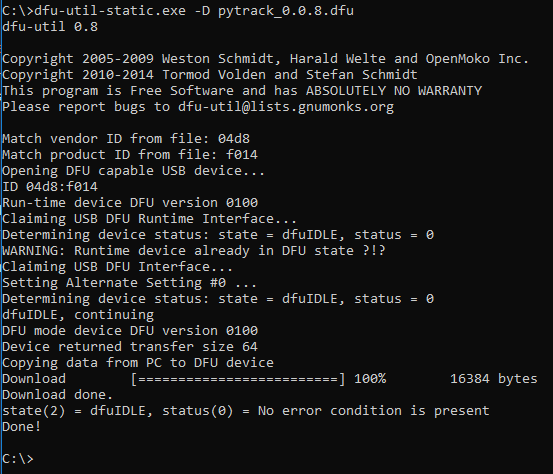
      0_1516203600020_Actualización firmware pytrack.PNG

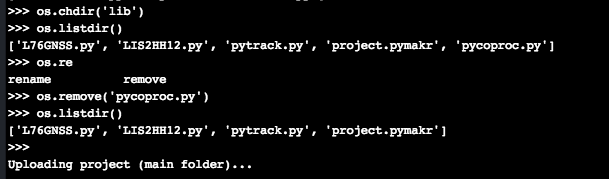
      I understand that the board is well connected because I connect with it by the usb from pytrack to Atom and it responds to all commands os. , for example pycom.heartbeat (False) and the LED goes off. I also upload a short video and show you the directory listings.
      video/gif:
      https://imgur.com/a/eQl9h

      Directory:
      0_1516204228118_Captura de pantalla 2018-01-17 16.49.44.png

      Everything you need I'll show you to know or reach the solution.

      1 Reply Last reply Reply Quote 1
      • sebS Offline
        seb
        last edited by

        Hi,

        Thanks for confirming all of that. To debug this further could you change the following two lines of code in pycoproc.py so we can see in more detail what error is occurring:

        108        except Exception:
        109            raise Exception('Board not detected')
        

        to

        108        except Exception as e:
        109            print(e)
        110            raise Exception('Board not detected')
        
        1 Reply Last reply Reply Quote 0
        • Z Offline
          zceld
          last edited by

          @seb

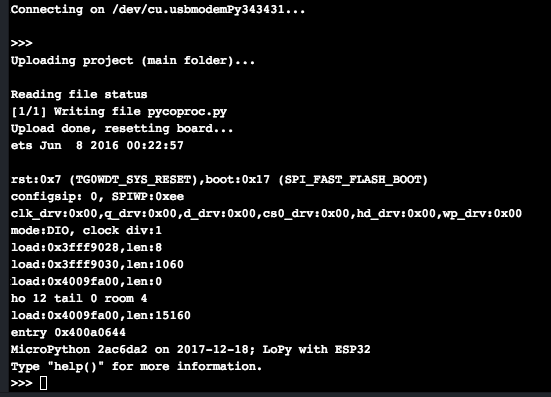
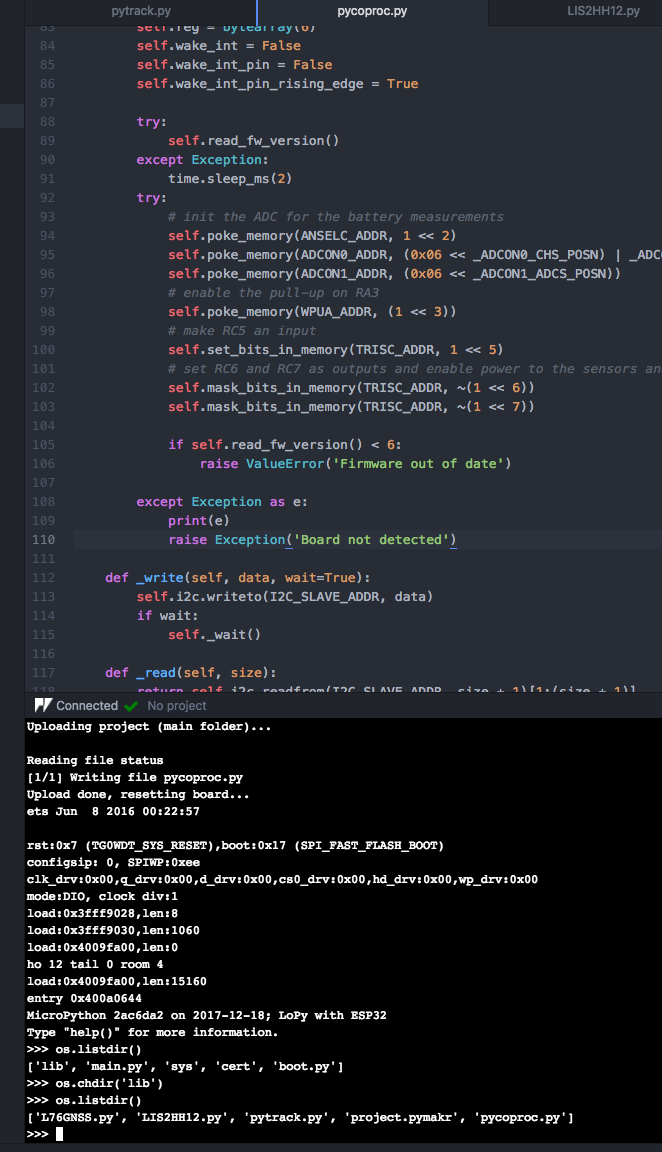
          ok, I added the line of code you indicated and updated the file on the board:0_1516205098806_Captura de pantalla 2018-01-17 17.00.48.png

          0_1516205130920_Captura de pantalla 2018-01-17 17.01.29.png
          0_1516205140663_Captura de pantalla 2018-01-17 17.02.09.png

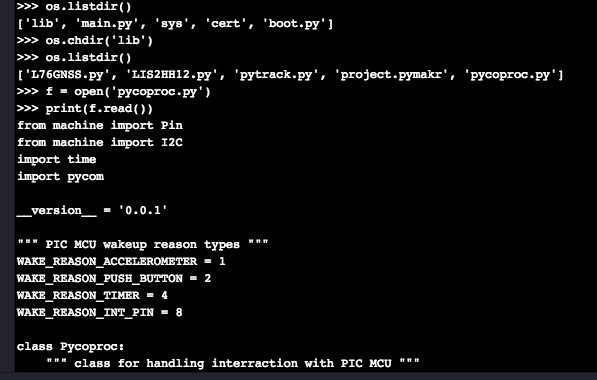
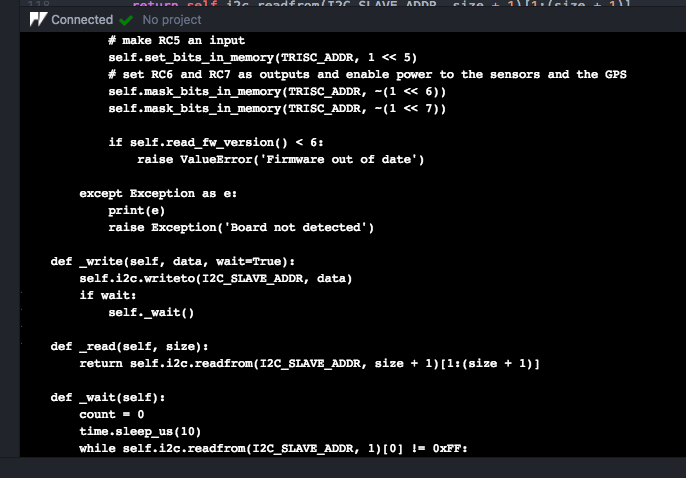
          I check that the lines of code are in the uploaded file:
          0_1516205219378_Captura de pantalla 2018-01-17 17.03.07.png

          0_1516205225492_Captura de pantalla 2018-01-17 17.03.22.png

          Bien, pues pruebo de nuevo a ejecutar el main.py:
          0_1516205362323_Captura de pantalla 2018-01-17 17.08.14.png

          Result:
          0_1516205390526_Captura de pantalla 2018-01-17 17.08.45.png

          1 Reply Last reply Reply Quote 1
          • sebS Offline
            seb
            last edited by

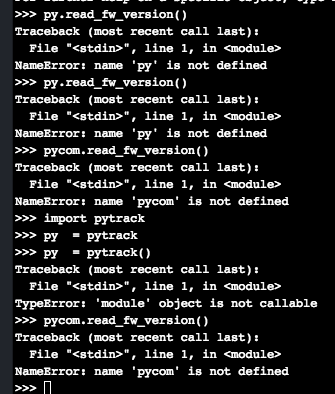
            Thats odd, its showing that the firmware version is outdated but you showed me the screenshot of you updating it. Can you please run the following in the REPL after the error:

            py.read_fw_version()
            

            and post back what it returns?

            Z 1 Reply Last reply Reply Quote 0
            • Z Offline
              zceld @seb
              last edited by

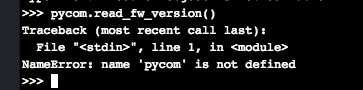
              @seb 0_1516206332736_Captura de pantalla 2018-01-17 17.25.13.png

              true !, according to the console and the screenshot I answered that it had been updated successfully. I will also do it again from this pc that is different. For trying, I lose nothing.

              1 Reply Last reply Reply Quote 1
              • sebS Offline
                seb
                last edited by

                you typed that in wrong, its py not pycom

                Z 1 Reply Last reply Reply Quote 0
                • Z Offline
                  zceld @seb
                  last edited by

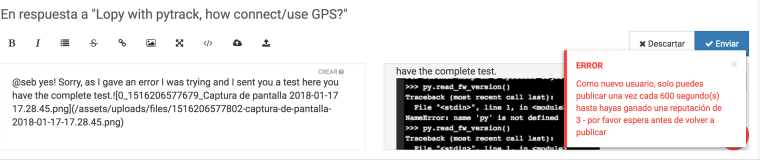
                  @seb yes! Sorry, as I gave an error I was trying and I sent you a test here you have the complete test.0_1516206577679_Captura de pantalla 2018-01-17 17.28.45.png

                  You will also have to apologize for taking a long time to answer the forum, it does not allow me to respond faster.:
                  0_1516206650052_Captura de pantalla 2018-01-17 17.30.03.png

                  1 Reply Last reply Reply Quote 0
                  • sebS Offline
                    seb
                    last edited by

                    I upvoted some of your posts, the limit should now be much shorter.

                    ok sorry, can you try running this instead:

                    from pytrack import Pytrack
                    py = Pytrack()
                    py.read_fw_version()
                    
                    Z 1 Reply Last reply Reply Quote 0
                    • Z Offline
                      zceld @seb
                      last edited by

                      @seb
                      Thank you very much for all the support, I have made the indicated and I keep saying the same.
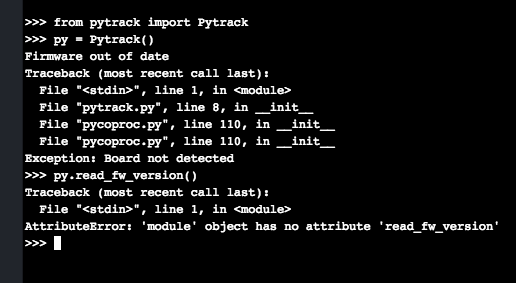
                      0_1516207873627_Captura de pantalla 2018-01-17 17.51.07.png

                      1 Reply Last reply Reply Quote 0
                      • sebS Offline
                        seb
                        last edited by

                        Ah, thats annoying, because the error happens when trying to create py and fails we cant then use it later. I am afraid you will have to edit the library some more:

                                    if self.read_fw_version() < 6:
                                        raise ValueError('Firmware out of date')
                        

                        to

                                    if self.read_fw_version() < 6:
                                        raise ValueError('Firmware out of date (Version: {})'.format(self.read_fw_version()))
                        

                        I will make some changes to the library on github once we solve this to make this easier in the future.

                        1 Reply Last reply Reply Quote 0
                        • Z Offline
                          zceld
                          last edited by zceld

                          @seb
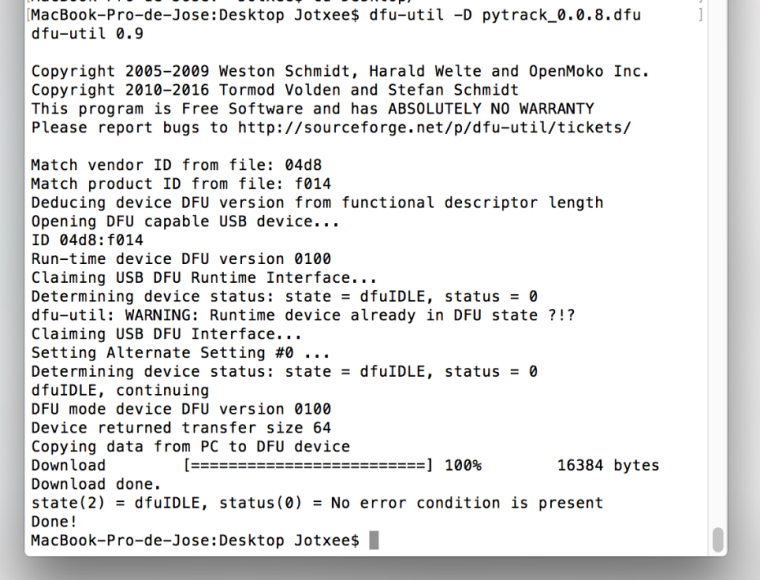
                          I am also trying to update from this PC again as I mentioned and it is a Mac, but this command that indicates the guide does not accept it:
                          https://docs.pycom.io/chapter/pytrackpysense/installation/firmware.html
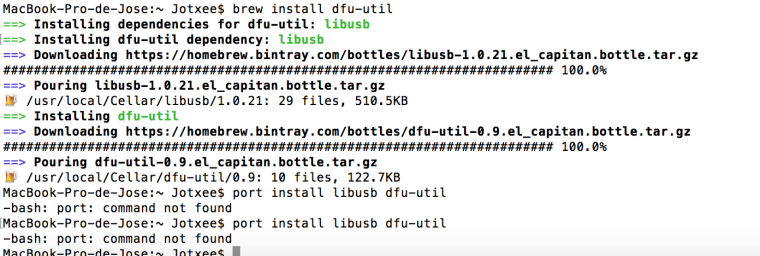
                          0_1516208015990_Captura de pantalla 2018-01-17 17.52.52.png

                          I update this part above to show you that I finally got back to update the board through the Mac:
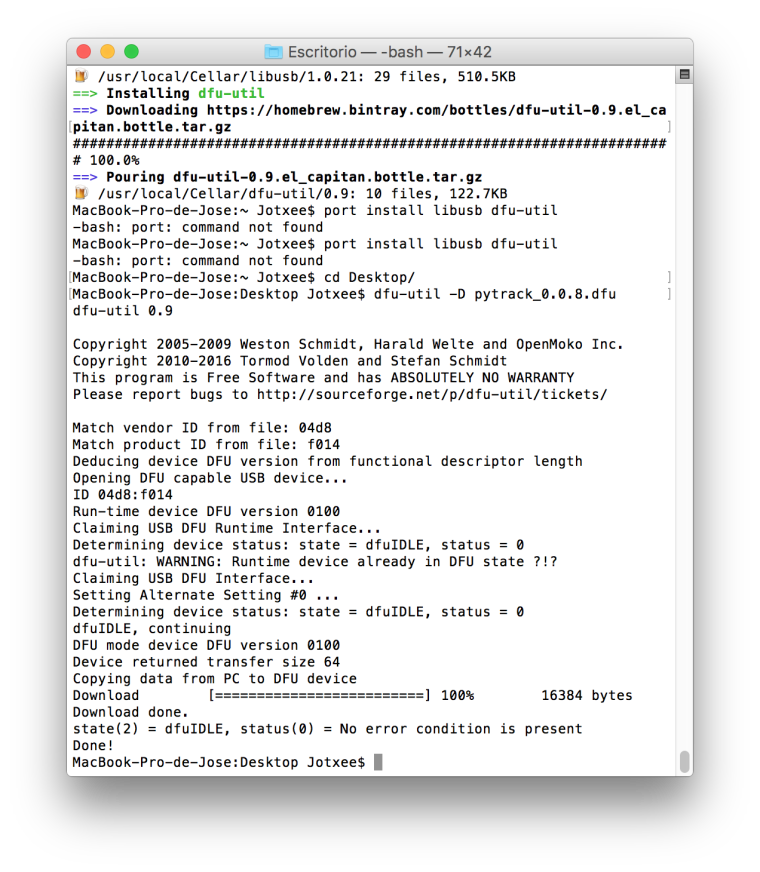
                          0_1516210022774_Captura de pantalla 2018-01-17 18.26.50.png

                          <-------------- current topic: ------------------->

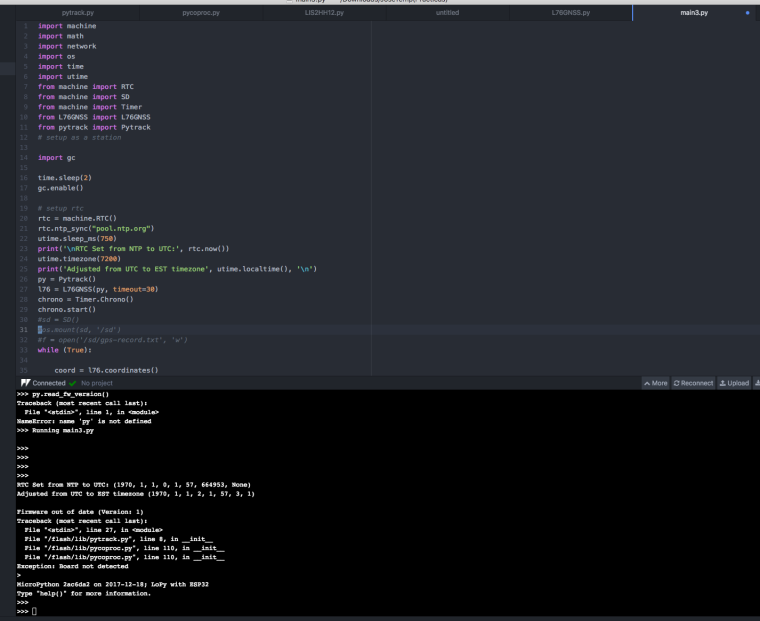
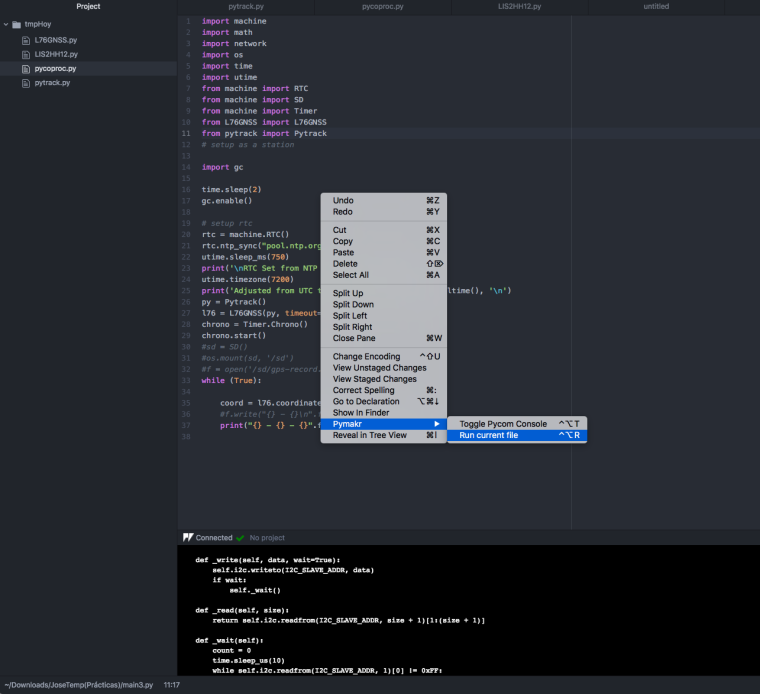
                          Well I have made the changes, updated the file in the pycom.
                          I have tried again the previous and even the main.py but it still fails. I will also try to update the pytrack with Mac.
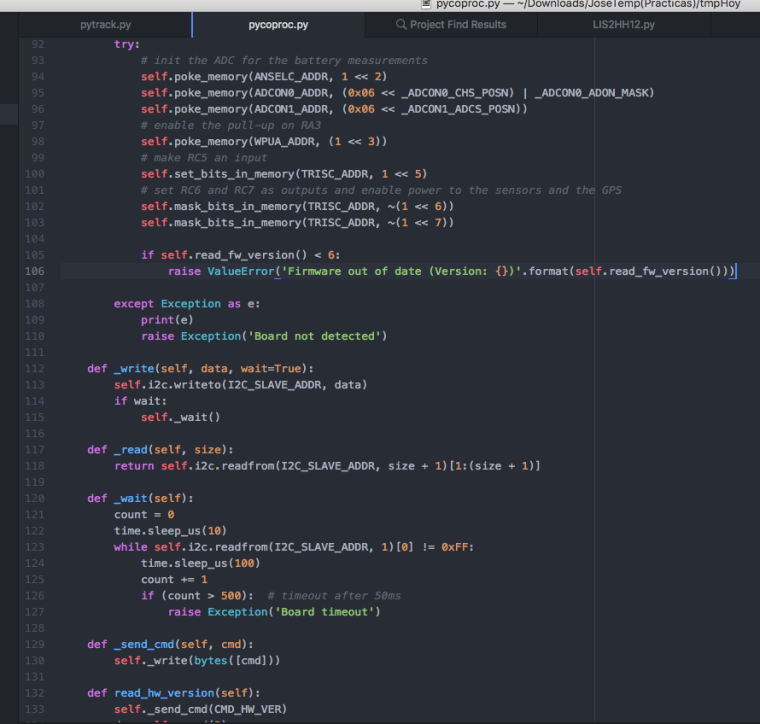
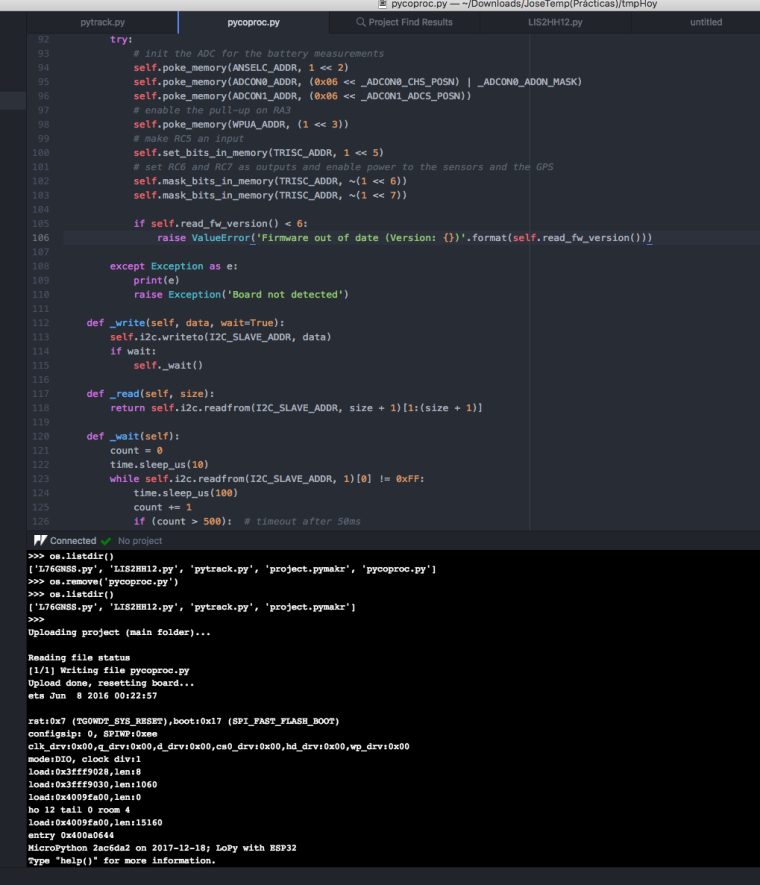
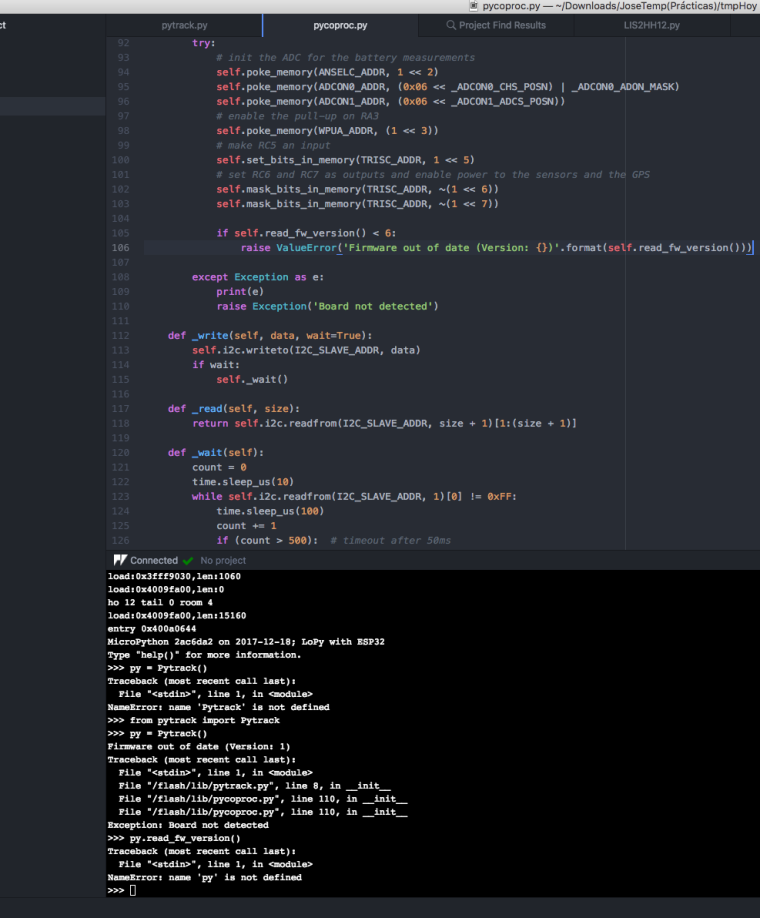
                          0_1516208879421_Captura de pantalla 2018-01-17 18.02.52.png

                          0_1516208890081_Captura de pantalla 2018-01-17 18.04.06.png

                          0_1516208898259_Captura de pantalla 2018-01-17 18.05.21.png

                          0_1516208908102_Captura de pantalla 2018-01-17 18.05.53.png

                          @seb said in Lopy with pytrack, how connect/use GPS?:

                          if self.read_fw_version() < 6:
                          raise ValueError('Firmware out of date (Version: {})'.format(self.read_fw_version()))

                          Z 1 Reply Last reply Reply Quote 0
                          • Z Offline
                            zceld @zceld
                            last edited by

                            @zceld

                            okay! it seems that the update of the pytrack was not effective for windows despite the screenshot showed that yes, because now at least we can call the class Pytrack ().
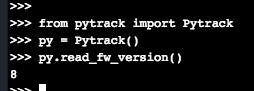
                            0_1516210385716_1.png

                            The problem when running the main.py that in my case is called main3.py but that it is the same program as this one:

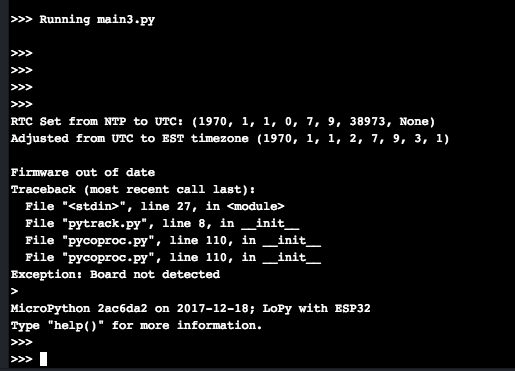
                            Well now the fault is as follows:
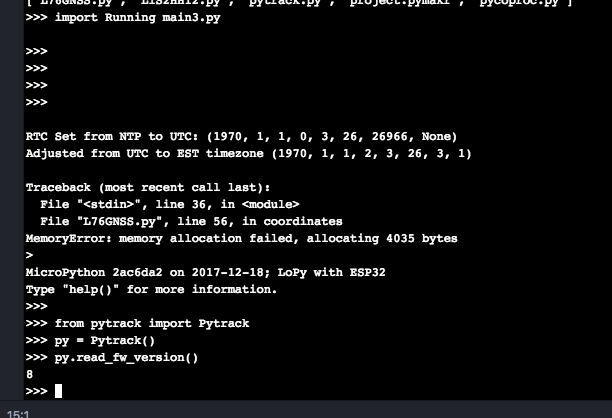
                            0_1516210369312_Captura de pantalla 2018-01-17 18.29.09.png

                            At least we have already advanced! ;-)

                            Z 1 Reply Last reply Reply Quote 0
                            • Z Offline
                              zceld @zceld
                              last edited by

                              @zceld

                              It seems that at least you have tried a couple of times, get the coordinates!

                              After I forget this, I would not know how to fix it:
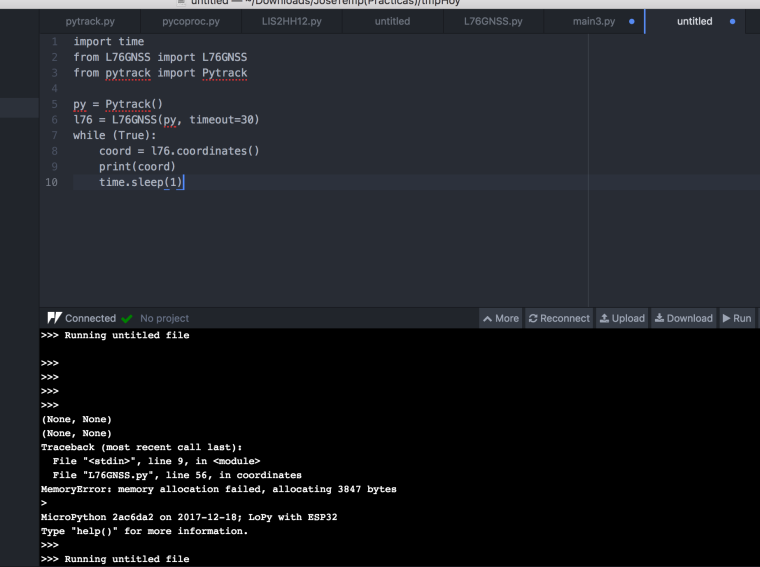
                              0_1516210789876_Captura de pantalla 2018-01-17 18.37.45.png

                              Afterwards he does not let me try it anymore:
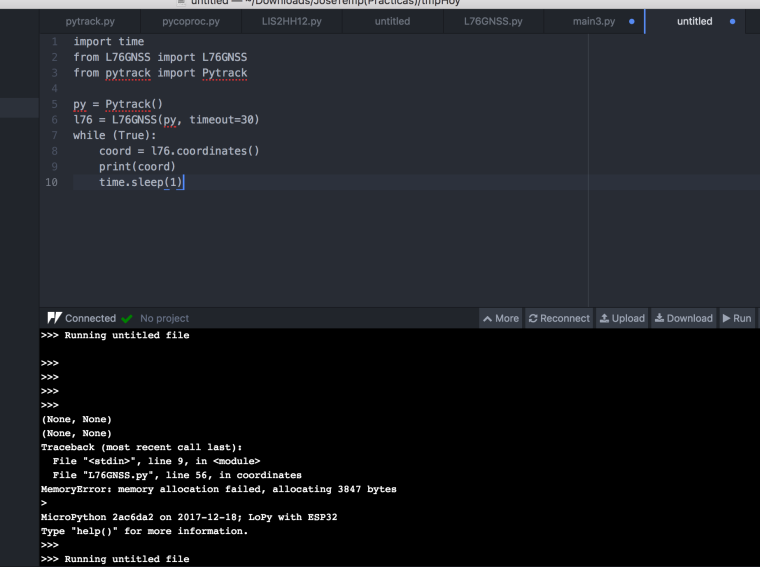
                              0_1516210824901_Captura de pantalla 2018-01-17 18.37.45.png

                              1 Reply Last reply Reply Quote 0
                              • Z Offline
                                zceld
                                last edited by

                                @zceld
                                Well finally it seems that with this code at least try to get the GPS coordinates.

                                On the other hand now comes another problem and it seems that it runs out of memory. What do you think? the idea of operation is to collect the signal from the gps of a vehicle and send it to LoRa. I understand that if it is due to lack of memory, it will be necessary to program something to clean the cache or something that increases when using the program, not?

                                CODE:
                                import time
                                from L76GNSS import L76GNSS
                                from pytrack import Pytrack

                                py = Pytrack()
                                l76 = L76GNSS(py, timeout=30)
                                while (True):
                                coord = l76.coordinates()
                                print(coord)
                                time.sleep(1)
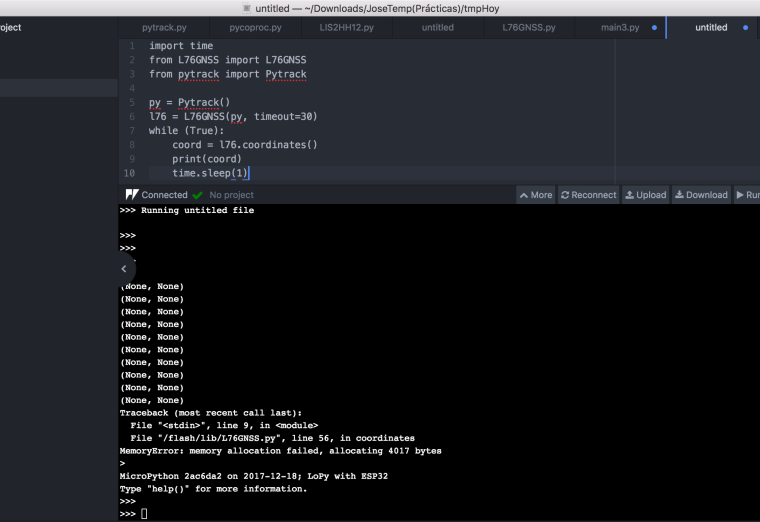
                                0_1516211523487_Captura de pantalla 2018-01-17 18.49.51.png

                                I am waiting for new news. Thank you very much for your patience

                                1 Reply Last reply Reply Quote 0
                                • Z Offline
                                  zceld
                                  last edited by

                                  @zceld

                                  I am happy to inform you that with this code I have at least managed to obtain coordinates without failure:

                                  Code:

                                  import machine
                                  import math
                                  import network
                                  import os
                                  import time
                                  import utime
                                  from machine import RTC
                                  from machine import SD
                                  from machine import Timer
                                  from L76GNSS import L76GNSS
                                  from pytrack import Pytrack
                                  # setup as a station
                                  
                                  import gc
                                  
                                  time.sleep(2)
                                  gc.enable()
                                  
                                  # setup rtc
                                  rtc = machine.RTC()
                                  rtc.ntp_sync("pool.ntp.org")
                                  utime.sleep_ms(750)
                                  print('\nRTC Set from NTP to UTC:', rtc.now())
                                  utime.timezone(7200)
                                  print('Adjusted from UTC to EST timezone', utime.localtime(), '\n')
                                  py = Pytrack()
                                  l76 = L76GNSS(py, timeout=30)
                                  chrono = Timer.Chrono()
                                  chrono.start()
                                  #sd = SD()
                                  #os.mount(sd, '/sd')
                                  #f = open('/sd/gps-record.txt', 'w')
                                  while (True):
                                  
                                  coord = l76.coordinates()
                                  #f.write("{} - {}\n".format(coord, rtc.now()))
                                  print("{} - {} - {}".format(coord, rtc.now(), gc.mem_free()))
                                  

                                  Result:
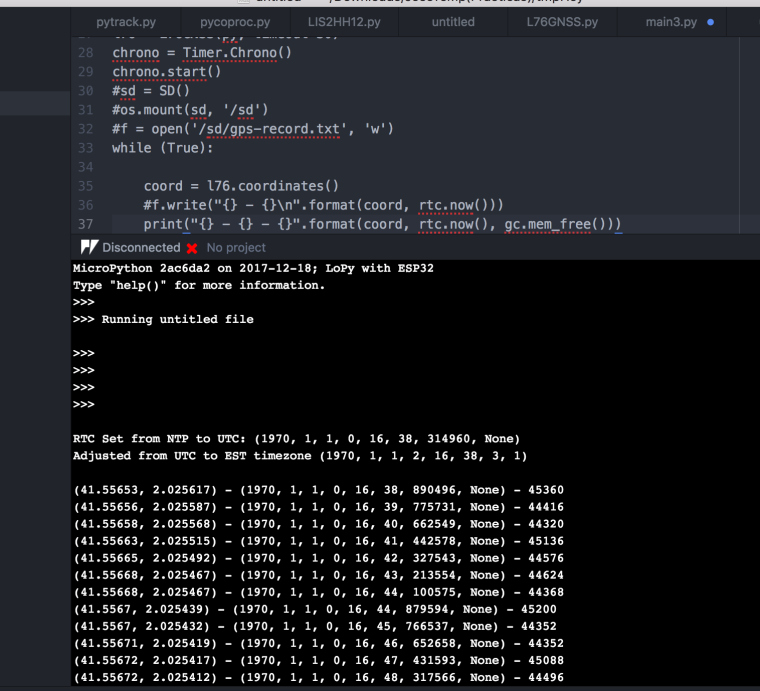
                                  0_1516214696327_Captura de pantalla 2018-01-17 19.38.15.png

                                  Thank you very much to all of you who have had to endure my clumsiness and have helped me especially: @seb and @livius, include @crumble ! :-)

                                  taking advantage of the post with the doubts and problems that I have had, I will shortly upload a guide in Spanish (since it is already in English) on the subject to facilitate other people.

                                  1 Reply Last reply Reply Quote 0
                                  • O Offline
                                    olliec
                                    last edited by

                                    @zceld I appear to be having a similar issue that you were having, with a LoPy4 and PyTrack.
                                    My error however is "I2C bus error"..

                                    I've updated the PyTrack to 0.0.8 (tried via Windows 10 and Debian) and LoPy4 to 1.14.0.b1, ran "os.mkfs('/flash')" and re-uploaded the files from a ZIP download of the Git (https://github.com/pycom/pycom-libraries).

                                    This is what I get (I added the "print(e)" in pycoproc.py which is returning "I2C bus error"):
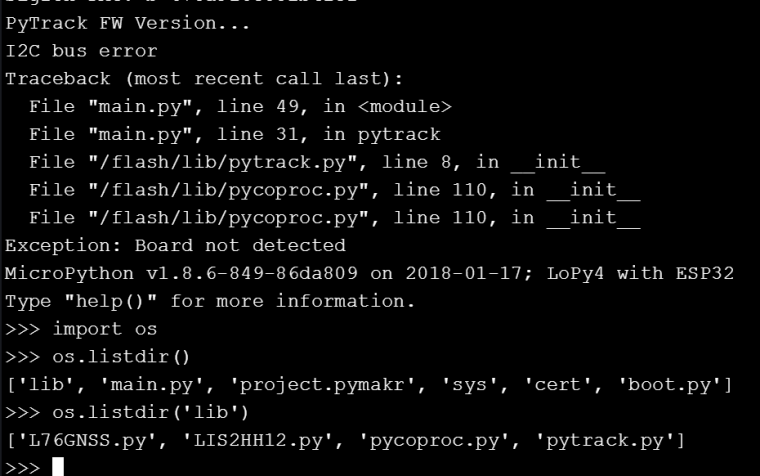
                                    0_1516209064068_Capture.PNG

                                    @zceld - was there anything else you did other than update PyTrack via your Mac?!

                                    Z 1 Reply Last reply Reply Quote 0
                                    • Z Offline
                                      zceld @olliec
                                      last edited by zceld

                                      @olliec said in Lopy with pytrack, how connect/use GPS?:

                                      was there anything else you did other than update PyTrack via your Mac?!

                                      hello, well, you'll see that the only thing I did was really update, I attached the screenshots of what I did. I honestly do not know why you can fail, surely you can get a hand those who really know. The teachers who have guided me.

                                      Screenshots:
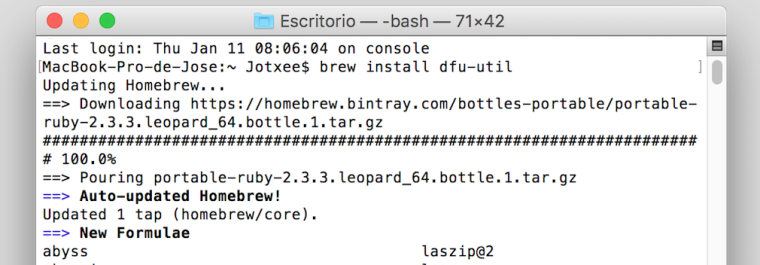
                                      0_1516224146742_Captura de pantalla 2018-01-17 22.22.15.png

                                      0_1516224269789_Captura de pantalla 2018-01-17 22.24.16.png

                                      Greetings, I will be here attentive to your problem to know how it is solved. luck.

                                      O 1 Reply Last reply Reply Quote 0
                                      • O Offline
                                        olliec @zceld
                                        last edited by

                                        @zceld :( yeah I think my error is different.. I'll start a new thread. Thanks anyways!

                                        Z 1 Reply Last reply Reply Quote 0
                                        • Z Offline
                                          zceld @olliec
                                          last edited by

                                          @olliec good luck!

                                          1 Reply Last reply Reply Quote 0
                                          • sebS Offline
                                            seb
                                            last edited by

                                            Hi,

                                            I'm glad you got it working! The out of memory issue is a known problem with the GPS library on our older devices that have less RAM. This is due to the large amount of string data that needs to be processed. The advice is to retry a few times and once it gets a lock it will start working. This library will need to be improved in the future to try fix this.

                                            It is very interesting that the update via windows didnt work but via mac it did, I will pass this on to the rest of the team.

                                            Thanks,
                                            Seb

                                            Z 1 Reply Last reply Reply Quote 0

                                            Hello! It looks like you're interested in this conversation, but you don't have an account yet.

                                            Getting fed up of having to scroll through the same posts each visit? When you register for an account, you'll always come back to exactly where you were before, and choose to be notified of new replies (either via email, or push notification). You'll also be able to save bookmarks and upvote posts to show your appreciation to other community members.

                                            With your input, this post could be even better 💗

                                            Register Login
                                            • 1
                                            • 2
                                            • 3
                                            • 4
                                            • 3 / 4
                                            • First post
                                              Last post

                                            Pycom on Twitter

                                            Pycom